Checklist
Introduction
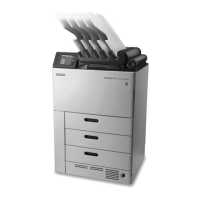
The DRYVIEW Laser Imager is a continuous-tone laser imager with an internal
photothermographic lm processor. Heat, rather than photo chemicals, is used to
develop the lm. This easy-to-use and reliable imager provides high-quality prints.
The system receives and prints from qualied image sources such as medical equipment
(modalities) and workstations over the network. You can send print jobs simultaneously
from multiple image sources. The open design lets you connect to modalities of all
types and vendors.
Purpose:
Use this checklist to ensure that all guidelines and site specications for installation of
your DRYVIEW Laser Imager have been fullled. Preparation for installation is your
responsibility; however, Carestream has resources available to help you if needed.
Review the requirements contained in this document and, if you have questions, please
contact your Authorized Carestream Service Provider.
Use the following checklist to ensure that you have accomplished all the tasks required
prior to installation of the DRYVIEW Laser Imager.
AN9405 2 2024-03-06


 To Next Page