18” CHIPPER MACHINE OPERATION
32
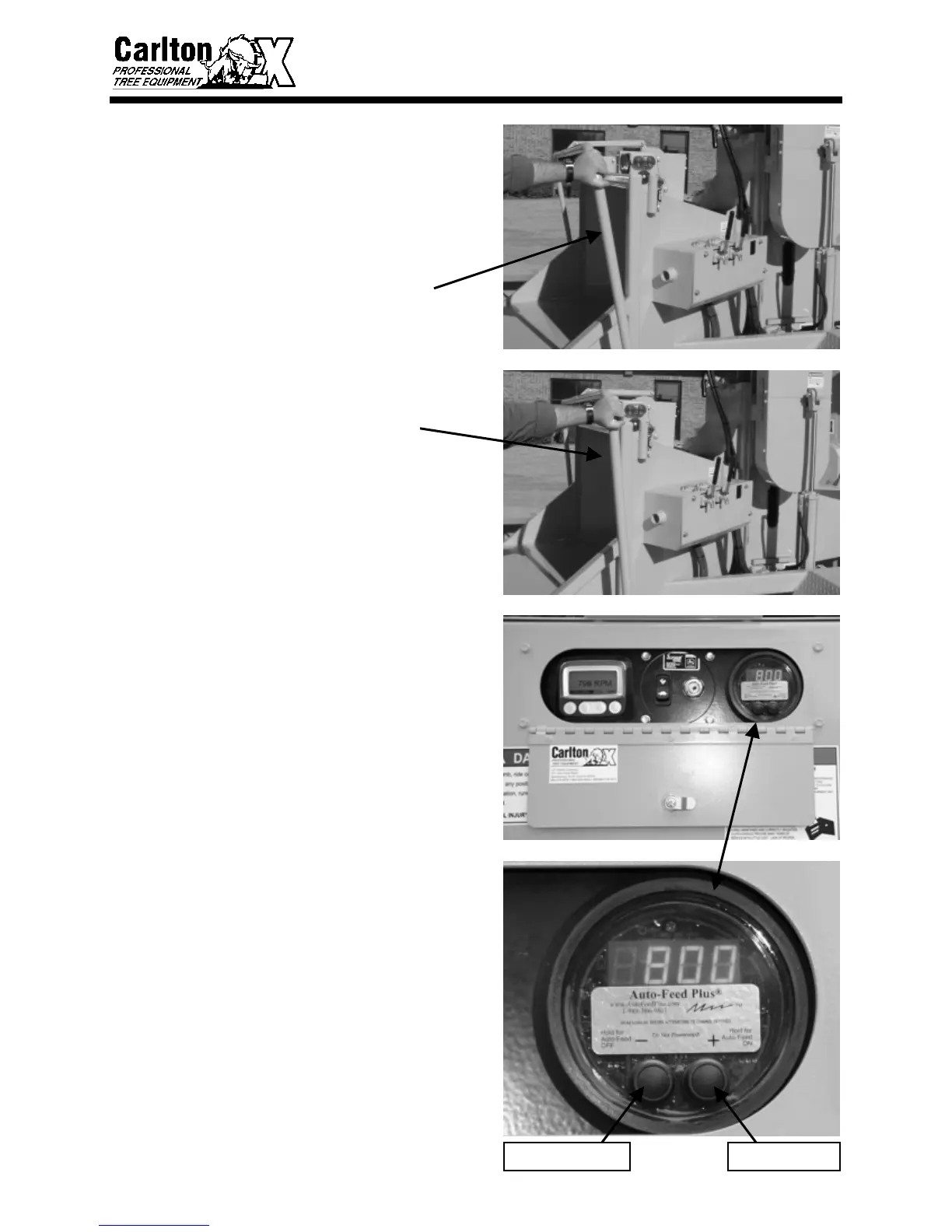
• Test the controls for proper operation,
especially the feed control bar. (The
engine speed must be high enough for
the Auto-Feed® to engage the
hydraulics or the Auto-Feed® must be
off. Press down the left button and hold
for 4 seconds to turn Auto-Feed® off.)
− Pull feed control bar to the rear of
the machine to test forward (pulling)
feed wheel motion
− Push feed control bar to the middle
position to test off position (feed
wheels should not turn at all)
− Push feed control bar all the way
toward the front of the machine to
test the reverse feed wheel motion
TURN AUTO-FEED PLUS ON
• The Auto-Feed Plus® monitors the
engine RPM and controls the feed
system based on this information. The
Auto-Feed® is calibrated when installed
in the chipper with a high and low RPM
setting for the feed wheels to operate.
When the engine RPM is low and the
Auto-Feed® is on, the hydraulics will
not work. If large diameter wood is
being chipped and the engine RPM
drops below the Auto-Feed Low setting,
the Auto-Feed will stop the feed wheels.
After the engine RPM is high enough to
handle the force required to chip this
material without causing the engine to
lug down, the Auto-Feed restarts the
feed wheels.
• The Auto-Feed Plus® control is
calibrated to automatically come on
when the chipper is started. If for some
reason you need to turn on the Auto-
Feed Plus® control, press and hold the
right button down for 4 seconds and
release. (See Auto-Feed Plus® manual
included in this chipper manual.)
AUTO-FEED® ONAUTO-FEED® OFF


 To Next Page
 Loading...