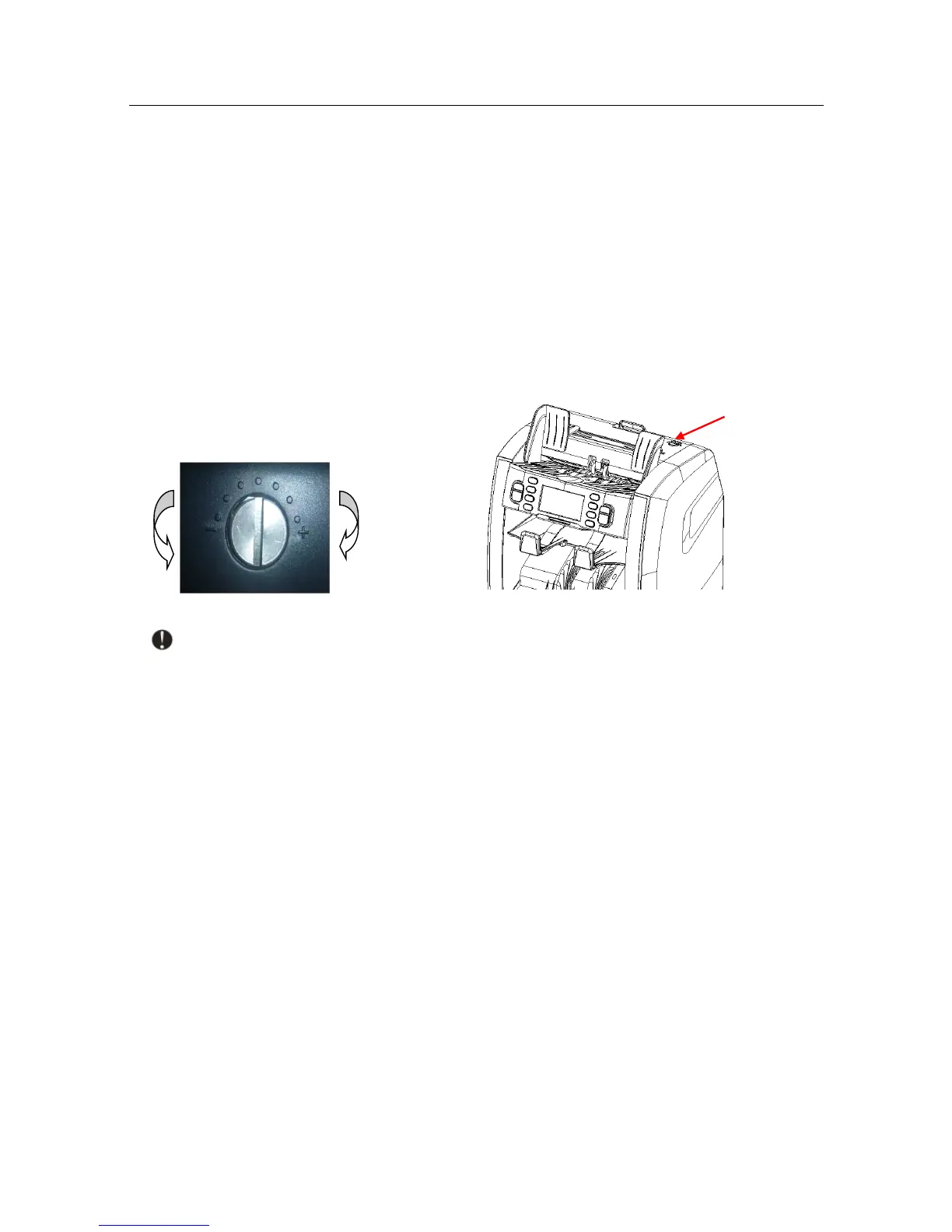
2. Adjusting feeder’s aperture
The adjusting screw of the feeder aperture on the top cover has already been set at the
factory. You may need to adjust the feeder aperture if the following problems occur during
counting/sorting:
■ Frequent jams, or banknotes pass the feeder with difficulty - turn the adjusting screw
clockwise to make the aperture wider.
■ Frequent "double notes" or "chained notes" error message - turn the adjusting screw
counter-clockwise to make the aperture smaller.
Note: The adjusting screw is very sensitive, move only one notch at a time!
3. Self-test error message and solutions:
The machine will perform a self-test when turned on. Most of the following error messages
are caused by a sensor blocked by banknotes or dust. Remove the stuck banknotes, or use a
brush or a piece of soft cloth to clean the dust off the sensor, and restart the machine.
Sensors location (Open the top cover to find them)


 To Next Page