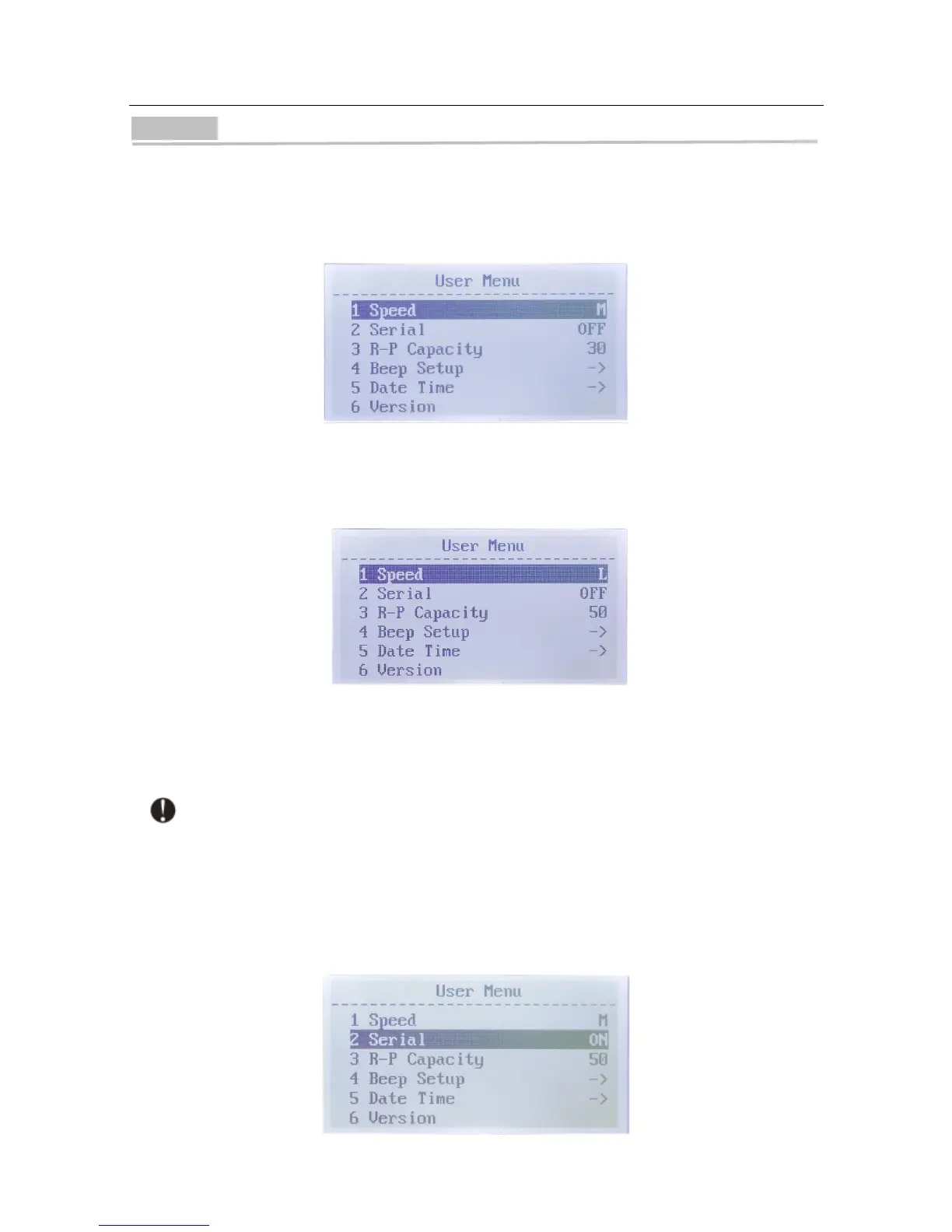
User Menu
When the machine is in one of the counting modes, you can enter the user menu by pressing
the "MENU" button. You can navigate to any category by pressing the "ADD" button or "DISPLAY"
button.
1. Counting Speed
Navigate to "1 Speed", press the "BATCH" button or "+1/+10" button to select speed (3
speeds available). Press "RESET" button to save the change. Press "MENU" button to exit.
● "SPEED L" - low speed (800 notes/min)
● "SPEED M" - medium speed (900 notes/min)
● "SPEED H" - high speed (1,100 notes/min)
Serial number identification function can only work with low speed setting (SPEED L).
2. Serial Number Identification
Navigate to "2 Serial", press the "BATCH" button or "+1/+10" button, and select to turn the
serial number identification function on / off. Press "RESET" button to save the change. Press
"MENU" button to exit.


 To Next Page