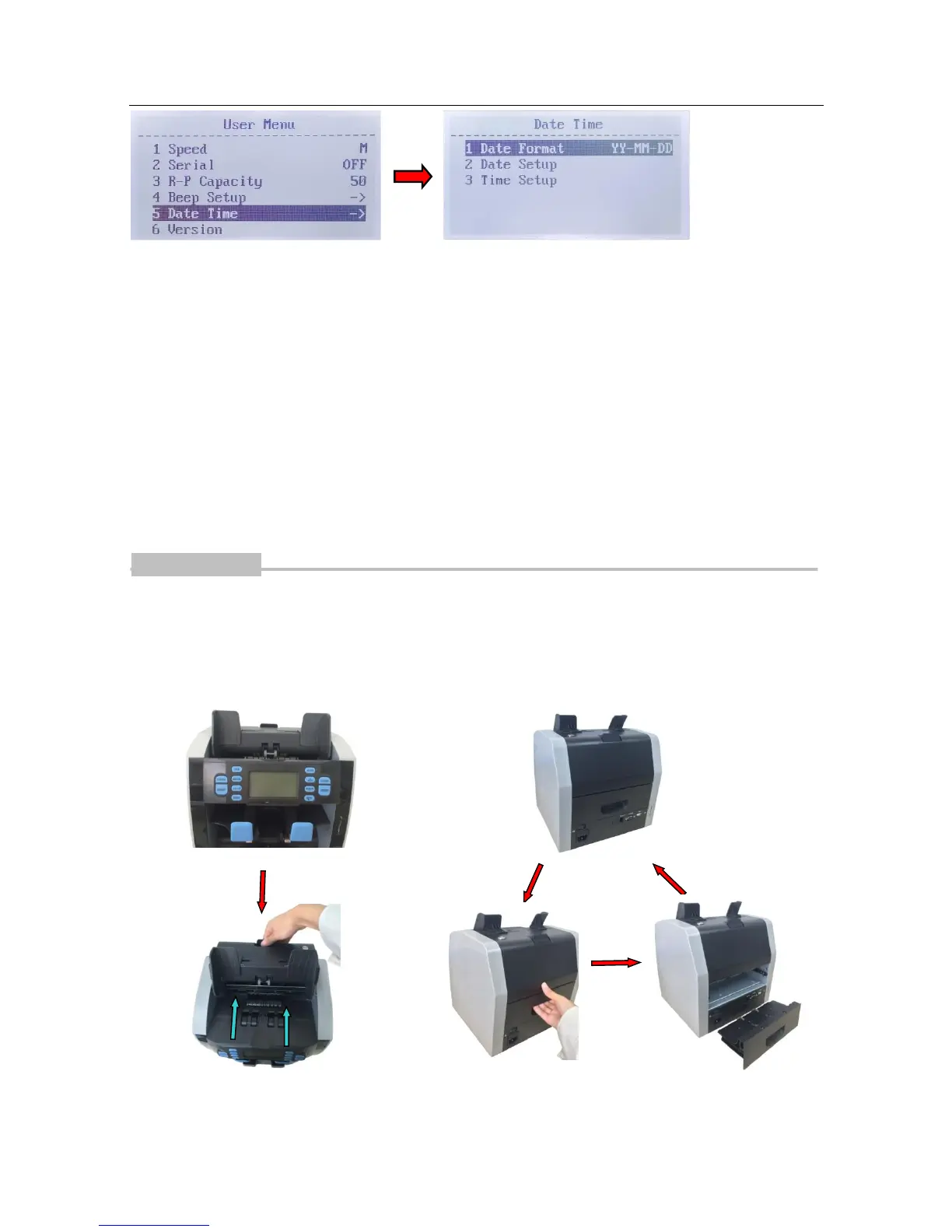
Date Format Setting
Navigate to "1 Date Format" item, press the "BATCH" button or "+1/+10" button to switch the
Date Format. Press "RESET" button to save the change. Press "MENU" button to exit.
Date and Time Setting
Navigate to "2 Date Setup" or "3 Time Setup" items, press "RESET" to enter. Press the "ADD"
button or "DISPLAY" button to navigate the value to set. Press the "BATCH" button or "+1/+10"
button to change the value. Press "RESET" button to save the change. Press "MENU" button to
exit.
Troubleshooting
1. Removal of jammed banknotes
When the LCD displays "JAM! CODE=6, REMOVE ALL NOTES THEN PRESS RESET" error
message during counting, please do the following:
(B) Pull the handle of back drawer, pull the back
drawer out, and remove the jammed banknotes.


 To Next Page