EasyManua.ls Logo

Carrier 33MC-URC - User Manual

Carrier 33MC-URC
6 pages
Print Icon
To Next Page IconTo Next Page
Loading...
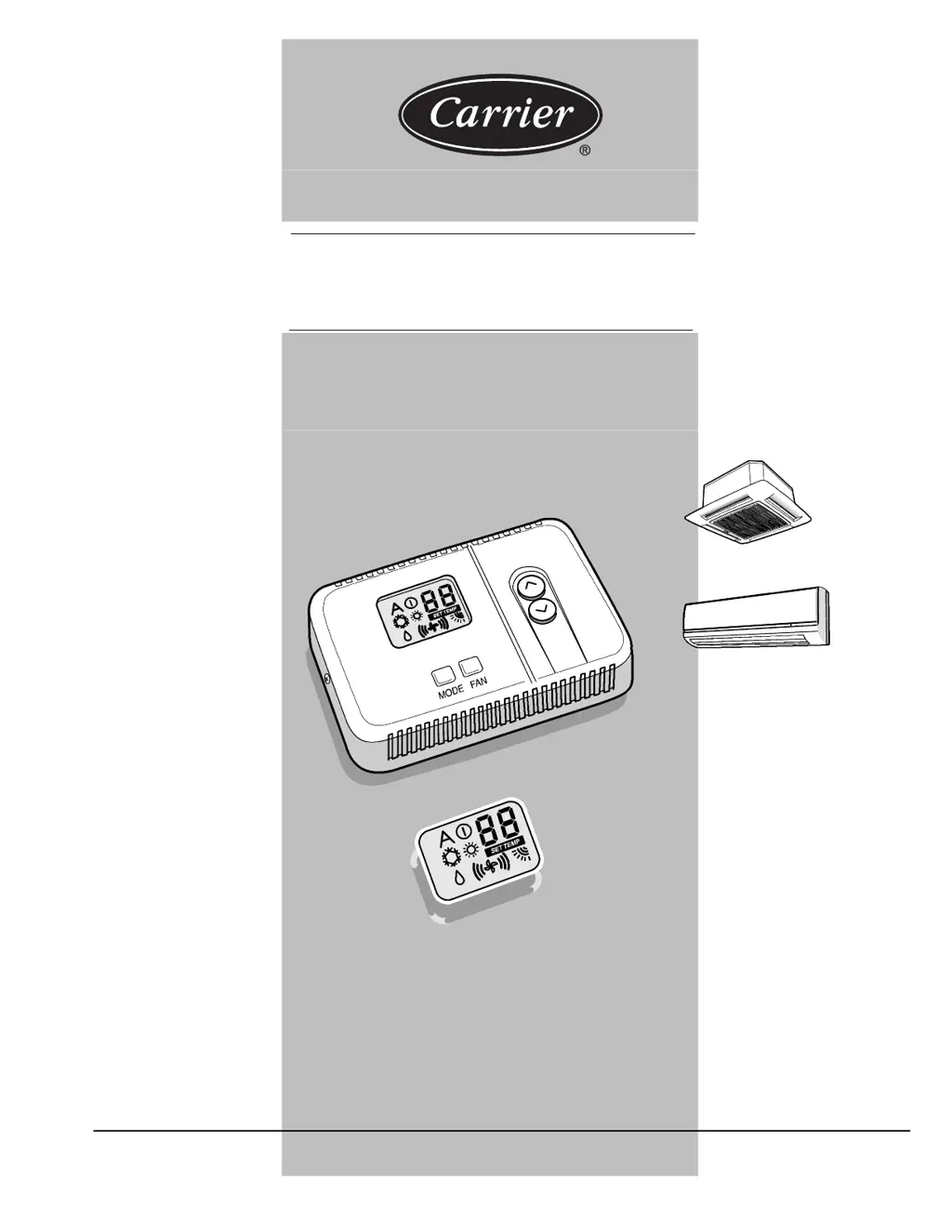
33MC--URC
OWNER’ S MANUAL
40QNC
40QNQ
40KMC
40KMQ
Room Controller

Other manuals for Carrier 33MC-URC

Questions and Answers

  • D
    Denise HawkinsJul 31, 2025
    How to troubleshoot no LCD display on Carrier Controller?
    • A
      Alexandra WangAug 1, 2025
      If the Carrier Controller's LCD display is not working, it could be due to mis-wiring of the 12-volt power, the power not being online, or a lack of 12 volts between the P and G terminals. After disconnecting the power, check the wiring and correct any issues. After verifying the wiring to the Room Controller, re-cycle the unit power. Then, re-cycle the power.
  • M
    Mary WhiteAug 10, 2025
    Why Carrier Controller has no LCD display?
    • C
      Charlene LeeAug 11, 2025
      The Carrier Controller might not show anything on the LCD display because of: * Mis-wiring of the 12 volt power. * Power not being online. * No 12 volts between P and G of terminal block. After disconnecting the power, correct the wiring problem and re-cycle power. After verifying the wiring to the Room Controller, re-cycle the unit power.
  • M
    Michael HillSep 10, 2025
    What to do if +12 volts are applied to Carrier Controller but it still does not operate?
    • D
      Diana DiazSep 12, 2025
      If the Carrier Room Controller does not operate even with +12 volts applied at the correct terminals, the Room Controller may be damaged. Change the Room Controller and re-cycle power.

Summary

General Information and Characteristics

Characteristics

Details single unit operation, grouping, modes, fan speeds, louver control, temperature range, thermistor override, memory, and diagnostics.

Single Unit Operation

Ability to control one unit only.

Grouping

Ability to control 2 to 6 units with one Room Controller.

Operating Modes

Off, Heat, Cool, Dry, Auto, and Fan only.

Fan Speeds

Low, Medium, High, and Auto.

Louver Control

Auto and swing.

Desired Temperature

Range between 17 and 32 °C (63 and 90 °F).

Room Thermistor Override

Allows use of air sensor in Room Controller instead of the unit's.

Non-Volatile Memory

Retains user settings configurations during power outages.

Diagnostics

Detects air sensor faults. 'A1' on screen indicates anomaly.

Normal Operation

Power Up

LCD segments energize for five seconds. EEPROM values are read. Default values are used if invalid.

Setting Mode Operation

Pressing the 'MODE' button changes the operation mode. Active mode is lit.

OFF Mode

When the 'MODE' button is not pressed for 15 seconds, the next press switches the mode to OFF.

AUTO, HEAT, COOL and DRY Modes

Describes operation modes like Automatic, Heating, Cooling, and Drying with relevant icons.

FAN ONLY Mode

Ventilation operation only. Displays room temperature and fan/louver settings.

Louver Mode Selection

Allows selection of Auto or Swing louver modes by holding the FAN button.

Carrier 33MC-URC Specifications

General IconGeneral
BrandCarrier
Model33MC-URC
CategoryController
LanguageEnglish

Related product manuals