EasyManua.ls Logo

Carrier 40VMF - User Manual

Carrier 40VMF
21 pages
Print Icon
To Next Page IconTo Next Page
Loading...
Manufacturer reserves the right to discontinue, or change at any time, specifications or designs without notice and without incurring obligations.
Catalog No. 20-40VMF002-01 Printed in U.S.A. Form 40VMF-4SI Pg 1 07-20 Replaces: 40VMF-3SI
Installation and Maintenance Instructions
TABLE OF CONTENTS
Page
SAFETY CONSIDERATIONS . . . . . . . . . . . . . . . . . . . 1
GENERAL . . . . . . . . . . . . . . . . . . . . . . . . . . . . . . . . . . . 2
INSTALLATION . . . . . . . . . . . . . . . . . . . . . . . . . . . . . . . 6
Step 1 — Unpack and Inspect Units . . . . . . . . . . . . 6
Step 2 — Position the Unit . . . . . . . . . . . . . . . . . . . 6
Step 3 — Mount the Unit . . . . . . . . . . . . . . . . . . . . . 7
Step 4 — Connect Piping . . . . . . . . . . . . . . . . . . . . . 8
Step 5 — Complete Electrical Connections . . . . . . 9
Step 6 — Position and Connect Controller. . . . . . 11
ACB Interface . . . . . . . . . . . . . . . . . . . . . . . . . . . 14
START-UP . . . . . . . . . . . . . . . . . . . . . . . . . . . . . . . . . . 14
Pre-Start Check . . . . . . . . . . . . . . . . . . . . . . . . . . . 14
System Operation Check . . . . . . . . . . . . . . . . . . . 14
MAINTENANCE. . . . . . . . . . . . . . . . . . . . . . . . . . . . . . 14
INDOOR UNIT ADDRESSING. . . . . . . . . . . . . . . . . 14
Wireless Remote Controller (40VM900001) . . . . 14
Non-Programmable Controller. . . . . . . . . . . . . . . 15
Programmable Controller . . . . . . . . . . . . . . . . . . 15
TROUBLESHOOTING . . . . . . . . . . . . . . . . . . . . . . . . 17
Replacement Parts . . . . . . . . . . . . . . . . . . . . . . . . 18
APPENDIX A — DIP SWITCH SETTINGS . . . . . . . . 19
SAFETY CONSIDERATIONS
Improper installation, adjustment, alteration, service,
maintenance, or use can cause explosion, fire, electrical shock,
or other conditions, which may cause death, personal injury, or
property damage. The qualified installer or agency must use
factory-authorized kits or accessories when modifying this
product.
Follow all safety codes. Wear safety glasses, protective
clothing, and work gloves. Use quenching cloth for brazing
operations. Have fire extinguisher available. Read these
instructions thoroughly, and follow all warnings or cautions
included in literature and attached to the unit. Consult local
building codes and the current editions of the National
Electrical Code (NEC) ANSI/NFPA (American National
Standards Institute/National Fire Protection Association) 70. In
Canada, refer to the current editions of the Canadian Electrical
Code CSA (Canadian Standards Association) C22.1.
Understand the signal words —
DANGER, WARNING, and
CAUTION. DANGER identifies the most serious hazards,
which will result in severe personal injury or death.
WARNING signifies hazards that could result in personal injury
or death.
CAUTION is used to identify unsafe practices, which
would result in minor personal injury or product and property
damage.
Recognize safety information. This is the safety-alert
symbol ( ). When this symbol is displayed on the unit and in
instructions or manuals, be alert to the potential for personal
injury. Installing, starting up, and servicing equipment can be
hazardous due to system pressure, electrical components, and
equipment location.
WARNING
Electrical shock can cause personal injury and death. Shut
off all power to this equipment during installation. There
may be more than one disconnect switch. Tag all
disconnect locations to alert others not to restore power
until work is completed.
WARNING
When installing the equipment in a small space, provide
adequate measures to avoid refrigerant concentration
exceeding safety limits due to refrigerant leak. In case of
refrigerant leak during installation, ventilate the space
immediately. Failure to follow this procedure may lead to
personal injury.
WARNING
DO NOT USE TORCH to remove any component. System
contains oil and refrigerant under pressure.
To remove a component, wear protective gloves and
goggles and proceed as follows:
a. Shut off electrical power to unit.
b. Recover refrigerant to relieve all pressure from
system using both high-pressure and low pressure
ports.
c. Traces of vapor should be displaced with nitrogen
and the work area should be well ventilated.
Refrigerant in contact with an open flame produces
toxic gases.
d. Cut component connection tubing with tubing cutter
and remove component from unit. Use a pan to catch
any oil that may come out of the lines and as a gage
for how much oil to add to the system.
e. Carefully unsweat remaining tubing stubs when
necessary. Oil can ignite when exposed to torch
flame.
Failure to follow these procedures may result in personal
injury or death.
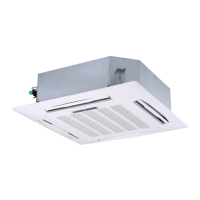
40VMF009A-048A
4-Way Cassette Indoor Unit for
Variable Refrigerant Flow (VRF) Systems

Questions and Answers

  • K
    knightkatherineAug 14, 2025
    What to do if my Carrier 40VMF has a communication error between the indoor and outdoor unit?
    • R
      rmoralesAug 14, 2025
      If your Carrier Air Conditioner shows a communication error between the indoor and outdoor units, it could be due to several reasons. First, check the signal wires to ensure they are not short-circuited or disconnected; if so, check or reconnect them. Also, make sure the signal wires are not close to any electromagnetic source; if they are, distance them from the source. Finally, a PC board fault could be the cause, in which case you should replace the PC board.
  • J
    Jeffrey ChavezAug 17, 2025
    What to do if my Carrier 40VMF Air Conditioner is experiencing a condensate overflow?
    • J
      Julie JonesAug 17, 2025
      If your Carrier Air Conditioner is experiencing condensate overflow, there are several potential causes and solutions: * Check for loose connections or disconnections at the port on the PC board; tighten or reconnect as necessary. * Inspect the condensate switch float to ensure it is not stuck. * Adjust the trap slope if it is too steep. * Adjust the length of the drain pipe if it is too long. * Replace the drain pump if it is faulty.
  • E
    Erik MartinezAug 20, 2025
    What to do if there is a communication error between the indoor unit and controller of my Carrier 40VMF?
    • W
      Wendy PenningtonAug 21, 2025
      If your Carrier Air Conditioner is showing a communication error between the indoor unit and the controller, the issue might stem from a few sources. Begin by inspecting the signal wires for any short circuits or disconnections; if found, check or reconnect them. Also, check if the signal wires are near an electromagnetic source; if so, move them away. If these steps don't resolve the problem, the PC board might be faulty and require replacement.
  • V
    Valerie ObrienAug 25, 2025
    What to do if my Carrier Air Conditioner shows an EEV error?
    • G
      George ColeAug 25, 2025
      If your Carrier Air Conditioner displays an EEV error, first check the EEV wires to make sure they are not short-circuited or disconnected; if they are, check or reconnect the signal wire. If the wires are fine, the EEV itself might be stopped and need replacement. As a last resort, the PC board could be faulty, requiring replacement.
  • J
    Joanne PerezAug 27, 2025
    What should I do if my Carrier 40VMF is in heating/cooling mode conflict?
    • A
      Amber MillerAug 27, 2025
      If your Carrier Air Conditioner is experiencing a heating/cooling mode conflict, it means there's a discrepancy in the system's operation. If the system is in cooling or fan mode and receives a heating signal from a unit, ensure all units are set to cooling mode. Conversely, if the system is in heating mode and receives a cooling signal, ensure all units are set to heating mode.
  • M
    Matthew RyanAug 31, 2025
    Why does my Carrier 40VMF show 'Check Temperature Sensor'?
    • D
      dillon67Aug 31, 2025
      If your Carrier Air Conditioner displays a 'Check Temperature Sensor' error, it could be due to a few reasons. First, check for a loose connection at the port on the PC board and tighten it. If the connection is secure, the sensor might be short-circuited; use a multi-meter to measure the sensor's resistance. If the resistance is ? 100 ohms, replace the sensor. Lastly, a PC board fault could be the cause, requiring replacement of the PC board.
  • M
    Michael WilliamsSep 3, 2025
    What to do if my Carrier 40VMF Air Conditioner shows 'Check DC Fan Motor'?
    • M
      Mr. Peter CochranSep 3, 2025
      If your Carrier Air Conditioner displays a 'Check DC Fan Motor' error, it could be due to several reasons. It might be operating beyond limits, so check and correct the external static pressure on the unit. Alternatively, the DC motor itself could be faulty, requiring replacement. Finally, a PC board fault could be the cause, in which case you should replace the PC board.
  • J
    Jonathan HarrisSep 7, 2025
    What does it mean when my Carrier 40VMF Air Conditioner displays an EEPROM Error (Data Storage)?
    • R
      Rachel GraySep 7, 2025
      If your Carrier Air Conditioner displays an EEPROM Error (Data Storage), it indicates a fault with the chip or PC board. The suggested solution is to replace the PC board.
  • H
    Hannah GonzalesSep 10, 2025
    What does it mean if my Carrier 40VMF shows 'No Address When Powered ON For First Time'?
    • P
      Paula HatfieldSep 10, 2025
      If your Carrier Air Conditioner displays 'No Address When Powered ON For First Time', it indicates that the indoor unit lacks an address. You can resolve this by running the automatic addressing option at the outdoor unit or using a remote wireless or wired controller to readdress the indoor unit.

Summary

General Information and Unit Specifications

Model Number Nomenclature

Explains the meaning of characters in the model number for identification purposes.

Physical and Electrical Data

Details physical specifications, dimensions, and electrical characteristics of the units.

Installation Procedure

Unit Unpacking and Positioning

Guidelines for unpacking, inspecting for damage, and selecting an installation location.

Mounting the Unit

Steps for installing hanger bolts and securely mounting the unit.

Piping and Electrical Connections

Procedures for connecting refrigerant, condensate piping, and electrical wiring.

Controller and Communication Wiring

Guidelines for positioning and connecting controllers and communication wiring.

System Operation and Setup

Start-Up Procedures

Pre-start checks, system operation verification, and initial setup.

Maintenance Schedule

Recommended maintenance tasks for 3, 6, and 12-month intervals.

Indoor Unit Addressing

Setting unique addresses for indoor units using wireless or wired controllers.

Troubleshooting Guide

LED Display Indicators

Explains the meaning of LED codes on the indoor unit's display panel.

Common Problems and Solutions

Lists common system issues, their causes, and recommended solutions.

Appendix: DIP Switch Settings

SW1 Switch Configuration

Settings for start-up modes and indoor unit identification.

SW8 Switch Configuration

Settings for thermal fan control based on wired controller use.

Carrier 40VMF Specifications

General IconGeneral
BrandCarrier
Model40VMF
CategoryAir Conditioner
LanguageEnglish

Related product manuals