EasyManua.ls Logo

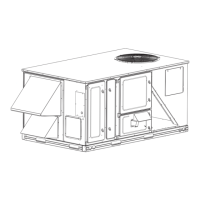
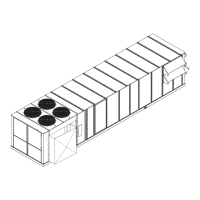
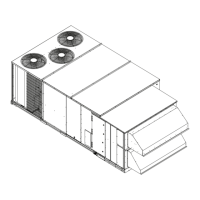
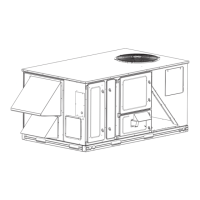
Carrier 48/50PD05 - User Manual

Carrier 48/50PD05
106 pages
Print Icon
To Next Page IconTo Next Page
Loading...
48/50PD05,06
Single Package Displacement Ventilation
or Single Zo ne Variable Air flow Rooftop Units
Electric Cooling/Gas Heating with PURONR (R--410A)
Refrigerant and COMFORTLinkt 1.x Contr ols
Controls, Start--Up, Operation, Service and
Tr oubleshooting Instructions
TABLE OF CONTENTS
Page
SAFETY CONSIDERATIONS 2.........................
GENERAL 3.........................................
BASIC CONTROL USAGE 3...........................
ComfortLinkt Control 3..............................
Scrolling Marquee 3..................................
Accessory Navigator Display 3..........................
Operation 3.........................................
System Pilott Device 4...............................
CCN Tables and Display 4.............................
Conventions Used in This Manual 5......................
START-- UP 5.........................................
Unit Preparation 5....................................
Compressor Mounting 5...............................
Refrigerant Service Ports 5.............................
Crankcase Heater(s) 5.................................
Compressor Rotation 5................................
Power Supply 6.....................................
Internal Wiring 6.....................................
Evaporator Fan 6....................................
Condenser Fans and Motors 6...........................
Return--Air Filters 6..................................
Outdoor--Air Inlet Screens 6............................
Accessory Installation 7...............................
Orifice Change (48PD Only) 7..........................
Gas Heat (48PD Only) 7...............................
CONTROLS QUICK SET-- UP 7.........................
Control Set Point and Configuration Log 7................
Standard Unit Control 7...............................
CCN Communication 8...............................
Accessories 8.......................................
Programming Operating Schedules 10....................
SERVICE TEST 10....................................
Independent Outputs 10...............................
Fan Test 10.........................................
Cooling Test 11.....................................
Heating Test 11......................................
THIRD PARTY CONTROL 11..........................
Remote Occupancy 11................................
Fire Shutdown 11....................................
Alarm Output 11.....................................
Economizer Monitoring 11.............................
Economizer Damper Control 11.........................
CONTROLS OPERATION 11...........................
Display Configuration 11..............................
Modes 12..........................................
Unit Configuration 12.................................
General Operating Sequence 13.........................
Occupancy Determination 13
...........................
Compressor Operation 14..............................
Indoor Fan Operation 14...............................
Outdoor Fan Operation 15.............................
Economizer Operation 15..............................
Indoor Air Quality (IAQ) 16............................
Cooling Modes 17...................................
Heating Modes 20....................................
Temperature Compensated Start 22.......................
Carrier Comfort Network (CCN)R Configuration 23.........
Demand Limit 23....................................
Alarm Handling 24...................................
TROUBLESHOOTING 24..............................
Complete Unit Stoppage 24............................
Restart Procedure 24..................................
Control Module Communication 24......................
Communication Failures 25............................
Alarms and Alerts 25.................................
Cooling Troubleshooting 30............................
Digital Scroll Controller (DSC) Troubleshooting 31..........
Economizer Troubleshooting 33.........................
Heating Troubleshooting 34............................
Variable Frequency Drive (VFD) Troubleshooting 34........
Phase Loss Protection 34..............................
Thermistor Troubleshooting 37.........................
Transducer Troubleshooting 38.........................
Forcing Inputs and Outputs 38..........................
MAJOR SYSTEM COMPONENTS 42....................
General 42.........................................
Main Base Board (MBB) 47............................
Economizer Control Board (ECB) 49.....................
Modulation Board (AUX1) 51..........................
Digital Scroll Control Board (DSC) 52....................

Table of Contents

Questions and Answers

  • A
    Alyssa GonzalezSep 23, 2025
    What does Alert Code T415 mean on my Carrier 48/50PD05 Air Conditioner?
    • M
      Michael GarzaSep 23, 2025
      Alert Code T415 indicates a bad sensor, bad wiring, or a sensor configured incorrectly. Check sensor and wiring.

  • S
    Sharon HernandezAug 23, 2025
    What to do if my Carrier 48/50PD05 Air Conditioner shows Communication Failure?
    • E
      edwardsthomasAug 23, 2025
      If the Scrolling Marquee or Navigator display shows a Communication Failure, or the green or yellow LEDs do not flash on the boards, use an ohm meter to measure the resistance on the communication pins of the boards to determine if a board is faulty. If the reading is less than half the value indicated in Table 7, then the board needs to be replaced.
  • S
    Shawn SantosAug 25, 2025
    Why is the red LED on my Carrier 48/50PD05 Air Conditioner blinking?
    • P
      Patricia CarlsonAug 26, 2025
      The red LED on the ECB and AUX1 indicates different states. If the red LED is not blinking, check the DIP switch positions on the board. If the red LEDs are not blinking in unison, verify that correct power is being supplied to all modules. A blinking red LED at the rate of once per second means that software is not loaded on the board. A board LED that is lit continuously indicates that the board should be replaced.
  • D
    diazchristopherAug 27, 2025
    What does Alert Code T133 mean on my Carrier 48/50PD05?
    • S
      Shannon MullenAug 27, 2025
      Alert Code T133 indicates a low refrigerant charge, dirty filters, the evaporator fan operating backwards, a loose or broken belt, a plugged filter drier, a faulty transducer, excessively cold return air, or a stuck open economizer when the ambient temperature is low. This alert resets automatically.
  • L
    Lisa WestAug 27, 2025
    What does Alert Code T126 mean on my Carrier Air Conditioner?
    • J
      James CraigAug 28, 2025
      Alert Code T126 indicates an overcharged system, high outdoor ambient temperature coupled with a dirty outdoor coil, a plugged filter drier, or a faulty high–pressure switch. This alert resets automatically.
  • C
    Christopher WallSep 17, 2025
    What does Alert Code T064 mean on my Carrier 48/50PD05 Air Conditioner?
    • T
      Tara FreemanSep 18, 2025
      Alert Code T064 is caused by a faulty thermistor, a shorted or open thermistor caused by a wiring error, or a loose connection. Use OAT to control Outdoor fans.
  • T
    Tammy MitchellSep 14, 2025
    What does Alarm Code A404 mean on my Carrier 48/50PD05?
    • G
      gregory34Sep 14, 2025
      Alarm Code A404 indicates that an auxiliary device is trying to shut down the unit, such as a smoke detector. Verify that the configuration is set correctly, and verify the wiring and auxiliary device.
  • K
    Karen LunaSep 15, 2025
    What to do for Alert Code T066 on Carrier 48/50PD05 Air Conditioner?
    • M
      Mr. Keith WolfSep 15, 2025
      Reload factory defaults or reinstall software on the MBB. Consult the network manager if alert continues.
  • J
    jennifer03Sep 6, 2025
    What does Alert Code T414 mean on my Carrier Air Conditioner?
    • T
      Timothy Lee DDSSep 6, 2025
      Alert Code T414 indicates that the economizer actuator is out of calibration. Initiate economizer calibration (Service Test?INDP? E.CAL) using the Service Test menu.
  • K
    Krista SmithSep 3, 2025
    What does Alert Code T110 mean on my Carrier 48/50PD05?
    • M
      mcneilsamuelSep 3, 2025
      Alert Code T110 indicates low refrigerant pressure or a faulty suction pressure. Use the Scrolling Marquee to reset the alert.

Summary

Safety Considerations

Electrical, Unit Damage, and Fire Hazards

Details specific hazards including electrical shock, unit damage, fire, and explosion risks associated with HVAC operation.

General Information and Controls

Unit Overview and Controls

Provides general information on the unit, ComfortLink control system, Scrolling Marquee, and Navigator display.

Operation and System Pilots

Explains unit operation, System Pilot devices, and Carrier Comfort Network (CCN) interface for system management.

Start-Up Procedures

Unit Preparation and Installation

Covers essential pre-start-up steps including unit preparation, component checks, electrical connections, and filter installation.

Controls Quick Set-Up and Schedules

Guides users through initial control configuration, setting up application specifics, and programming operating schedules.

Controls Operation

Modes, Settings, and Configuration

Details various operating modes, display settings, unit configurations, setpoints, inputs, outputs, and CCN settings.

Operational Sequences and Features

Explains sequences for economizer, IAQ, power exhaust, cooling, heating, free cooling, and ventilation modes.

CCN Configuration

Provides detailed instructions for configuring the unit for the Carrier Comfort Network (CCN).

Troubleshooting and Service

Alarms, Alerts, and Unit Stoppage

Covers general troubleshooting, alarm handling, unit stoppage conditions, and restart procedures.

Component and System Diagnostics

Provides specific troubleshooting guidance for components like DSC, economizer, fans, gas heat, VFD, and sensors.

Service Analysis Tables

Presents tables for diagnosing cooling, gas heating, and economizer issues based on problem and cause.

Major System Components

Control Boards and Wiring

Details the main control boards (MBB, ECB, AUX1, DSC, IGC) and their wiring schematics and connections.

VFD, Terminals, and Accessories

Explains Variable Frequency Drive (VFD) operation, terminal strip connections, and various field-installed accessories.

Appendix B - VFD Information

VFD Operation and Parameters

Covers VFD modes, keypad operation, parameter settings, backup, and upload/download procedures.

VFD Faults and Maintenance

Details VFD fault codes, alarm codes, diagnostic procedures, and recommended maintenance intervals.

Appendix C - Start-Up Data

Fan Performance Data Tables

Provides detailed fan performance data (RPM, BHP) for various models under different static pressure conditions.

Control Set Point and Configuration Log

Configuration Log Entries

Details how to log unit settings and configurations for various modes like DISP, UNIT, COOL, HEAT, ECON, ALM, PID.

Unit Start-Up Checklist

Pre-Start-Up and Start-Up Steps

Provides a comprehensive checklist for unit pre-start-up checks and initial start-up electrical, temperature, and pressure readings.

Carrier 48/50PD05 Specifications

General IconGeneral
Energy Efficiency Ratio (EER)11.0
RefrigerantR-410A
Phase1
TypeAir Conditioner
Cooling Capacity5 Ton
StagesSingle Stage
Power SupplyAC
Voltage208/230V

Related product manuals