1
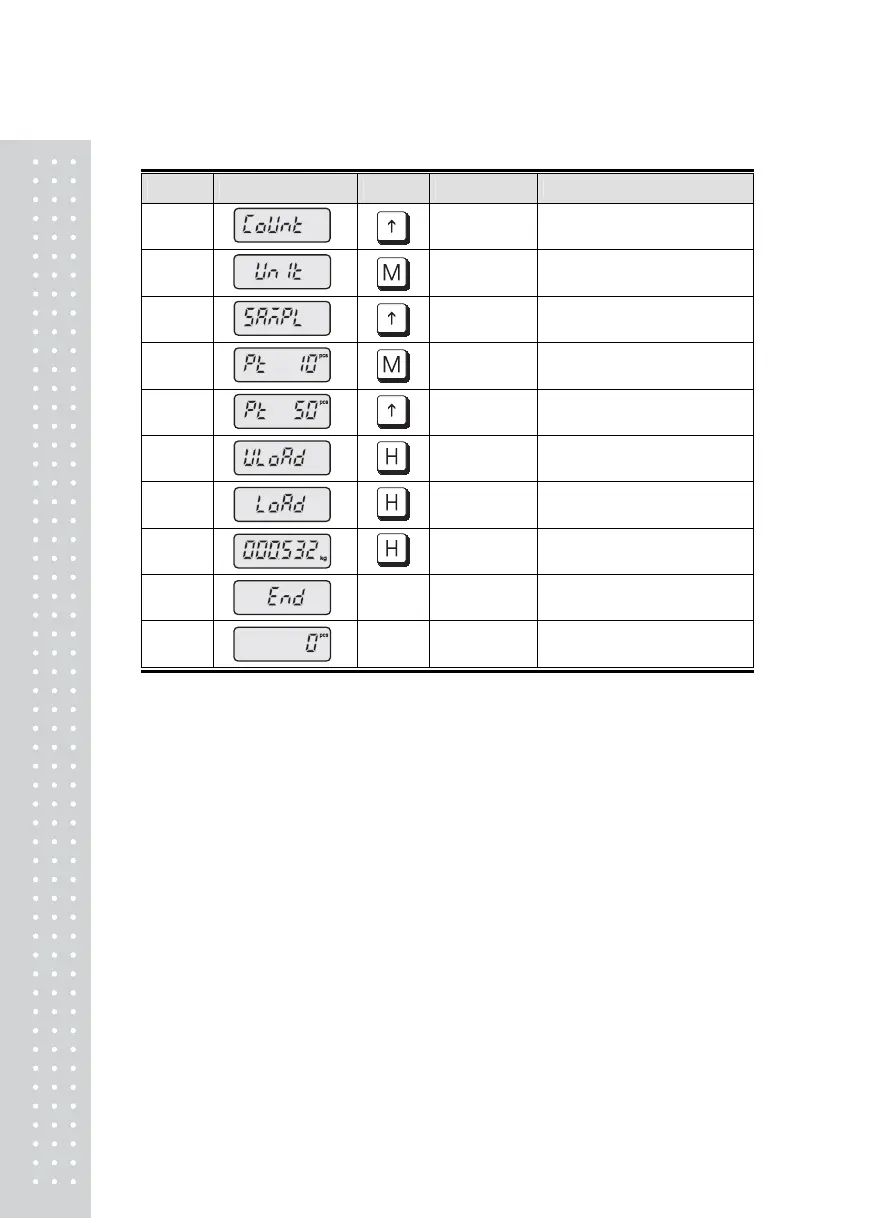
■ In case of setting the unit weight by sample (Samples : 10 - 200 , 10 unit)
Display KEY PLATFORM DESCRIPTION
STEP 1
Press three times
STEP 2 Press once
STEP 3 Press once
STEP 4 Press once
STEP 5 Empty
Press five times.
Simple count input(50pcs)
STEP 6 Empty Press once [ENTER]
STEP 7 Sample
Press once with empty
[ENTER] key
STEP 8
Unit weight display.
Press once
STEP 9
STEP 10 Empty Generally operated
Note : ※ For setting the unit weight by sample count, the min. unit weight
shall be more than min. division



 To Next Page