EasyManua.ls Logo

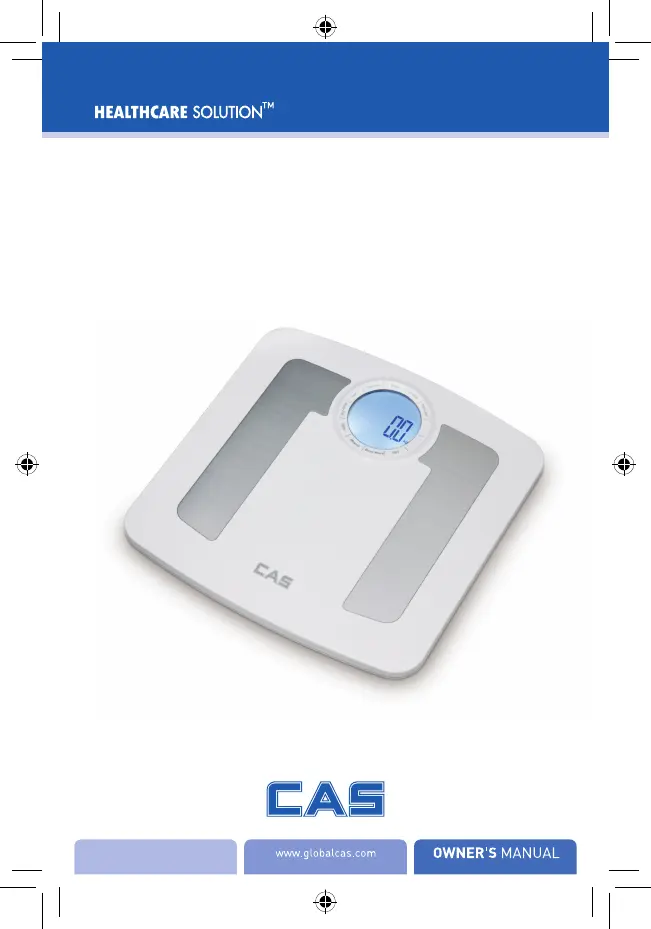
CAS BF-1255B - User Manual

CAS BF-1255B
52 pages
Print Icon
To Next Page IconTo Next Page
Loading...
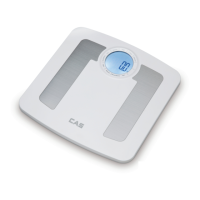
Body Fat Analyzer
BF-1255B
제품색상은 실제와 다를 수 있습니다.

Questions and Answers

  • M
    Mrs. Jessica PalmerAug 14, 2025
    Why CAS BF-1255B Scales cannot proceed to analyze body fat?
    • K
      Kevin JacksonAug 14, 2025
      If your CAS Scales cannot analyze body fat, total body water, muscle mass, and bone mass, make sure you are barefoot during the measurement and that you are making full contact with the electrodes.
  • B
    Benjamin DayAug 17, 2025
    How to fix no display on CAS BF-1255B Scales?
    • J
      Joshua FloresAug 18, 2025
      If there is no display on the LCD screen when you turn on your CAS Scales, the batteries may not be installed or may be worn out. First, ensure the batteries are correctly installed. If they are, replace all four batteries simultaneously, using authorized replacement batteries.
  • B
    Brad PatrickAug 21, 2025
    What to do if my CAS Scales fail pairing with smartphone?
    • B
      Bobby SandersAug 21, 2025
      If you're having trouble pairing your CAS Scales with your smartphone, please check that Bluetooth is turned on, the App Collector is on, and both devices are within the Bluetooth transmission range.
  • M
    Maurice SmithAug 25, 2025
    Why CAS Scales show incorrect weight on carpet?
    • G
      garrett73Aug 25, 2025
      If your CAS Scales are giving incorrect weight readings, it could be because the device is on a soft or rugged surface. Ensure the device is placed on a flat, hard surface.
  • Y
    yhicksAug 27, 2025
    What to do if CAS BF-1255B Scales cannot identify User ID?
    • K
      Katherine WelchAug 27, 2025
      If your CAS Scales cannot identify the User ID with the most similar data, or if the user fails to select the User ID, please assign a User ID following the instruction in Set Up Your Profile.
  • J
    Joseph KingAug 31, 2025
    Why CAS Scales give abnormal results if feet are dry?
    • E
      Emily ScottAug 31, 2025
      If your CAS Scales are providing abnormal measurements, it might be because your hands or feet are too dry. Try wiping your feet with a damp cloth before starting the measurement, keeping them slightly damp.
  • S
    Susan GarciaSep 3, 2025
    Why my CAS Scales keep powering off?
    • E
      Erika HernandezSep 3, 2025
      If your CAS Scales keep powering off, the battery may be low. Replace all four batteries at the same time with authorized replacement batteries.
  • V
    vanessa86Sep 6, 2025
    How to fix low battery on CAS BF-1255B?
    • M
      Marissa LeSep 7, 2025
      If your CAS Scales indicate a low battery and power off, replace all four batteries simultaneously. Make sure to purchase authorized batteries for replacement.
  • R
    Rebecca Baker MDSep 9, 2025
    What to do if CAS BF-1255B show overload?
    • A
      Ashley NewtonSep 10, 2025
      If your CAS Scales are showing an overload message and powering off, stop using the scale for measurement.

Summary

Safety Information

Safety and Usage Information

Explains warning signs and symbols for safe product use and injury prevention.

Indications for Use

Tips for Accurate Measurement

Provides instructions for accurate measurement, including surface, posture, and timing.

Overview of the Body Fat Analyzer

Device Components and List

Identifies key parts and lists items included in the product package.

LCD Display Guide

Initial Start-Up Procedures

General Instructions and Battery Insertion

Explains BIA technology and guides on proper battery installation.

Bluetooth Pairing Process

Setting Up Your User Profile

Assigning User ID and Setting Gender

Steps to assign a user ID and select gender/athlete mode.

Setting Stature

Guide on setting the user's height for measurement calculations.

Setting Age

Scale Initialization and Weight-Only Operation

Starting Your First Measurement

Performing Daily Measurements

Managing Your Health Data

Understanding Body Fat Indicator and Data Enquiry

Explains LCD indicators and how to review past measurement records.

Wireless Data Transmission

Troubleshooting Common Issues

Error Prompts and Solutions

Lists common error messages and their solutions, like overload or low battery.

Resolving Measurement Inaccuracies

Addresses issues with inaccurate results due to posture or surface conditions.

Troubleshooting Data Transmission Failures

Product Specifications

Maintenance and Warranty Information

FCC Regulations and RF Exposure

Appendix: Health Tips

Understanding Body Fat Levels

Explains the importance of body fat and provides a guide for interpreting body fat levels.

Health Tips on Body Water and Muscle Mass

Discusses body water, hydration, muscle mass, and their health implications.

Health Tips on Bone Mass and EMC Guidance

Information on bone health and precautions for electromagnetic compatibility.

CAS BF-1255B Specifications

General IconGeneral
BrandCAS
ModelBF-1255B
CategoryScales
LanguageEnglish

Related product manuals