35
Initialising Your Scale
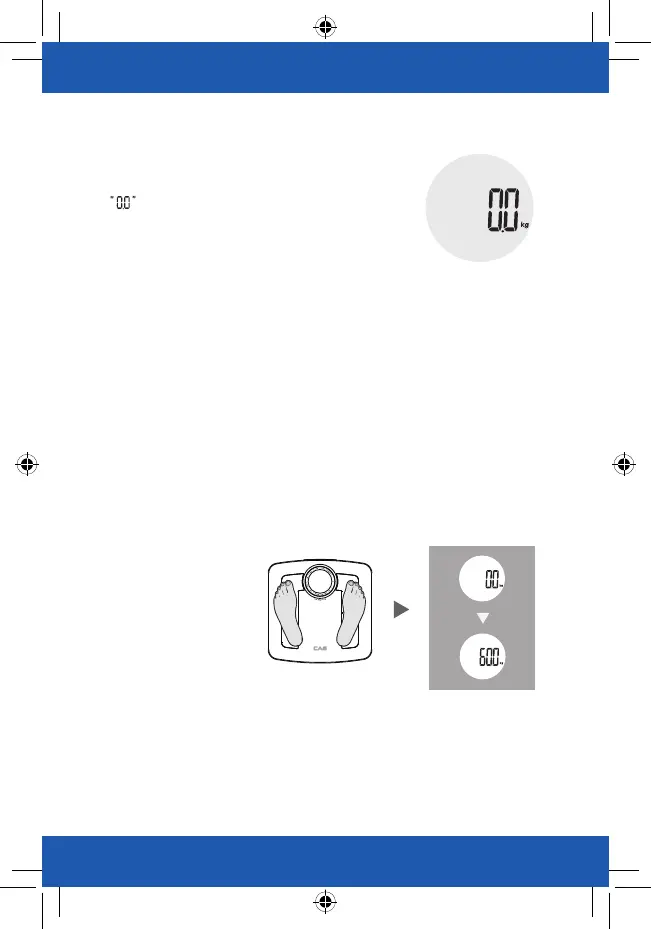
1. Press the platform centre and remove your foot.
2. will be displayed.
3. The scale will switch off and is now ready for use.
This initialisation process must be repeated if the scale is moved.
At all other times step straight on the scale.
Weight Only Operation
Your CAS Body Fat Analyzer will operate as a conventional
weight - reading scale. No special programming steps are required.
Once the scale is initialized, as previously described, you may simply step on
the scale to measure your current weight.
For only weight reading.
1. Position the scale on a flat, hard surface. Carpeted or uneven floors may affect accuracy.
2. Step onto the scale platform and remain still while the scale computes your weight.
3. The scale will display your weight value.
4. The scale will automatically turn off after a few seconds.
Note: The weight value won’t be saved in the scale, and won’t be transmitted to the APP.


 To Next Page