36
M
u
s
c
l
e
B
o
d
y
F
a
t
L
o
w
N
o
r
m
a
l
H
i
g
h
V
.
H
i
g
h
M
E
M
O
R
Y
T
B
W
B
o
n
e
M
a
s
s
S
E
T
M
u
s
c
l
e
B
o
d
y
F
a
t
L
o
w
N
o
r
m
a
l
H
i
g
h
V
.
H
i
g
h
M
E
M
O
R
Y
T
B
W
B
o
n
e
M
a
s
s
S
E
T
M
u
s
c
l
e
B
o
d
y
F
a
t
L
o
w
N
o
r
m
a
l
H
i
g
h
V
.
H
i
g
h
M
E
M
O
R
Y
T
B
W
B
o
n
e
M
a
s
s
S
E
T
First Measurement
Please process the user setting before your first measurement.
(Refer to Set Up Your Profile for more details)
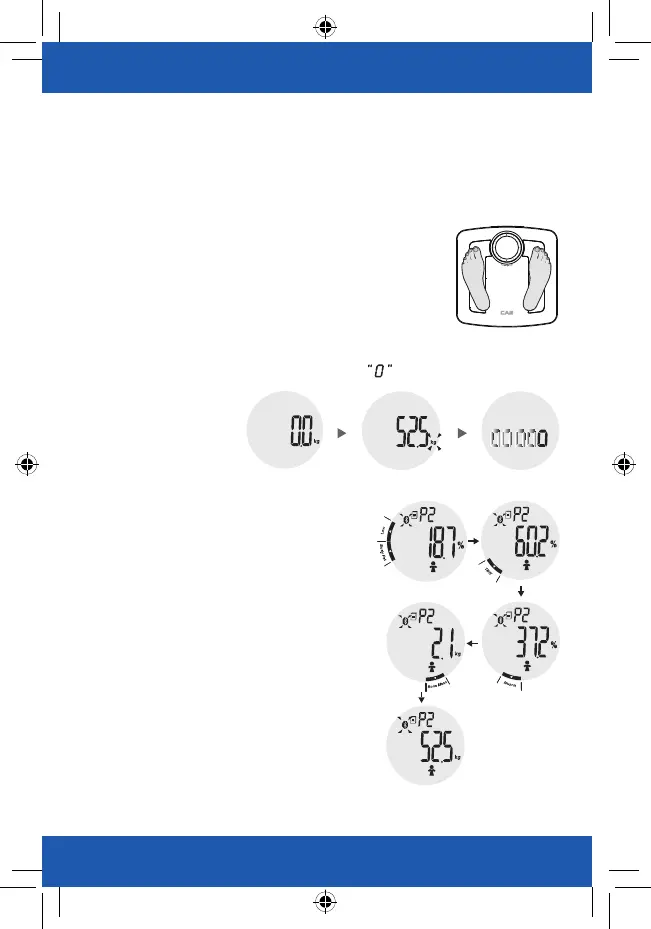
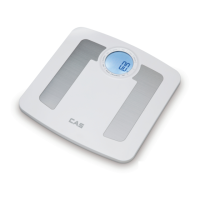
STEP 1 : Step on the platform barefooted.
STEP 3 : Then the measuring results will be
displayed sequentially three times:Body
Fat, Total Body Water, Muscle Mass, Bone
Mass, Weight, and then turn off.
* If it fails to complete the analysis, the LCD will only
display the weight data.
(To find out the solutions, please refer to
Troubleshooting for more details.)
When your scale is successfully paired with your
smartphone and the Bluetooth is ON,
BF-1255-B will process data transmission instead.
(Please refer to Data Transmission for more details.)
Start Measuring
STEP2 : Stand still and the weight data will be locked with the unit stop blinking. Keep full contact
with the electrodes until the LCD stop displaying moving


 To Next Page