Chapter 6. Daily Total Sales
a. Calling up daily total sales data
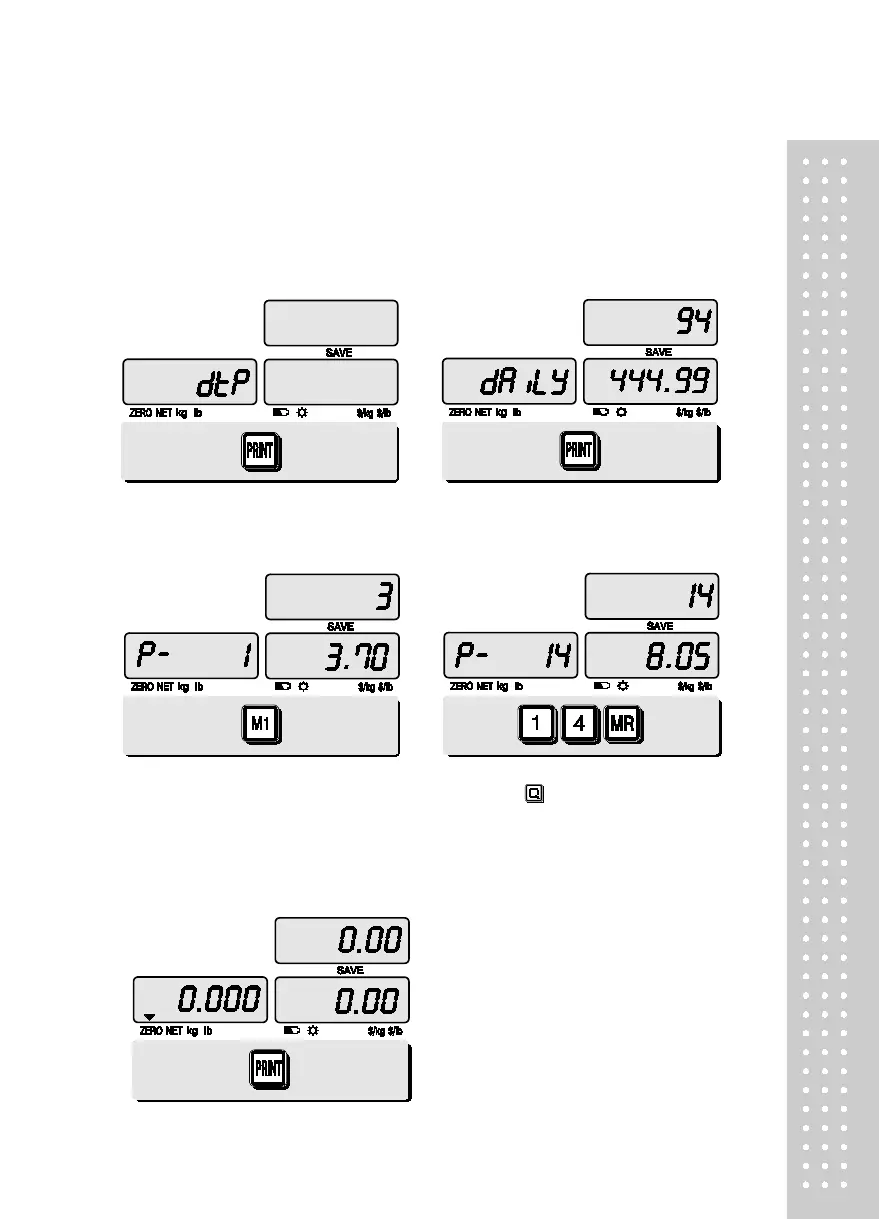
① Press ∑ key for 3 seconds until “dtP”
message shows up.
② Press ∑ key again to call up daily total sales.
Ex) daily total amount of sales=444.99,
③ If you look at the amount of individual
PLU sales call up appropriate PLU.
Ex) PLU#1(Banana: Direct PLU) &
④ For PLU #14, press appropriate numeric
keys and
to show daily total amount of
sales and the daily total number of sale
● To go back to “Daily total sales” mode
simply press ∑ key.
⑤ To go back to normal weighing mode.
press ∑ key.



 To Next Page