29
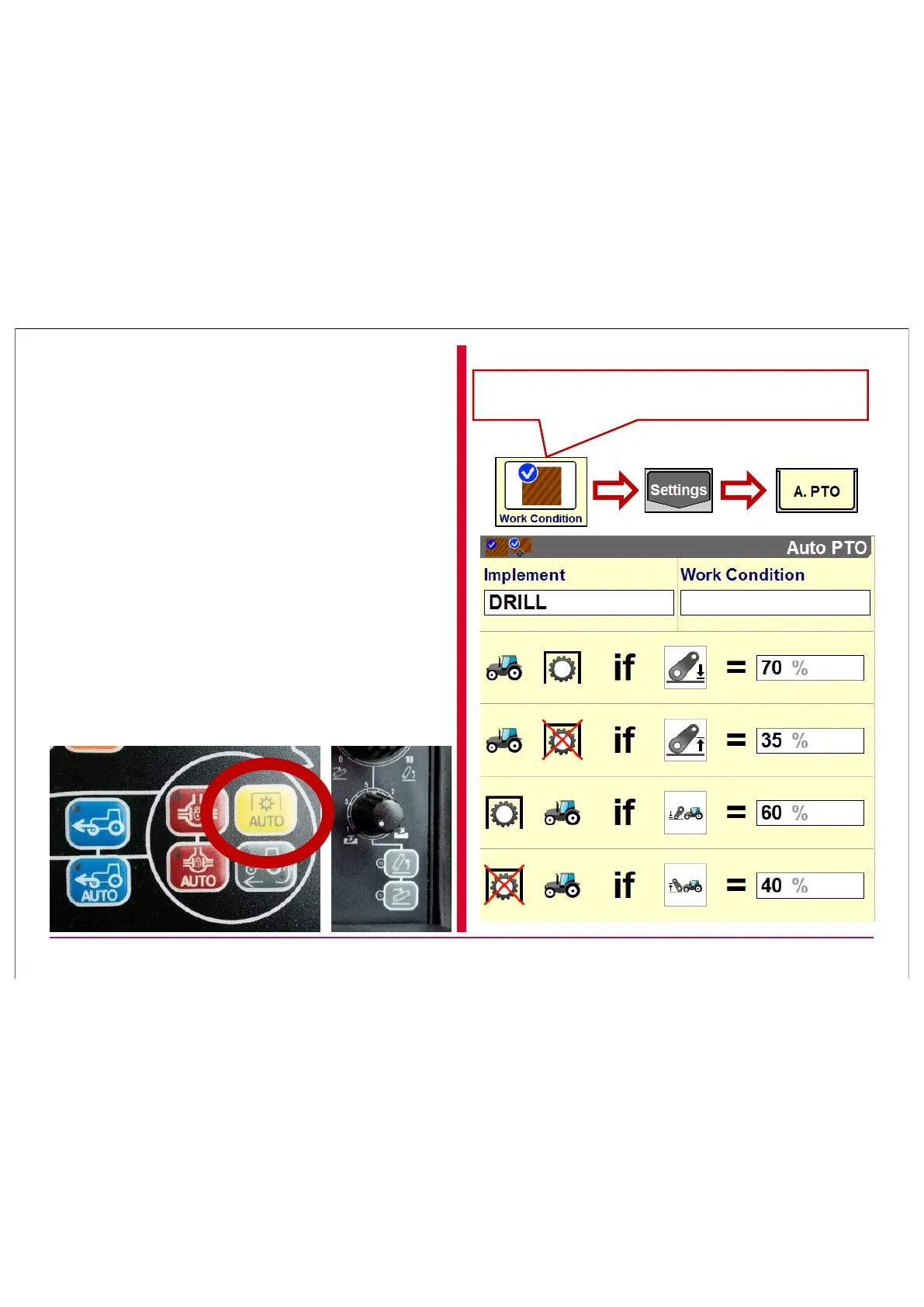
If an AFS 700 screen is available the AUTO PTO
settings can be adjusted in Work condition.
If there is no AFS screen available the
AUTO PTO settings can be easily adjusted
via the BUTTON on the ICP:
Pressing long the AUTO PTO button it will
be visible in the A-Pillar.
There appears a U for UP and a D for
DOWN. To adjust the value use the manual
levelling hitch button on the ICP. When
adjustment of U & D is done press once
more and settings are saved.



 To Next Page