SECTION 2 - CONTROLS, INSTRUMENTS AND OPERATION
2ï54
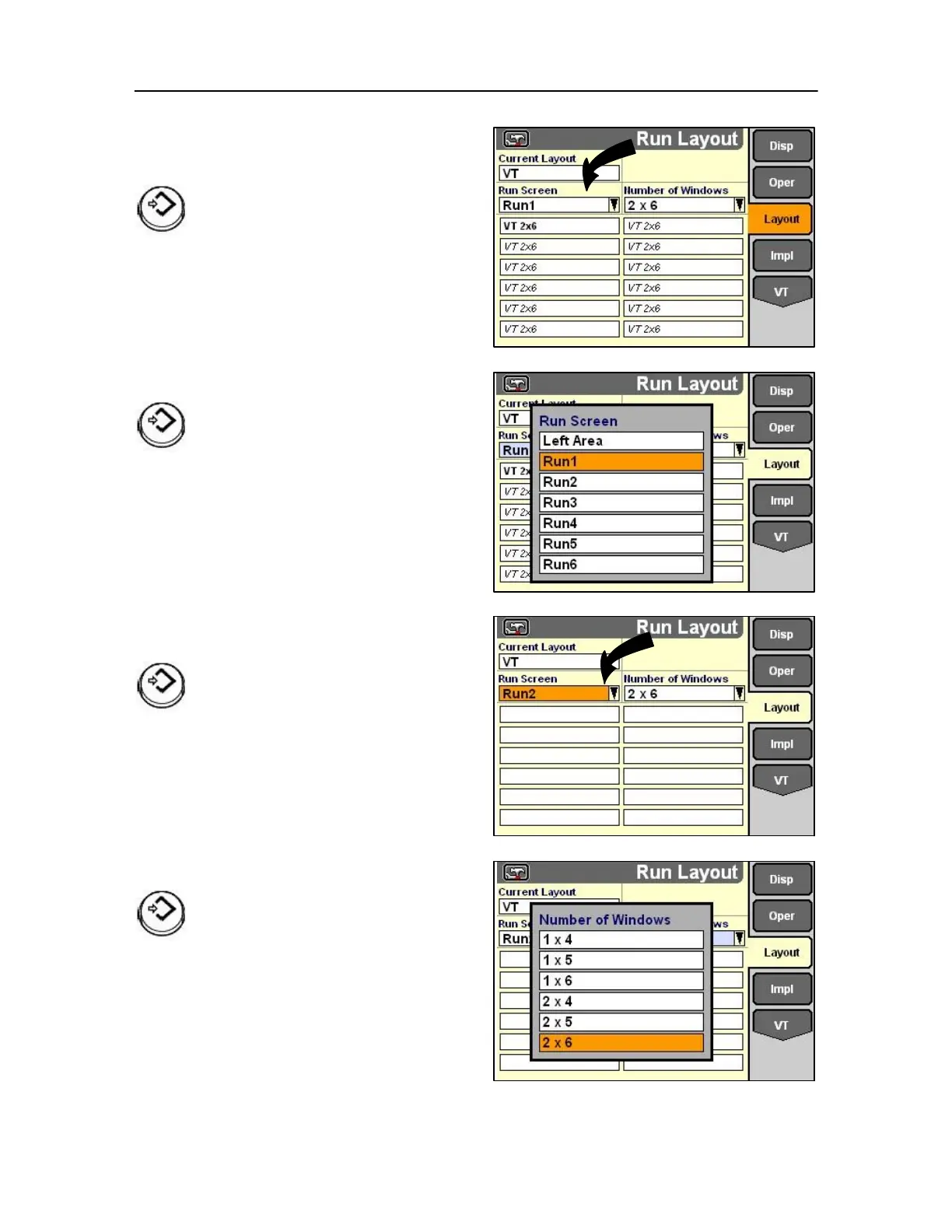
Changing layouts
Press the left arrow to highlight the Run Screen field.
Press Select or touch to choose a Run
screen for customizing from the pop-up
list.
Highlight the desired Run screen for customizing.
Press Select or touch to confirm the selection.
IMPORTANT: The Display of Graphic (Left
area) refers to the left hand configurable area
of the Home Screen and should NOT be
changed.
Highlight the Number of Rows field to change the
number of available rows on the Run2 screen.
Press Select or touch to access the options pop-up
list.
Highlight the desired number of rows.
Press Select or touch to confirm the selection.



 To Next Page