INTRODUCTION
BasicinstructionsDiagnosticservicetoolport
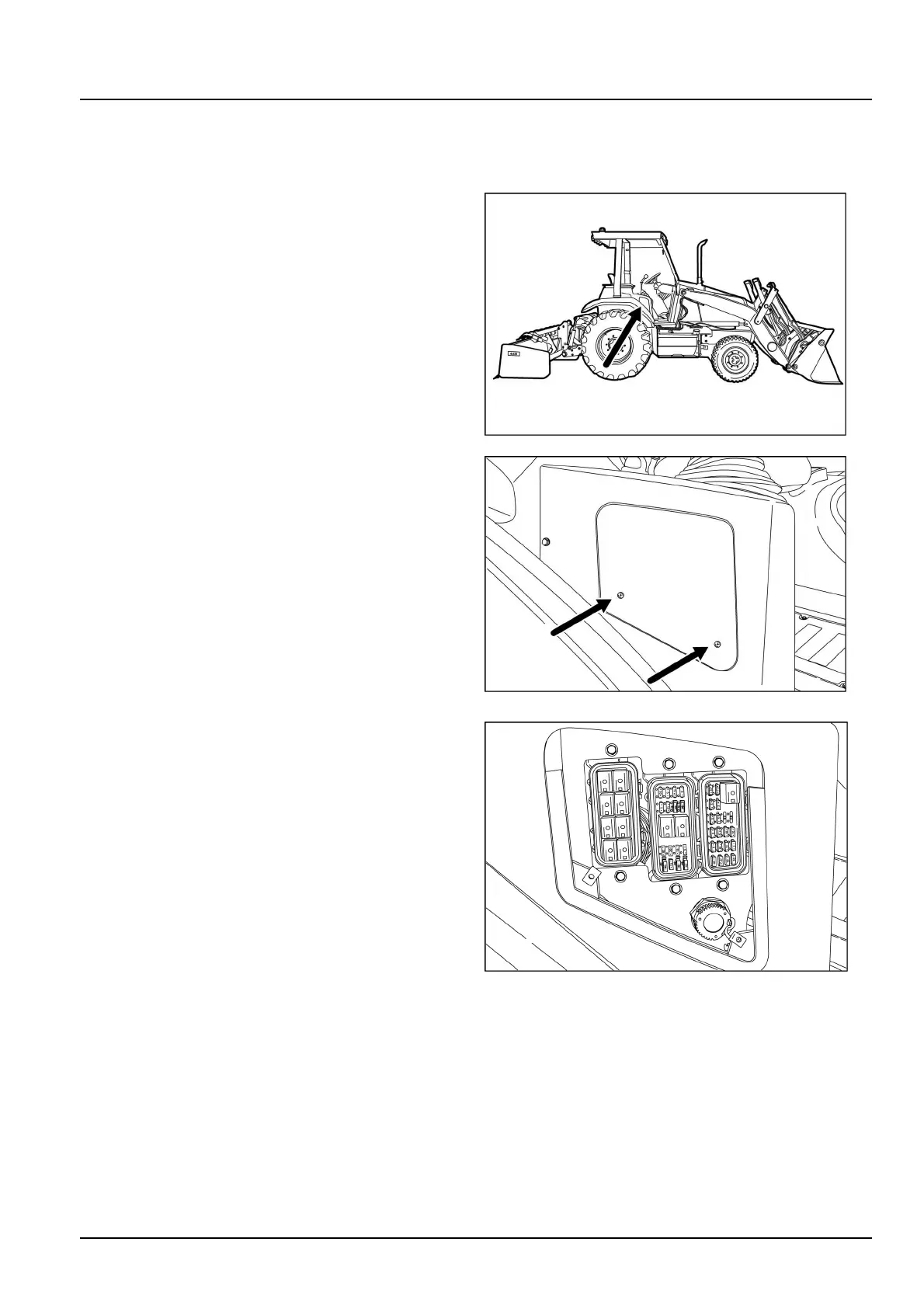
Thediagnostic/servicetoolportislocatedinthefuseboxatthesideconsole.ConnecttheElectronicServiceT ool
(EST)orDATARtothisporttoupdatesoftwareand/orperformserviceanddiagnostictests.
1.Turnthethumbscrews(1)toloosenthepanelcover
(2)forthefusebox.Removethepanelcover.
RAPH12UTL0106AA1
RAPH12UTL0122AA2
2.Unscrewthecapforthediagnostic/servicetoolport.
NOTE:Youdonothavetoremovethefusebox
covers.
RAPH12UTL0118BA3
4744159427/09/2012
17



 To Next Page