INTRODUCTION
Basicinstructions-Diagnosticservicetoolport
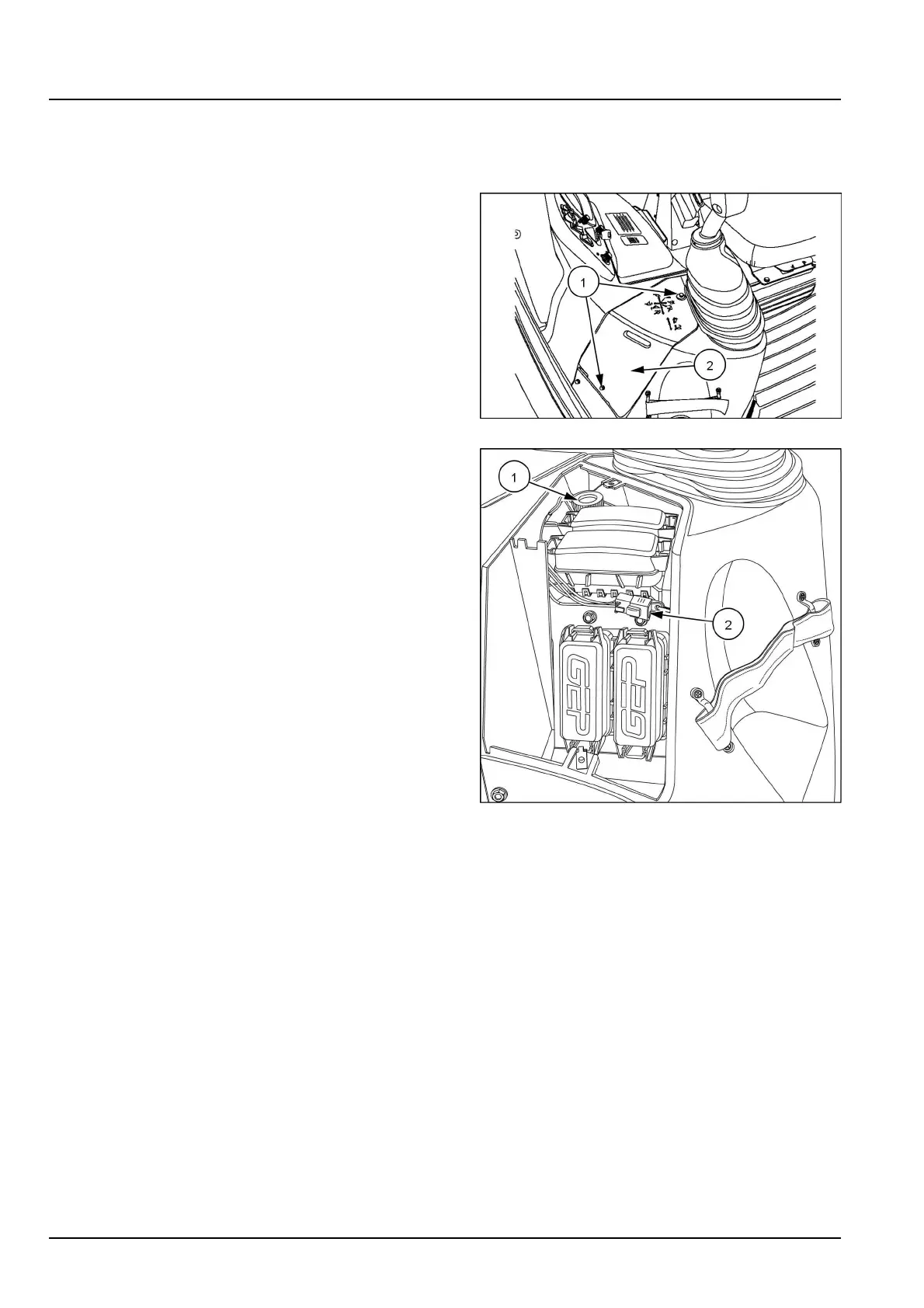
Thediagnostic/servicetoolportislocatedinthefuseboxatthesideconsole.ConnecttheElectronicServiceTool
(EST)orDATARtothisporttoupdatesoftwareand/orperformserviceanddiagnostictests.
1.Turnthethumbscrews(1)toloosenthepanelcover
(2)forthefusebox.Removethepanelcover.
RCPH10TLB437AAF1
2.Unscrewthecapforthediagnostic/servicetoolport(1)
orconnecttotheSiteWatch™(telematics)connector
(2).
RAIL14TLB1053BA2
4819455820/10/2017
28



 To Next Page