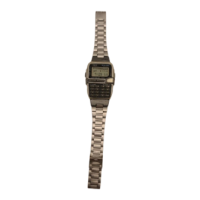
1591-4
About daylight saving time (summer time)
With daylight saving time, clocks are set one hour later in order to better take
advantage of daylight hours during the summer, when days are longer. Whether
or not daylight saving time is used depends on the country you are in.
To switch the World Time Mode between standard time and
daylight saving time
1. In the World Time Mode, use
÷
/MC
or
+
/M
+
to display the time zone you
want.
2. Hold down D for about one second to switch between standard time and
daylight saving time.
• The indicator DST is shown on the display whenever daylight saving time is
set.
• Note that the daylight saving time/standard time setting affects only the
currently displayed time zone. Other zones are not affected.
D
E
A
A
BC
ALARM MODE
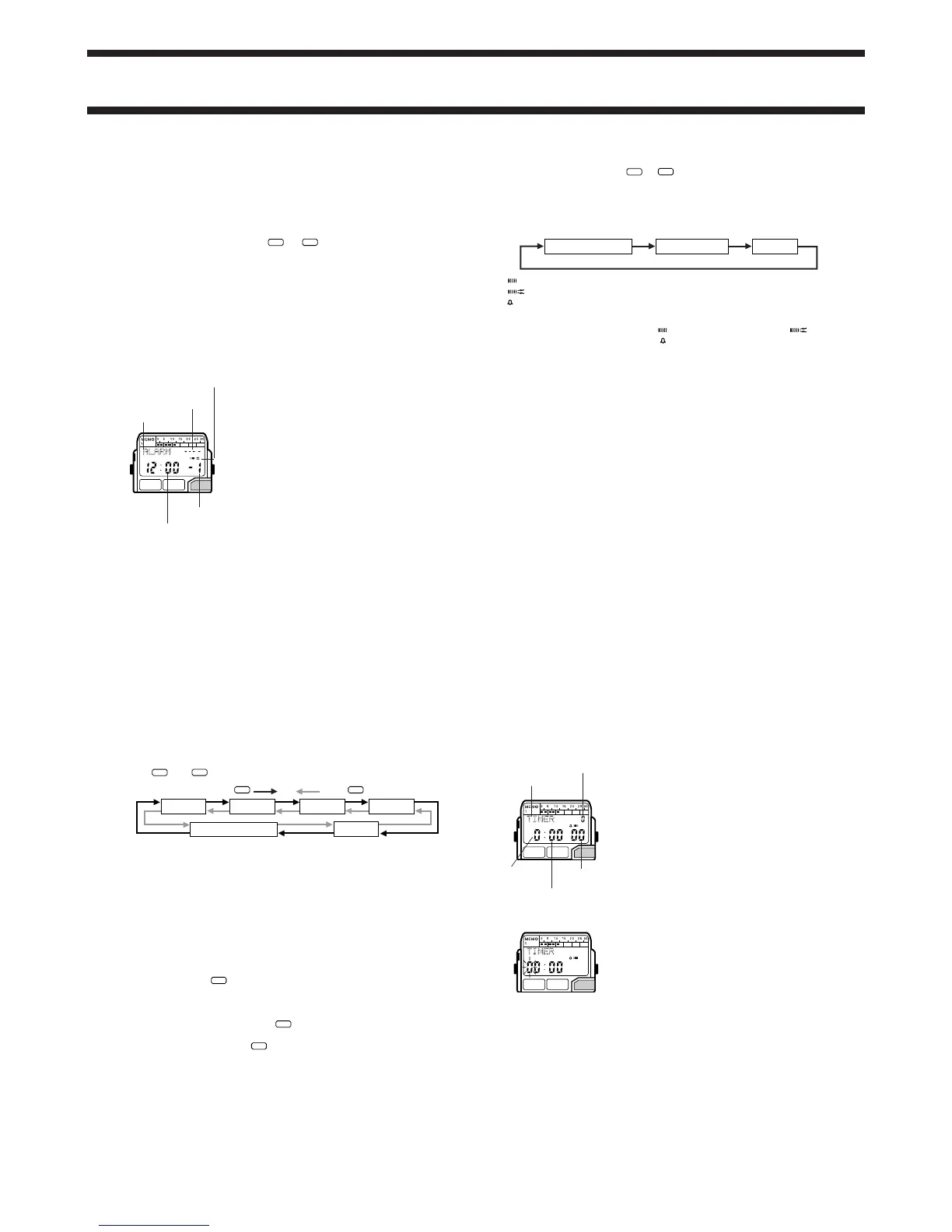
You can set five independent alarms with hour,
minutes, month, and date. When the alarm is on,
the alarm sounds at the preset time. Press any
button to stop the alarm after it starts to sound.
When the hourly time signal is on, the watch
beeps every hour on the hour.
• You can use voice memory contents as your
alarm sound.
• You can record, playback, and delete voice
memory contents while setting the alarm (while
the hour or minutes are flashing on the alarm
screen). See “VOICE MODE” for details.
Alarm Types
The information you set determines the alarm type.
• To set a Daily Alarm
Set the hour and minutes for the alarm time. Set
xx for the month and date
(see step 3 under “To set alarms”). This type of setting causes the alarm to
sound every day at the time you set.
• To set a Date Alarm
Set the month, date, hour and minutes for the alarm time. This type of setting
causes the alarm to sound at the specific time, on the specific date you set.
Mode indicator
Alarm No.
Hour : Minutes
Alarm / Voice alarm
on indicator
Month – Date
• To set a 1-Month Alarm
Set the month, hour and minutes for the alarm time. Set
xx for the date (see
step 3 under “To set alarms”). This type of setting causes the alarm to sound
every day at the time you set, only during the month you set.
• To set a Monthly Alarm
Set the date, hour and minutes for the alarm time. Set
xx for the month (see
step 3 under “To set alarms”). This type of setting causes the alarm to sound
every month at the time you set, on the date you set.
To set alarms
1. Use
÷
/MC
and
+
/M
+
in the Alarm Mode to select Alarm 1 through Alarm 5.
2. After you select an alarm, press A and the left hour digit flashes because
it is
selected
.
• At this time, the alarm is automatically turned on.
3. Use the key pad to input the alarm time.
• The flashing selection automatically moves to the right each time you input
a number. You can also use B and C to move the flashing digit between
the hour, minutes, month, and date settings.
• The 12-hour/24-hour format of the alarm time matches the format you
select in the Timekeeping Mode.
Alarm 1
Alarm 2
Alarm 3 Alarm 4
Alarm 5Hourly Time Signal
Press
Press
+
/M
+
÷
/MC
• If you are using the 12-hour timekeeping format, the A (AM) or P (PM)
indicator flashes along with the hour and minutes digits. While these digits
are flashing, press
• PM
to switch between AM and PM.
• When setting the alarm using 12-hour format, make sure that you set the
time correctly as AM (A) or PM (P).
• To set an alarm that does not include a month (daily alarm, monthly alarm),
set
xx for the month by pressing
–/M–
while the month digit is flashing.
• To set an alarm that does not include date (daily alarm, 1-month alarm), set
xx for the date by pressing
–/M–
while the date digit is flashing.
4. After you set the alarm, press A to return to the Alarm Mode.
To turn an Alarm and hourly time signal on and off
1. In the Alarm Mode, press
÷
/MC
or
+
/M
+
to select an alarm or the hourly time
signal.
2. When the alarm or hourly time signal you want to is selected, press D to
turn it on and off.
• When an alarm is selected, each press of D changes its setting in the
following sequence:
indicates standard alarm is on.
indicates voice alarm is on.
indicates hourly time signal is on.
Standard Alarm On
Voice Alarm On
Off
• Any function whose indicator is not shown on the display is turned off.
• The standard alarm on indicator (
), voice alarm on indicator ( ), and
the hourly time signal on indicator (
) are shown on the display in all modes
while these functions are turned on.
• Turning on the voice alarm causes the contents of voice memory to be used
as the alarm sound.
To test the alarm
Hold down E while in the Alarm Mode to sound the alarm.
• Holding down E while the voice alarm is turned on sounds the contents of
the voice memory and a beep sound.
Voice Alarm Precautions
• To use the voice alarm, record a message, set the alarm, and turn on the
voice alarm.
• You should use the voice memory of this watch either as a voice memo or
as voice alarm contents. The watch automatically use the standard beeper
alarm whenever there is nothing stored in voice memory. Deleting voice
memory contents while the voice alarm is turned on automatically switches
to the standard beeper alarm.
• When the voice alarm is turned on, all voice memory contents are played
back in sequence, starting from the lowest numbered voice memory area.
• When an alarm time is reached while the voice alarm is turned on, the
standard beeper alarm sounds for about one second and then voice
memory contents are played.
• The alarm operation (standard beeper alarm followed by voice memory
contents) is repeated for at least 20 seconds. If voice memory contents are
15 seconds long, for example, the alarm operation takes a total of 16
seconds, so two alarm operations are performed for a total of 32 seconds.
• If a single alarm operation takes more than 20 seconds, it is performed only
once.
• The voice alarm does not sound in the Stopwatch Mode. When an alarm
time is reached while the watch is in the Stopwatch Mode, the standard
beeper alarm sounds even when the voice alarm is turned on.
D
E
A
BC
COUNTDOWN ALARM MODE
The countdown timer can be set within a range of
1 minute to 24 hours. When the countdown reaches
zero, an alarm sounds for 10 seconds or until you
press any button.
Note that you can also select auto repeat timing
that automatically restarts the countdown from the
original value you set whenever zero is reached.
This continues until you manually stop the
countdown.
To set the countdown start time
1. Press A while in the Countdown Alarm Mode.
The left hours digit flashes on the display
because it is
selected
.
2. Use the key pad to input the starting time.
• The flashing selection automatically moves to
the right each time you input a number. You can
also move the flashing selection using B and
C.
Seconds
Minutes
Mode indicator
Hours
1/10 second
D
E
A
BC
•The hour setting must have two digits. A leading zero is required when
setting an hour from 1 (
01) to 9 (09).
• To set the starting value of the countdown time to 24 hours, set
00:00.
3. After you set the countdown start time, press A to return to the Countdown
Alarm Mode.


 To Next Page
 Loading...