Using the Timer
1. Enter the Timer Mode.
l
Navigating Between Modes
2. Use the operations below to perform a
timer operation.
B
B
B
(Time up)
Resume
Pause
(Countdown starts)
Start
●
The watch performs a sound and/or
vibration operation for 10 seconds
when the end of the countdown is
reached.
●
You can reset a paused countdown to
its start time, by pressing (D).
3. Press any button to stop the sound and/or
vibration operation.
Using Programmable Timers
for Interval Training
Overview
You can configure settings for multiple timers
so they perform different count downs one
after the other to create an interval timer. You
can use the programmable timer to create a
sequence for interval training that alternates
jogging with sprinting.
For example, you could configure an interval
timer as shown below and have intervals
A
through
D
repeat 10 times.
Timer Settings
●
[WORKOUT_1]: 10 minutes 00 seconds
●
[WORKOUT_2]: 4 minutes 00 seconds
●
[WORKOUT_3]: 10 minutes 00 seconds
●
[WORKOUT_4]: 4 minutes 00 seconds
●
Sets: 10
Interval Training Workout
A Jog: 10 minutes 00 seconds
B Run 1 km: 4 minutes 00 seconds
C Jog: 10 minutes 00 seconds
D Run 1 km: 4 minutes 00 seconds
Note
●
You can configure up to five different
timers to repeat up to 20 times (Auto
Repeat).
Setting Up Programmable Timers
●
If a timer countdown operation is in
progress, reset the timer to its current start
time before performing this operation.
l
Using the Timer
1. Enter the Timer Mode.
l
Navigating Between Modes
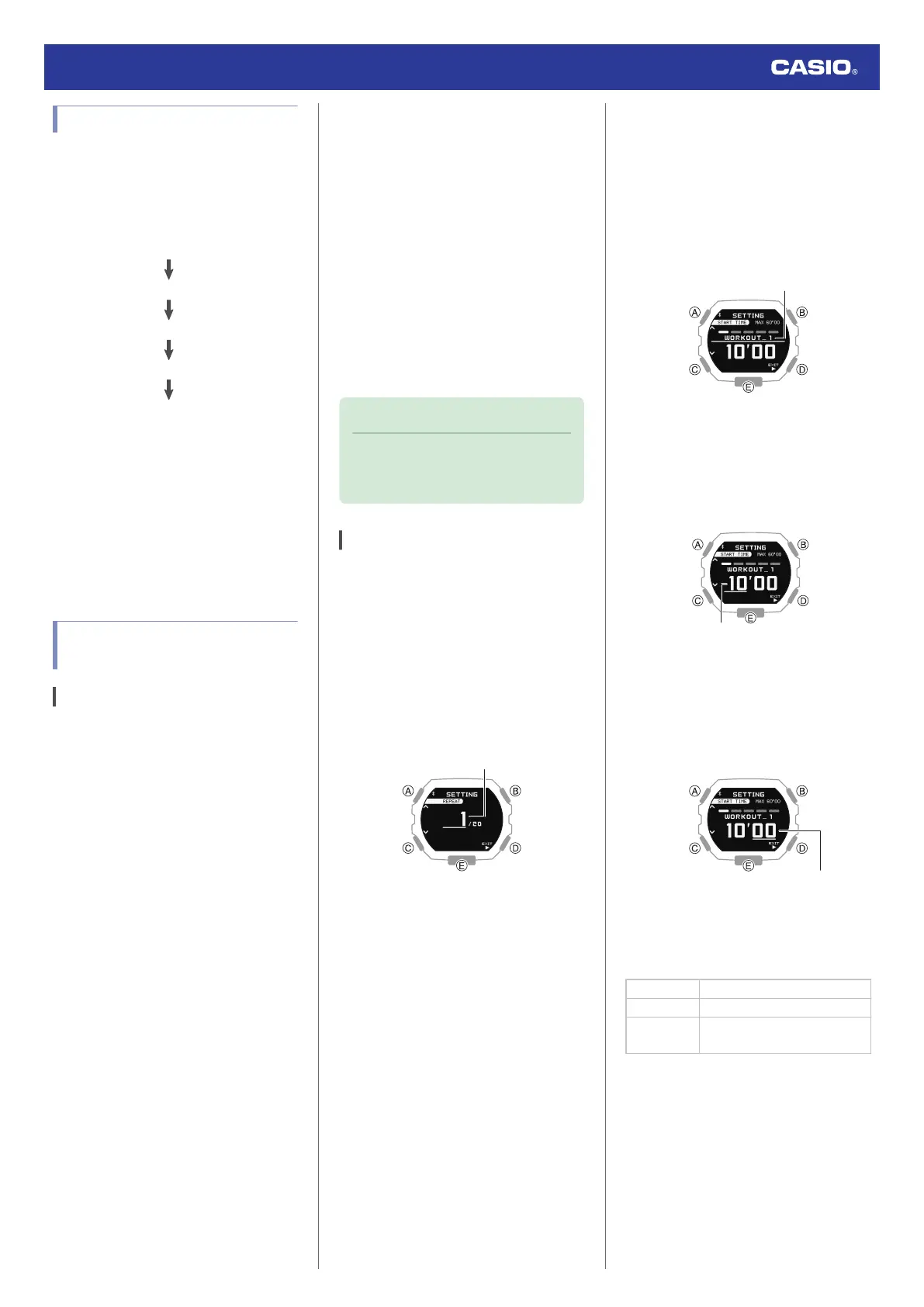
2. Hold down (A) for at least two seconds.
This displays the number of timer repeats
(1 to 20) setting screen.
3. Use (A) and (C) to specify the number of
timer repeats (Auto Repeat).
4. Press (B).
5. Use (A) and (C) to specify the position of
the timer in the sequence.
●
To setup the first timer, setup
[WORKOUT_1].
6. Press (B).
This causes the cursor to appear at the
minutes setting of the first timer.
7. Use (A) and (C) to change the minutes
setting.
8. Press (B).
This causes the cursor to move to the
seconds setting of the first timer.
9. Use (A) and (C) to change the seconds
setting.
10. Press (B).
11. Use (A) and (C) to select whether or not
you want to save your current settings.
[YES] Saves current settings.
[NO] Discards current settings.
[RETURN]
Returns to the number of
repeats setting.
Watch Operation Guide 3568
32



 To Next Page