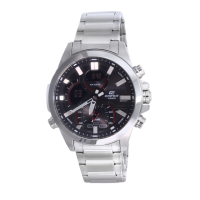
Operation Guide 5640
E-9
Hand Home Position Adjustment .......................................................................E-70
To adjust home positions manually .................................................................. E-70
Moving the Hands for Easy Viewing of Digital Information .............................E-72
To move the hands to view digital information ................................................ E-73
To return the hands to their normal positions .................................................. E-73
Other Settings ...................................................................................................... E-75
To enable or disable the button operation tone ............................................... E-75
To enable or disable Power Saving .................................................................. E-77
Troubleshooting ...................................................................................................E-78
Specifications ......................................................................................................E-85
Operating Precautions ........................................................................................ E-88
User Maintenance ...............................................................................................E-98
E-8
Using the Countdown Timer ...............................................................................E-55
To enter the Countdown Timer Mode .............................................................. E-55
To specify the countdown start time ................................................................ E-55
To perform a countdown timer operation ........................................................ E-57
To stop the alarm ............................................................................................. E-57
Using the Alarm ...................................................................................................E-58
To enter the Alarm Mode ................................................................................. E-58
To set an alarm time ......................................................................................... E-59
To test the alarm .............................................................................................. E-60
To enable or disable an alarm or the Hourly Time Signal ................................. E-61
To stop a sounding alarm................................................................................. E-61
Illumination ...........................................................................................................E-63
To turn on illumination manually ...................................................................... E-63
To change the illumination duration ................................................................. E-64
To enable or disable the auto light switch ....................................................... E-67
E-7
Configuring Home City Settings.........................................................................E-40
To configure Home City settings...................................................................... E-40
To change the Daylight Saving Time (summer time) setting ............................ E-42
Configuring Current Time and Date Settings Manually ................................... E-44
To change the current time and date settings manually .................................. E-44
Using the World Time Mode ............................................................................... E-48
To enter the World Time Mode ........................................................................ E-48
To view the time in another time zone ............................................................. E-48
To specify standard time or daylight saving time (DST) for a city .................... E-49
To swap your Home Time and World Time Cities ............................................ E-50
Using the Stopwatch ...........................................................................................E-52
To enter the Stopwatch Mode ......................................................................... E-52
To perform an elapsed time operation ............................................................. E-53
To pause at a split time .................................................................................... E-53
To measure two finishes .................................................................................. E-53
E-6
Contents
About This Manual ................................................................................................. E-1
Things to check before using the watch .............................................................E-2
Charging the Watch ............................................................................................. E-10
To recover from the sleep state ....................................................................... E-18
Radio Controlled Atomic Timekeeping .............................................................E-19
To get ready for a receive operation ................................................................ E-24
To perform manual receive .............................................................................. E-27
To check the latest signal reception results ..................................................... E-31
To enable or disable auto receive .................................................................... E-32
Mode Reference Guide .......................................................................................E-35
Timekeeping ......................................................................................................... E-39
E-5
The watch is now ready for use.
x For details about the watch’s radio controlled timekeeping feature, see “Radio
Controlled Atomic Timekeeping” (page E-19).
E-4
2. Check the Home City and the daylight saving time (DST) setting.
Use the procedure under “To configure Home City settings” (page E-40) to configure
your Home City and daylight saving time settings.
Important!
x Proper time calibration signal reception and World Time Mode data depend on
correct Home City, time, and date settings in the Timekeeping Mode. Make sure
you configure these settings correctly.
3. Set the current time.
x To set the time using a time calibration signal
See “To get ready for a receive operation” (page E-24).
x To set the time manually
See “Configuring Current Time and Date Settings Manually” (page E-44).
E-3
Go to step 2.
The watch is charged.
For details about charging, see “Charging the Watch” (page E-10).
Power is low. Charge the watch by placing it in a location where it is exposed to
light. For details, see “Charging the Watch” (page E-10).
NEXT
E-2
Things to check before using the watch
1. Check the battery power level.
Is H or M indicated as the battery power indicator (page E-13)?
Battery power indicator
YES
NO
E-1
About This Manual
x Depending on the model of your watch, display text
appears either as dark figures on a light background,
or light figures on a dark background. All examples
in this manual are shown using dark figures on a light
background.
x Button operations are indicated using the letters shown
in the illustration.
x Note that the product illustrations in this manual are
intended for reference only, and so the actual product
may appear somewhat different than depicted by an
illustration.
E
ENGLISH
Congratulations upon your selection of this CASIO watch.
To ensure that this watch provides you with the years of service for which it is
designed, carefully read and follow the instructions in this manual, especially the
information under “Operating Precautions” and “User Maintenance”.
Note that CASIO COMPUTER CO., LTD. assumes no responsibility for any damage
or loss suffered by you or any third party arising through the use of your watch or
its malfunction.
MA2010-EA
© 2020 CASIO COMPUTER CO., LTD.

 Need help?

 To Next Page
 General