- 26 -
Mobile Picture & Video Player
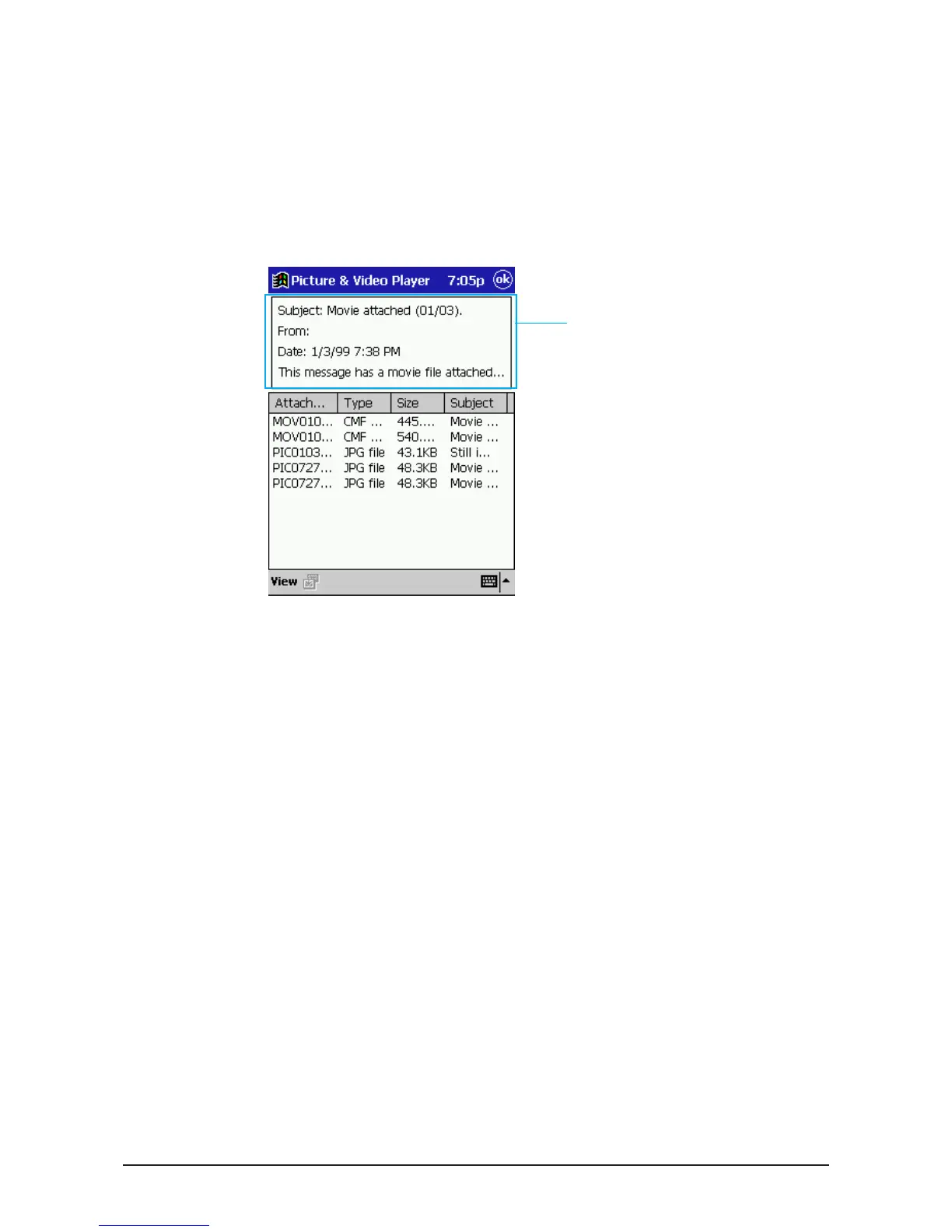
To display E-mail Message Information
Use the following procedure to toggle display of e-mail information (subject,
sender, date and part of the body text contents) on and off.
1. On the View menu, tap Display Mail Contents.
•
This toggles e-mail message information display on (Display Mail Contents
checked) and off (Display Mail Contents not checked).
2. Tapping anywhere inside the window closes it.
While Display Mail Contents is
checked, a window opens to
shows the subject, sender, date
and part of the body text of an e-
mail message whenever you
select it.



 To Next Page