38
OP
A-A08
PGM
A-A08
Mode Switch
X
Z
CAL
REG
OFF
RF
PGM
12-11-2000 10:55
REG 000017
DEPT01 ⁄ $1.00
DEPT02 ¤ $2.00
DEPT03 ⁄ $3.00
ST $6.00
TA1 $4.00
TX1 $0.20
TA2 $2.00
TX2 $0.20
TL $
6
.
40
CA $10.00
CG $3.60
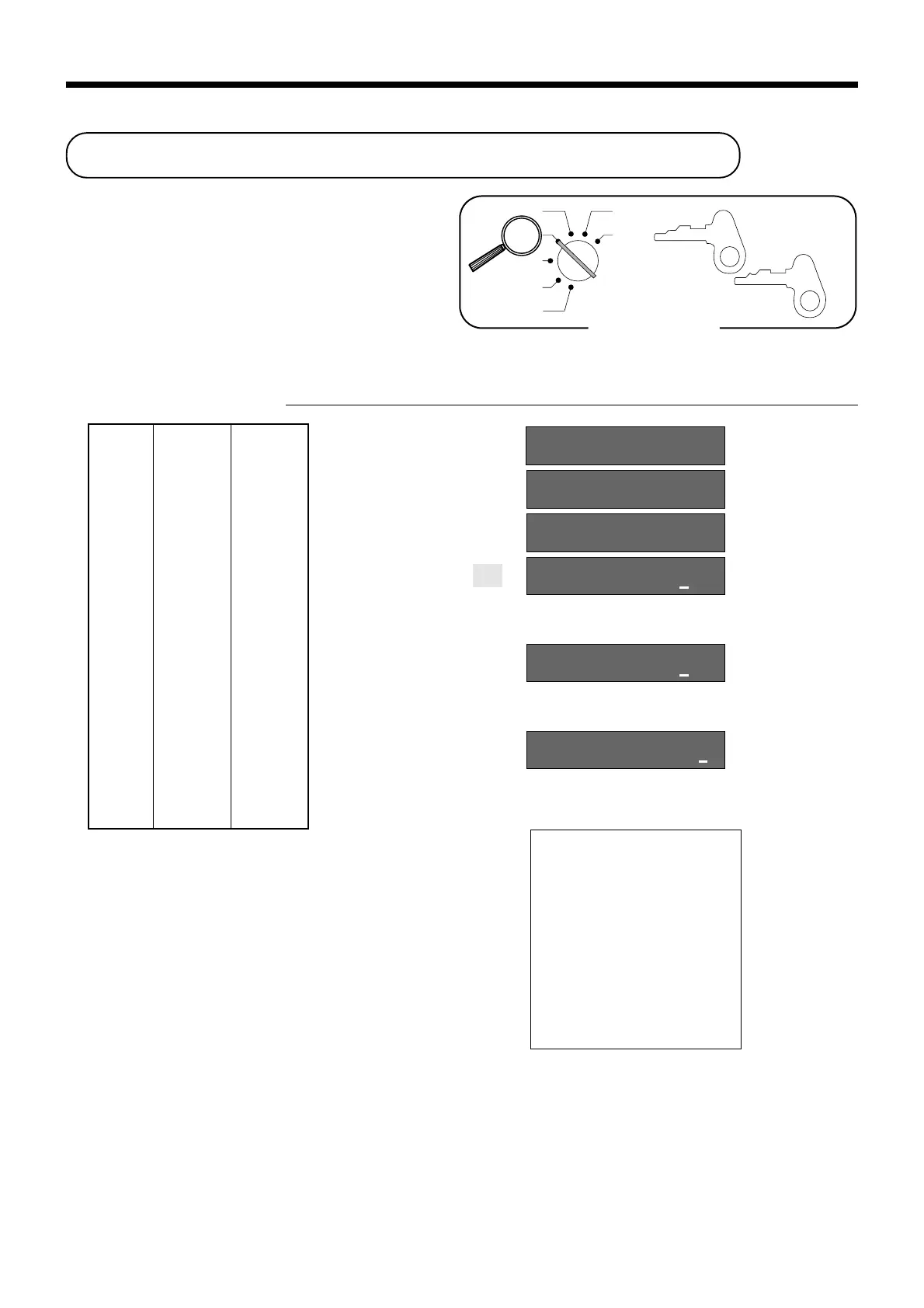
Calculating the merchandise subtotal
Use the operation shown below to calculate the mer-
chandise subtotal, which includes the actual cost of
the merchandise only without the add-on tax.
Calculation merchandise subtotal
OPERATION DISPLAY
1-!
2-"
3-#
M
s
10-a
Unit price $1.00
—————————
Quantity 1
Item 1 —————————
Dept. 1
—————————
Taxable (1)
preset
—————————————
Unit price $2.00
—————————
Quantity 1
Item 2 —————————
Dept. 2
—————————
Taxable (2)
preset
—————————————
Unit price $3.00
—————————
Quantity 1
Item 3 —————————
Dept. 3
—————————
Taxable (1)
preset
—————————————
Payment Cash $10.00
01 !00
02 "00
03 #00
&00
&40
#60
Calculates the merchandise subtotal.
Calculates the subtotal (with add-on tax).
RECEIPT
• For a partial tender operation, you should press the
s key instead of the M key.
Basic Operations and Setups


 To Next Page