92
X
Z
REG
OFF
RF
PGM
CAL
22
22
2
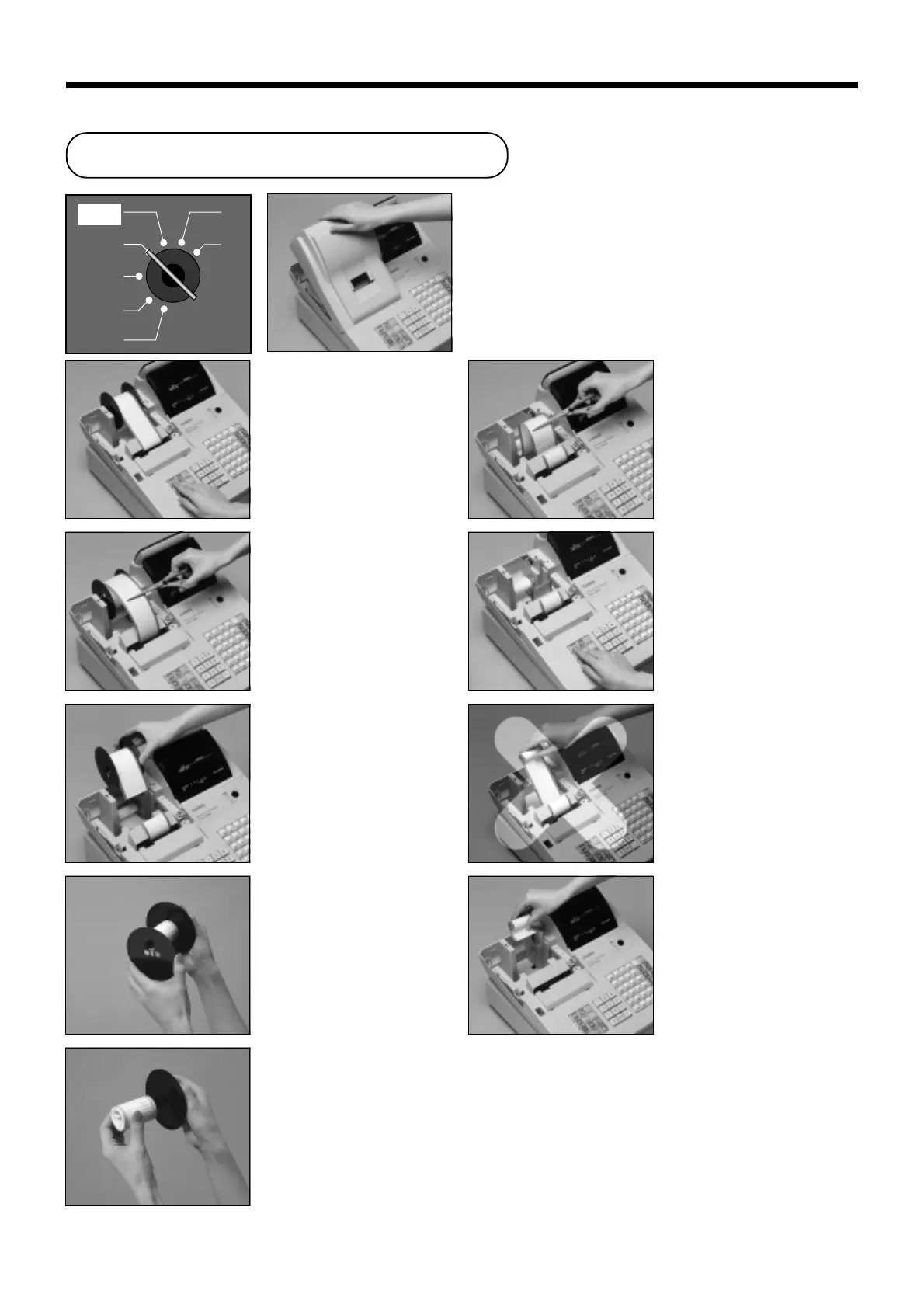
Press f to feed about 20
cm of paper.
33
33
3
Cut the journal paper at the
point where nothing is
printed.
44
44
4
Remove the journal take-up
reel from its holder.
55
55
5
Remove the flat plate from
the side of the take-up reel.
66
66
6
Slide the printed journal
from the take-up reel.
AA
AA
A
Load new paper as
described on page 10 of
this manual.
00
00
0
Remove the old paper roll
from the cash register.
99
99
9
Do not pull the paper out of
the printer by hand. It can
damage the printer.
88
88
8
Press f to feed the
remaining paper from the
printer.
77
77
7
Cut the journal paper as
shown in the photograph.
11
11
1
Set the mode switch to the
REG position and remove
the printer cover.
To replace journal paper
User Maintenance and Options


 To Next Page