EasyManua.ls Logo

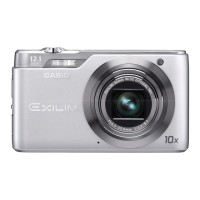
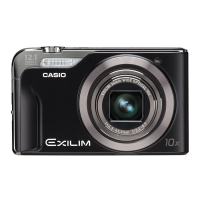
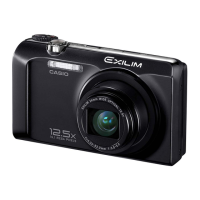
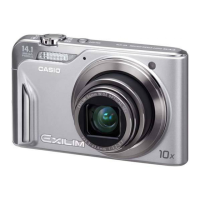
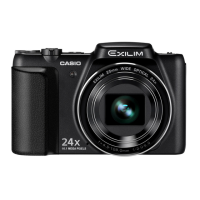
Casio EXILIM EX-H50 - User Manual

Casio EXILIM EX-H50
130 pages
Print Icon
To Next Page IconTo Next Page
Loading...
E
Thank you for purchasing this CASIO product.
Before using it, be sure to read the precautions contained in this User’s Guide.
Keep the User’s Guide in a safe place for future reference.
For the most up-to-date information about this product, visit the official EXILIM
Website at http://www.exilim.com/
Digital Camera
User’s Guide

Table of Contents

Questions and Answers

  • D
    David HardingAug 16, 2025
    Why does my Casio Digital Camera power not turn on?
    • D
      David EdwardsAug 16, 2025
      The Casio Digital Camera might not be turning on because the battery isn't loaded correctly or the battery may be dead. Ensure the battery is correctly installed and charged. If a charged battery quickly loses power, it likely needs replacing. Consider purchasing a CASIO NP-80 rechargeable lithium ion battery.
  • R
    raykimberlyAug 19, 2025
    What to do if my Casio Digital Camera suddenly powers down?
    • Y
      ydonovanSep 12, 2025
      If your Casio Digital Camera suddenly powers down, it could be due to several reasons: 1. Auto Power Off may have activated. In this case, simply turn the power back on. 2. The battery may be dead, so charge the battery. 3. The camera’s protection function may have activated because its temperature is too high. Turn off the camera and wait until it cools down before trying to use it again.
  • G
    Gregory PriceAug 22, 2025
    How to fix Auto Focus on Casio EXILIM EX-H50 Digital Camera?
    • K
      Karen BerryAug 22, 2025
      If the Auto Focus on your Casio Digital Camera isn't focusing properly: * If the lens is dirty, clean it. * Ensure the subject is in the center of the focus frame. * If the subject isn't compatible with Auto Focus, use manual focus. * If you're moving the camera, try using Anti Shake or a tripod. * Half-press the shutter button and allow time for Auto Focus to focus.
  • S
    Samantha AustinAug 25, 2025
    Why my Casio EXILIM EX-H50 stores the wrong date and time?
    • M
      melissa83Aug 26, 2025
      If your Casio Digital Camera is storing the wrong date and time with your images, it's likely that the date and time setting is off. Set the correct date and time.
  • J
    James DillonAug 27, 2025
    What to do if my Casio EXILIM EX-H50 image is not recorded when the shutter button is pressed?
    • S
      Scott HaneyAug 27, 2025
      If your Casio Digital Camera isn't recording images when you press the shutter button: * If the camera is in PLAY mode, press the REC button to enter REC mode. * If the flash is charging, wait until the charge operation finishes. * If the message “Memory Full” appears, transfer images to your computer, delete unnecessary images, or use a different memory card.
  • M
    Mr. Chad ChavezAug 30, 2025
    Why does my Casio EXILIM EX-H50 flash not fire?
    • J
      Jamie RiveraAug 30, 2025
      The flash on your Casio Digital Camera may not be firing because: 1. If the flash mode is set to Flash Off, change it to another mode. 2. If the battery is dead, charge it. 3. If a BEST SHOT scene using Flash Off is selected, change to a different flash mode or select a different BEST SHOT scene.
  • M
    Madison MendezSep 3, 2025
    Why Casio EXILIM EX-H50 powers down during Self-timer countdown?
    • M
      Mary PittsSep 3, 2025
      Your Casio Digital Camera might be powering down during the Self-timer countdown because the battery may be dead. Charge the battery.
  • K
    Kim ReynoldsSep 6, 2025
    What to do if my Casio Digital Camera power will not turn off?
    • L
      Leslie ShepardSep 6, 2025
      To resolve this, remove the battery from the camera and then reload it.
  • A
    Angel CookSep 9, 2025
    Why Casio Digital Camera images cannot be transferred over a USB connection?
    • B
      brittanyrobertsSep 9, 2025
      If you're having trouble transferring images from your Casio Digital Camera via USB: 1. Check that the USB cable is securely connected. 2. Ensure the camera is turned on. 3. Avoid connecting through a USB hub; connect directly to the computer's USB port.
  • A
    Allison WalkerSep 12, 2025
    Why Casio EXILIM EX-H50 Digital Camera buttons are not responsive after turning on?
    • M
      Mark SmithSep 12, 2025
      With large capacity memory cards there is a delay after the power has been turned on before the buttons become responsive.

Casio EXILIM EX-H50 Specifications

General IconGeneral
Sensor TypeCCD
Megapixels16.1 MP
Optical Zoom24x
Screen Size3.0 inches
Image StabilizationYes
Video Resolution848 x 480 (WVGA)
Image Sensor Size1/2.3 inch
Digital Zoom4x
ISO sensitivityAuto, 100, 200, 400, 800, 1600
Shutter Speed1/2000 sec
Storage MediaSD/SDHC/SDXC
Focal Length4.5 - 108 mm
Effective Pixels16.1 MP

Related product manuals