56
OTHER RECORDING FUNCTIONS
Creating Your Own Best Shot Setup
You can use the procedure below to save the setup of an
image you recorded for later recall when you need it again.
Recalling a setup you save automatically sets up the
camera accordingly.
1.
In the REC mode, press [MENU].
2.
Select the “REC” tab, select “REC Mode”, and
then press [왘].
3.
Use [왖] and [왔] to select “ (Best Shot)”,
and then press [SET].
• This enters the Best Shot mode and displays a
sample scene.
4.
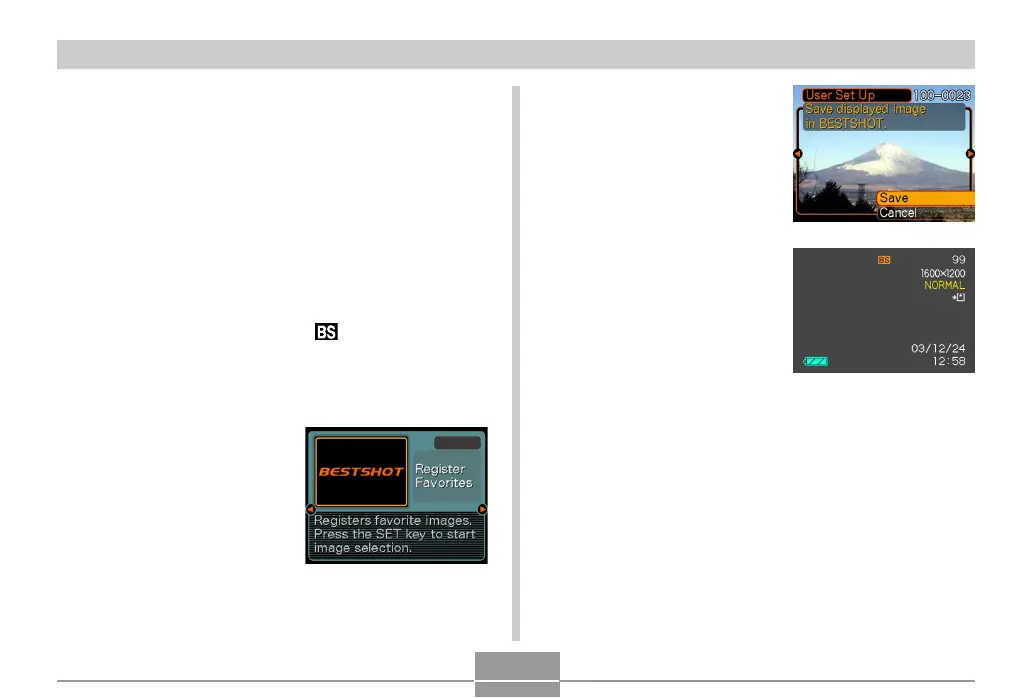
Use [왗] and [왘] to
display “Register
Favorites”.
5.
Press [SET].
6.
Use [왗] and [왘] to
display the image
whose setup you
want to register as a
Best Shot scene.
7.
Use [왖] and [왔] to
select “Save”, and
then press [SET].
• This registers the setup.
• Now you can use the
procedure on page 55
to select your user
setup for recording.



 To Next Page
 Loading...