EasyManua.ls Logo

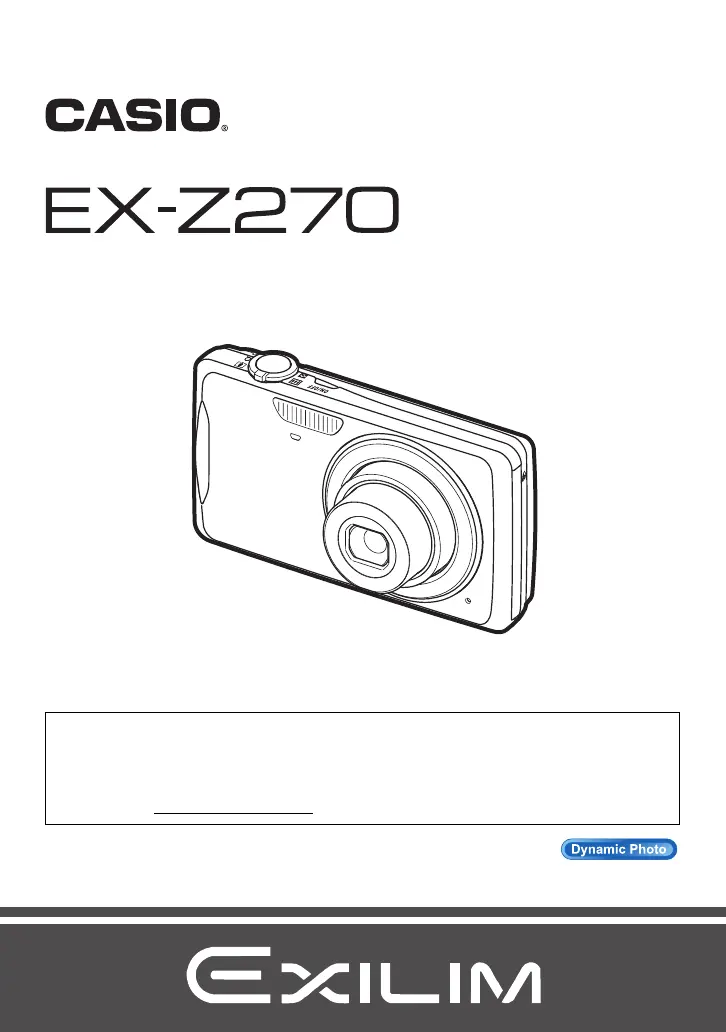
Casio EXILIM EX-Z270 - User Manual

Casio EXILIM EX-Z270
202 pages
Print Icon
To Next Page IconTo Next Page
Loading...
1
E
To go to “Getting the Most Out of Dynamic Photo” click here!
Thank you for purchasing this CASIO product.
Before using it, be sure to read the precautions contained in this User’s Guide.
Keep the User’s Guide in a safe place for future reference.
For the most up-to-date information about this product, visit the official EXILIM
Website at http://www.exilim.com/
Digital Camera
User’s Guide

Table of Contents

Questions and Answers

  • K
    Karen WalkerAug 12, 2025
    How to fix a Casio Digital Camera that does not turn on?
    • L
      Logan WilliamsAug 12, 2025
      If your Casio Digital Camera isn't powering on, try the following: Ensure the battery is correctly loaded. Charge the battery. If the battery drains quickly after being charged, it likely needs replacing; consider purchasing a new CASIO NP-80 rechargeable lithium-ion battery. Also, ensure the camera is not overheating; if it is, turn it off and allow it to cool down before attempting to use it again.
  • P
    Patrick JonesAug 16, 2025
    What to do if my Casio Digital Camera suddenly powers down?
    • B
      Bianca StewartAug 16, 2025
      If your Casio Digital Camera is suddenly powering down, it could be due to the Auto Power Off feature activating. Try turning the power back on. Also, ensure the battery is sufficiently charged and charge it if necessary. Overheating can also cause this issue; turn off the camera and allow it to cool down before using it again.
  • D
    David WilsonAug 20, 2025
    How to troubleshoot auto focus issues on a Casio Digital Camera?
    • S
      stephen58Aug 20, 2025
      If the auto focus on your Casio Digital Camera isn't working correctly, start by cleaning the lens. You can also try using manual focus. Additionally, try shooting with Anti Shake or using a tripod for stability. Make sure to half-press the shutter button and allow enough time for the Auto Focus to focus.
  • M
    mary06Aug 23, 2025
    What to do if my Casio Digital Camera won't turn off and buttons are unresponsive?
    • N
      Natalie PayneAug 23, 2025
      If your Casio Digital Camera won't turn off and the buttons are unresponsive, remove the battery from the camera and then reload it.
  • A
    Amanda GeorgeAug 27, 2025
    Why doesn't the flash fire on my Casio Digital Camera?
    • B
      Brittany LongAug 27, 2025
      If the flash on your Casio Digital Camera isn't firing, check if the flash mode is set to Flash Off. If it is, change to another mode. You can also try charging the battery. Alternatively, try changing to a different flash mode or selecting a different BEST SHOT scene.
  • C
    cameron19Aug 30, 2025
    What to do if my Casio EXILIM EX-Z270 Digital Camera doesn't record images when I press the shutter button?
    • M
      Michael JuarezAug 31, 2025
      If your Casio Digital Camera isn't recording images when you press the shutter button, and the camera is in PLAY mode, press the REC button to enter REC mode. If the flash is charging, wait until it finishes. If a 'Memory Full' message appears, transfer images to your computer, delete unnecessary images, or use a different memory card.
  • J
    Jennifer FosterSep 3, 2025
    Why does my Casio EXILIM EX-Z270 power down during the self-timer countdown?
    • K
      Kimberly ClarkSep 4, 2025
      If your Casio Digital Camera powers down during the self-timer countdown, try charging the battery.
  • S
    Shawn RaySep 7, 2025
    Why doesn't the focus frame appear on the screen of my Casio EXILIM EX-Z270?
    • J
      James AllenSep 7, 2025
      If the focus frame does not appear on the monitor screen of your Casio Digital Camera, you will need to change the face detection setting again after turning on the camera.

Casio EXILIM EX-Z270 Specifications

General IconGeneral
Image Sensor1/2.3-inch CCD
Optical Zoom5x
Digital Zoom4x
LCD Screen Size2.7 inches
Storage MediaSD/SDHC memory card
Lens5x optical zoom lens
ISO RangeAuto, ISO 64, ISO 100, ISO 200, ISO 400, ISO 800, ISO 1600
Video Recording640 x 480 pixels (30 fps)
BatteryNP-60
Maximum Aperturef/2.6
Shutter Speed1/2000 sec
Effective Pixels10.1 MP

Related product manuals