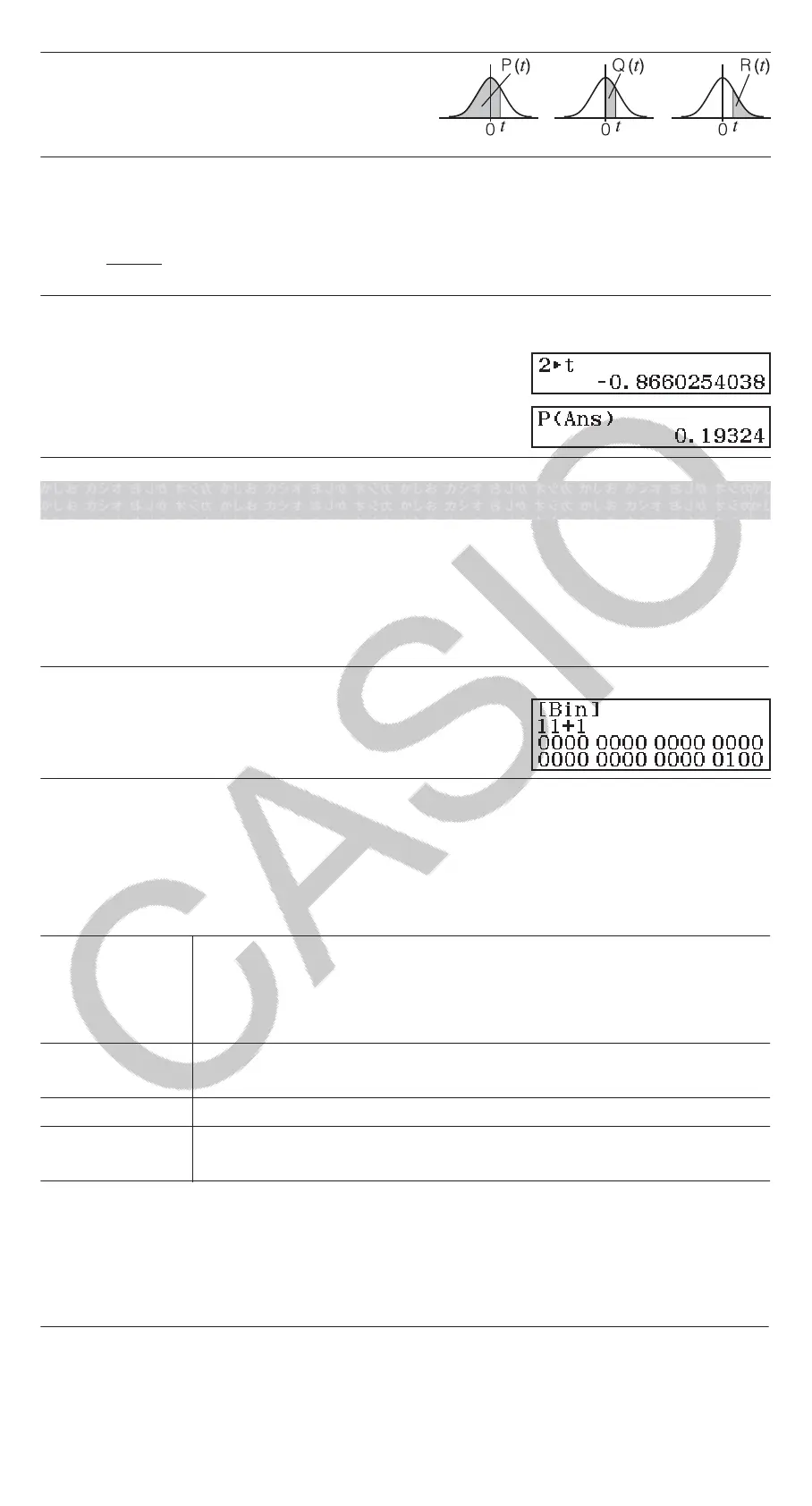
P, Q, R: These functions take the
argument t and determine a probability
of standard normal distribution as
illustrated nearby.
t: This function is preceded by the argument x. It calculates the standard
variate for data value x using the mean value (𝑥
−
) and population standard
deviation (σ
x
) of data input with Statistics Editor.
x t =
𝑥−𝑥
−
𝜎
𝑥
Ex 5: For the single variable data in Ex 2, to determine the normalized
variate when x = 2, and P(t) at that point.
2(Norm Dist)(t)
(Norm Dist)(P()
Base-n Calculations
When you want to perform calculations using decimal, hexadecimal, binary,
and/or octal values, enter the Base-N Mode. After entering the Base-N
Mode, press one of the following keys to switch number modes: (DEC)
for decimal, (HEX) for hexadecimal, (BIN) for binary, or (OCT) for
octal.
To calculate 11
2
+ 1
2
(BIN)111
Note
• Use the following keys to input the letters A through F for hexadecimal
values: (A), (B), (C), (D), (E), (F).
• In the Base-N Mode, input of fractional (decimal) values and exponents
is not supported. If a calculation result has a fractional part, it is cut off.
• Details about input and output ranges (32 bits) are shown below.
Binary
Positive:
00000000000000000000000000000000 ≦ x ≦
01111111111111111111111111111111
Negative:
10000000000000000000000000000000 ≦ x ≦
11111111111111111111111111111111
Octal
Positive:
Negative:
00000000000 ≦ x ≦ 17777777777
20000000000 ≦ x ≦ 37777777777
Decimal
-2147483648 ≦ x ≦ 2147483647
Hexadecimal
Positive:
Negative:
00000000 ≦ x ≦ 7FFFFFFF
80000000 ≦ x ≦ FFFFFFFF
Specifying the Number Mode of a Particular Input
Value
You can input a special command immediately following a value to specify
the number mode of that value. The special commands are: d (decimal), h
(hexadecimal), b (binary), and o (octal).
To calculate 10
10
+ 10
16
+ 10
2
+ 10
8
and display the result as a decimal
value
(DEC)(d) 10(h) 10
23


 To Next Page