for Input/Output on the SETTINGS menu. In this case, you must input a
value for the base.
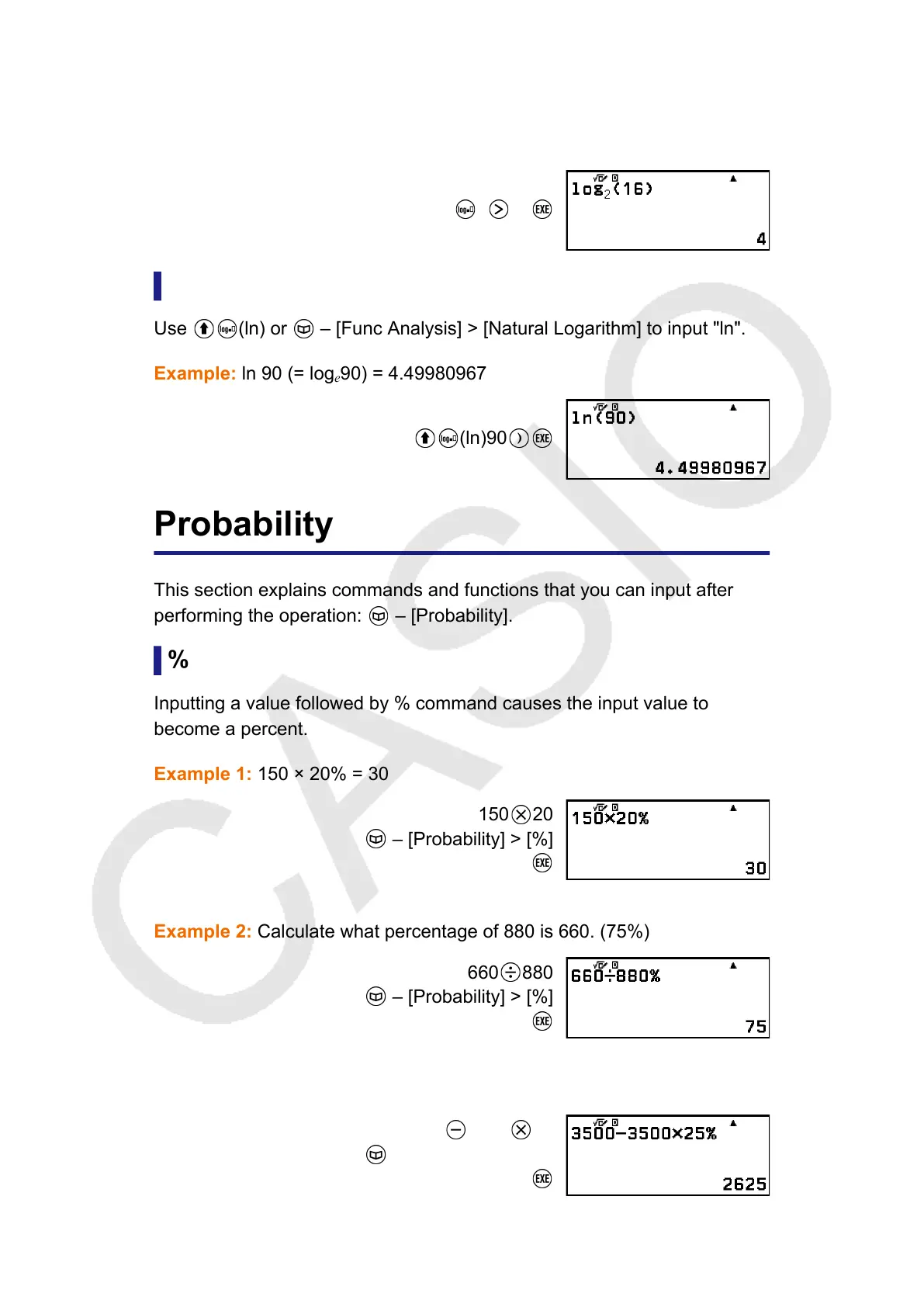
Example 3: log
2
16 = 4
2 16
Natural Logarithm
Use
(ln) or – [Func Analysis] > [Natural Logarithm] to input "ln".
Example: ln 90 (= log
e
90) = 4.49980967
(ln)90
Probability
This section explains commands and functions that you can input after
performing the operation:
– [Probability].
%
Inputting a value followed by % command causes the input value to
become a percent.
Example 1: 150 × 20% = 30
150 20
– [Probability] > [%]
Example 2: Calculate what percentage of 880 is 660. (75%)
660 880
– [Probability] > [%]
Example 3: Discount 3500 by 25%. (2625)
3500
3500 25
– [Probability] > [%]
44



 To Next Page