fx-991EX Quick Start Guide 3
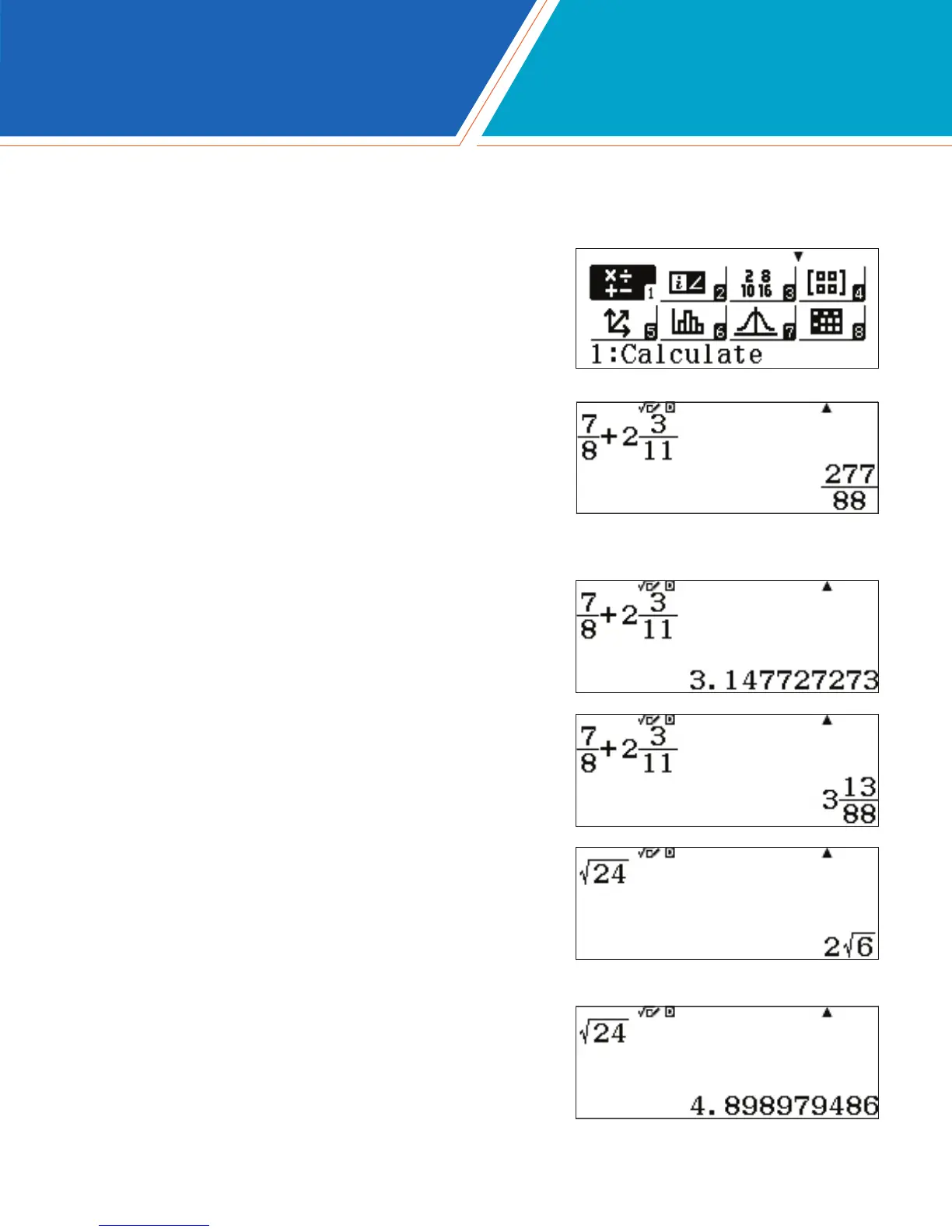
Below are some examples of the Natural Textbook Display™ input/output notation, as found by selecting the Calculate
icon from the Main Menu of the fx-991EX.
From the Main Menu, use the arrow keys to
highlight the Calculate icon, then press =
or press 1.
Fractions and mixed numbers can be entered using
a and qaA, respectively.
To enter the calculation to the left, press
a7$8$+qaA2$3$
11p.
To change the solution to a decimal format,
press n.
Press qnN to convert the result into
a mixed-number format.
When inputting radical expressions, the radical bar
automatically extends as additional characters are typed.
Press s24=.
The output will be displayed in simplest radical form, but can
be converted into a decimal approximation by pressing n.
CALCULATE







 To Next Page