157
• You can use RND with any type of graph.
• You cannot use RND inside a program.
• You can use RND with a graph produced by a multi-statement connected by “:”,
even if the multi-statement includes non-graph operations.
• When RND is used in a statement that uses a display result command (^) to
draw a graph, Rounding Coordinate parameters are applied up to the display
result command, but any graphs drawn after the display result command are
drawn according to normal graph overwrite rules.
kk
kk
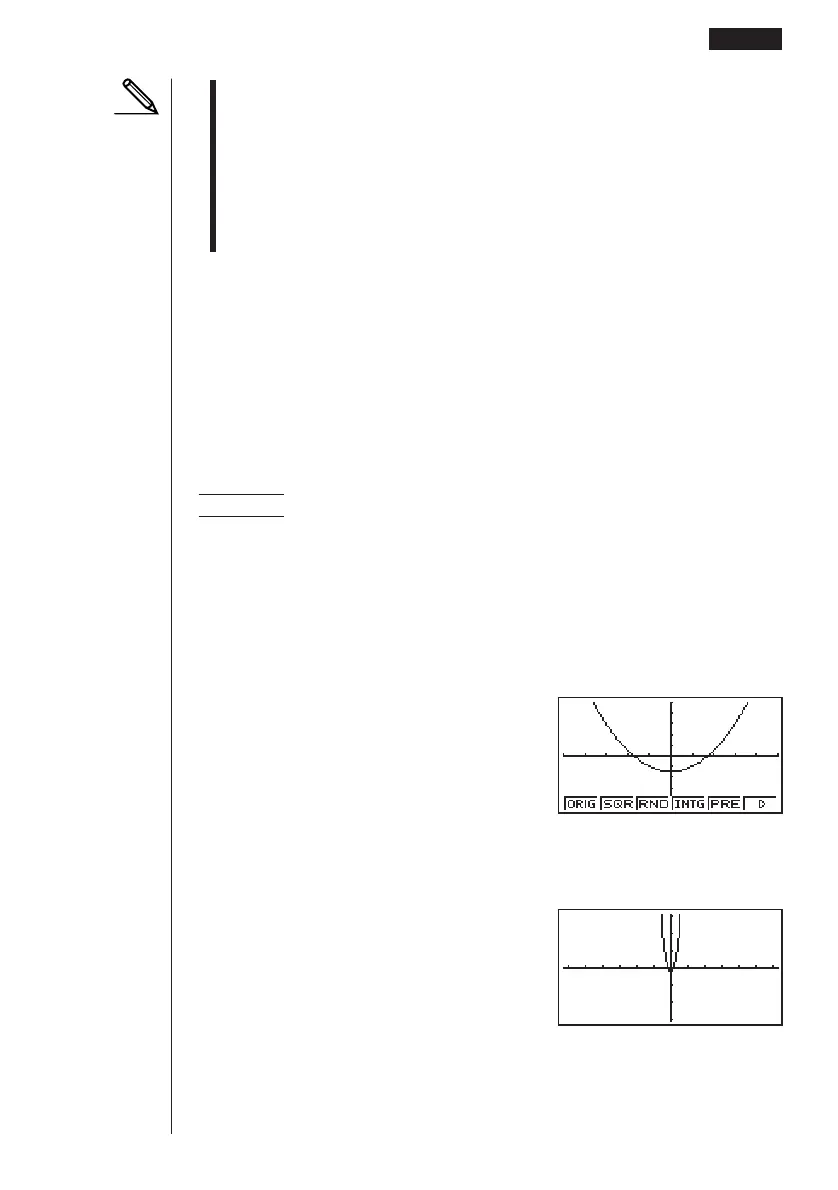
k Converting x- and y-axis Values to Integers (INTG)
This feature converts View Window values to the following, and redraws the graph
with the current pointer position as the center point.
Xmin = center point –63.5 Ymin = center point –31.5
Xmax = center point +63.5 Ymax = center point +31.5
Xscale = 10 Yscale = 10
Example To graph y = x
2
– 3 and then redraw it using INTG
Use the following View Window parameters.
Xmin = –5 Ymin = –10
Xmax = 5 Ymax = 10
Xscale = 1 Yscale = 2
1. Press 2 (Zoom) 6 (g) after drawing the graph.
2(Zoom)6(g)
2. Press 4 (INTG).
4(INTG)
Other Graphing Functions 8 - 6
123456



 To Next Page