184
kk
kk
k Drawing a Circle
You can use the following procedures to draw a circle on a graph.
uu
uu
uTo draw a circle in the STAT, GRAPH, TABLE, RECUR and CONICS
Modes
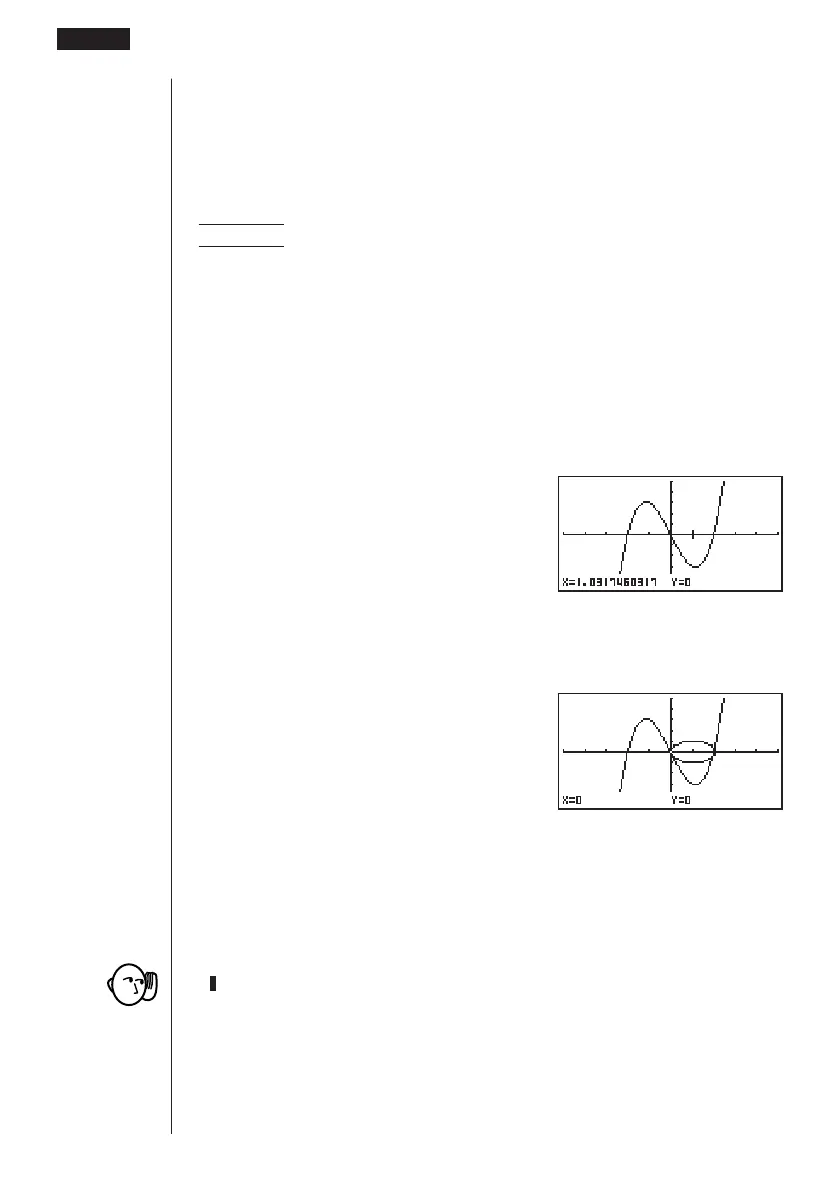
Example To draw a circle with a radius of R = 1 centered at point (1, 0)
on the graph of y = x(x + 2)(x – 2)
1. After graphing the function, display the sketch menu and perform the following
operation to cause the pointer to appear on the graph screen.
!4(Sketch)6(g)3(Crcl)
2. Use the cursor keys (f, c, d, e) to move the pointer to the location where
you want the center point of the circle to be and press w to plot it.
e ~ e
w
3. Use the cursor keys to move the pointer to a point on the circumference of the
circle (here to point x = 0) and then press w to draw the circle.
d ~ d
w
uu
uu
uTo draw a circle in the RUN or PRGM Mode
The following is the syntax for drawing circles in these modes.
Circle <center point
x-coordinate>, <center point y-coordinate>, <radius R value>
• Certain View Window parameters can make a circle appear as an ellipse.
10 - 2 Graphing with the Sketch Function



 To Next Page