5.
X
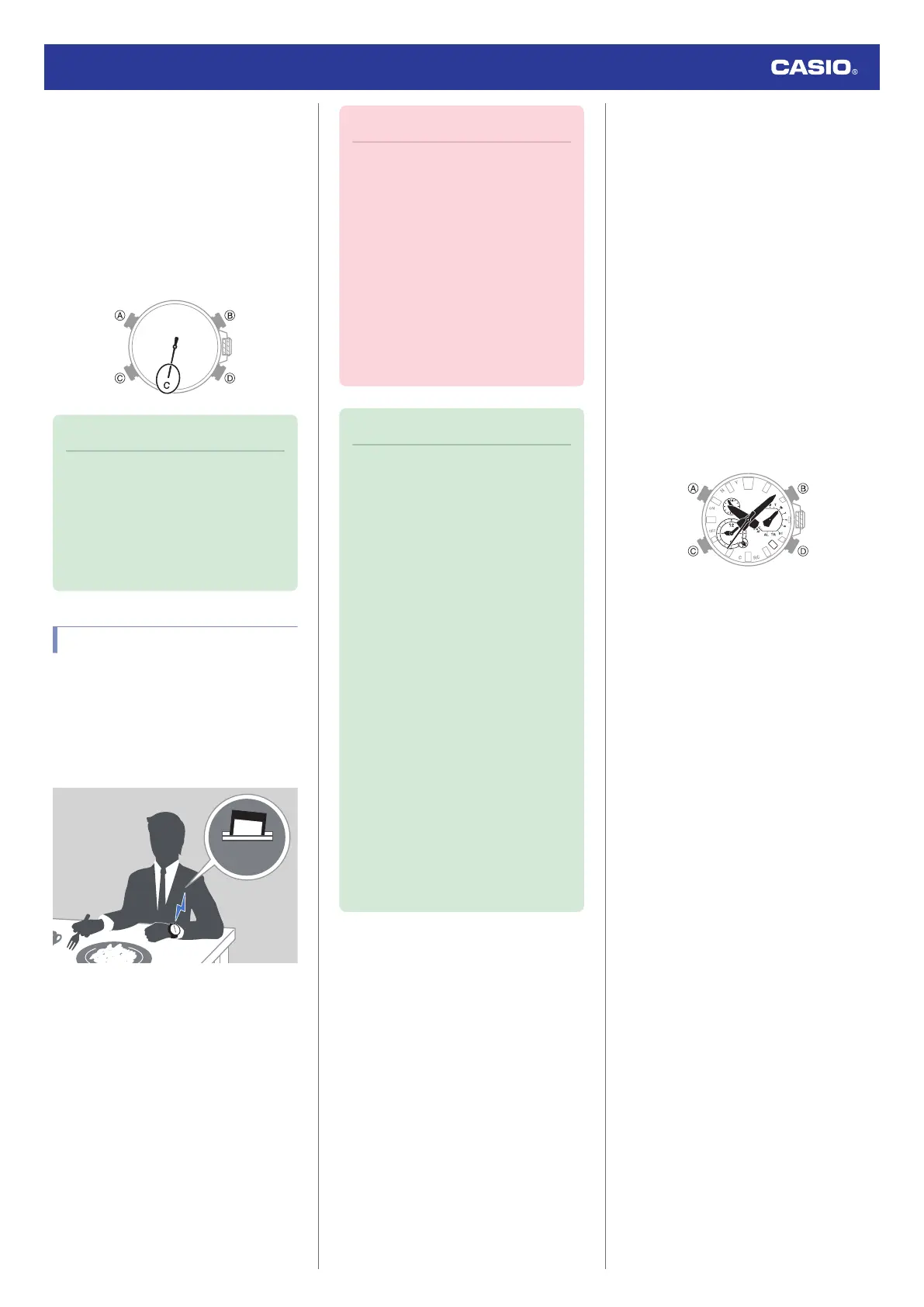
Hold down (D) for at least 2.5 seconds
until the second hand points to [C].
When a connection is established
between the watch and phone, the
second hand moves to [C].
●
If pairing fails, the watch returns to the
state it was in before starting this
procedure. Perform the pairing
procedure again from the beginning.
Note
●
The first time you start up CASIO
WATCHES phone app, a message will
appear on your phone asking if you
want to enable location information
acquisition. Configure settings to allow
background use of location
information.
Auto Time Adjustment
Your watch can connect with your phone to
adjust the watch’s time setting.
If you leave the watch in the Calendar Mode,
it will perform the adjustment operation
automatically as you go about your daily life
(as shown in the illustration), without any
operation required by you.
Important!
●
The watch may not be able to perform
auto time adjustment under the
conditions described below.
ー
While the watch is too far away from
its paired phone
ー
While communication is not possible
due to radio interference, etc.
ー
While the phone is updating its
system
ー
While the CASIO WATCHES phone
app is not running on the phone
ー
While the watch is in a power saving
state following approximately one
hour of non-use
Note
●
If the watch does not indicate the
correct time even if it is able to connect
with a phone, adjust the hand and day
indicator positions.
l
Adjusting Hand and Day Indicator
Alignment
●
If there is a World Time City specified
with the CASIO WATCHES phone
app, its time will also be adjusted
automatically.
●
Auto time adjustment is performed at
the times described below.
ー
After your phone’s time zone or
summer time setting is changed
ー
After 24 hours or more have passed
since the last time adjustment using
Bluetooth connection
ー
After 24 hours or more have passed
since city swapping using CASIO
WATCHES or watch operation
ー
After 24 hours or more have passed
since the last home city change or
time adjustment using watch
operation
●
Watch operation can be performed
even while it is connected with your
phone.
●
Triggering Immediate Time Adjustment
The watch’s time setting will be adjusted
automatically whenever you establish a
connection between the watch and a phone.
Whenever you want to trigger immediate time
adjustment, perform the procedure below to
connect with a phone.
1. Move the phone close to (within one meter
of) the watch.
2.
X
Enter the Calendar Mode.
l
Navigating Between Modes
3.
X
Hold down (D) for at least 0.5 seconds
until the second hand points to [C].
Release the button as soon as the second
hand points to [C].
When the watch connects with a phone,
the second hand will normally move to
[Y(YES)] and then the watch’s time setting
will be adjusted.
Watch Operation Guide 5636
11









 To Next Page