EasyManua.ls Logo

Casio LK-130 - User Manual

Casio LK-130
37 pages
Print Icon
To Next Page IconTo Next Page
Loading...
LK120/125/127ES1B
EN/ES
USER’S GUIDE
GUÍA DEL USUARIO
Please keep all information for future reference.
Guarde toda información para tener como referencia futura.
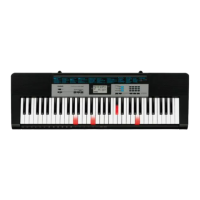
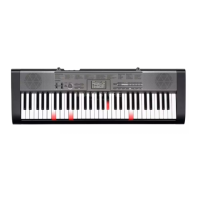
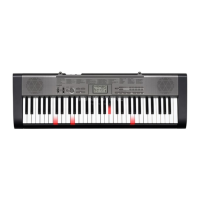
LK-120
LK-125
LK-127
LK-130

Questions and Answers

  • A
    amanda69Jul 30, 2025
    What to do if I cannot change TRANSPOSE/TUNE settings on Casio LK-130 Musical Instrument?
    • J
      james80Jul 30, 2025
      If you cannot change the TRANSPOSE/TUNE settings on your Casio Musical Instrument, it might be because the keyboard is in SONG BANK mode. Press the SONG BANK button to return to the normal mode. It could also be that a demo tune is currently playing; stop the demo tune play to adjust the settings.
  • J
    jjonesAug 5, 2025
    How to fix no sound on my Casio LK-130 Musical Instrument?
    • K
      Kayla MarshAug 5, 2025
      If your Casio Musical Instrument isn't producing any sound when you press the keys, here's what you can check: * First, ensure the AC adapter is correctly attached and that the batteries are properly installed (+/–) and not dead. * Next, verify that the volume isn't set too low by using the VOLUME slider. * Also, make sure headphones aren't plugged into the PHONES/OUTPUT jack. * Check that the POWER/MODE selector is set to NORMAL, not CASIO CHORD or FINGERED. * Finally, if you've selected Tone '99 PERCUSSION', remember that only keys with percussion instrument illustrations will produce sound.
  • J
    John PerezAug 14, 2025
    What to do if the RHYTHM button does not work on Casio Musical Instrument?
    • R
      Raymond HollowayAug 14, 2025
      If the RHYTHM button on your Casio Musical Instrument isn't working, it might be because the keyboard is in SONG BANK mode. To fix this, simply press the SONG BANK button to return to the normal mode.
  • E
    elainetorresAug 21, 2025
    Why does the key light stay on my Casio Musical Instrument?
    • J
      Justin MillerAug 21, 2025
      If a key light stays on your Casio Musical Instrument, it could mean the keyboard is waiting for you to press the correct note during Step 1 or Step 2 play. Press the lit key to continue. Alternatively, if you want to quit Step 1 or Step 2 play, press the START/STOP button.

Summary

Safety Precautions and User Guidance

Preventing Fire and Electrical Hazards

Details dangers from battery/AC adaptor misuse, smoke, water, dropping, and other hazards.

Product Handling and Health Safety

Covers precautions for product stability, user health, display care, and safe operating locations.

Main Keyboard Features

Quick Reference for Keyboard Use

Power Supply Options

AC Power and Battery Installation

Instructions for connecting AC power and installing batteries for keyboard operation.

Connecting External Devices

Chord Systems for Accompaniment

CASIO CHORD and Standard Fingering

Explains how to play chords using CASIO CHORD and standard fingering methods.

3-Step Lesson System Guide

3-Step Lesson System Details

Mastering the 3-Step Lesson

Step 1: Timing and Step 2: Melody

Guides for mastering timing and melody in the first two steps of the lesson system.

Lesson Steps and Tone Adjustments

Advanced Lesson Stage

Step 2 Melody and Step 3 Normal Speed

Covers mastering melody in Step 2 and playing at normal speed in Step 3.

Practicing the Left Hand Part

Left Hand Practice Guide

Instructions for practicing the left-hand part of two-hand tunes using the 3-Step Lesson System.

Technical Reference and Troubleshooting

Troubleshooting Common Issues

A table detailing common symptoms, their causes, and recommended actions for problem resolution.

Product Specifications

Operating Precautions

Environment, Maintenance, and Handling

Covers safe operating locations, cleaning, accessory use, AC adaptor handling, and etiquette.

Appendix: Chord Charts

Casio LK-130 Specifications

General IconGeneral
Control typeButtons
Backlight colorRed
Backlight buttonsYes
MIDI-keyboard number of keys61 keys
Product colorBlack, Grey, White
Maximum polyphony (notes)12
Music memory capacity (songs)100
Interface-
Headphone outputs1
Display typeLCD
Battery typeAA
Input voltage9 V
Power source typeDC
Number of batteries supported6
Weight and Dimensions IconWeight and Dimensions
Depth304 mm
Width949 mm
Height93 mm
Weight3400 g

Related product manuals