— 13 —
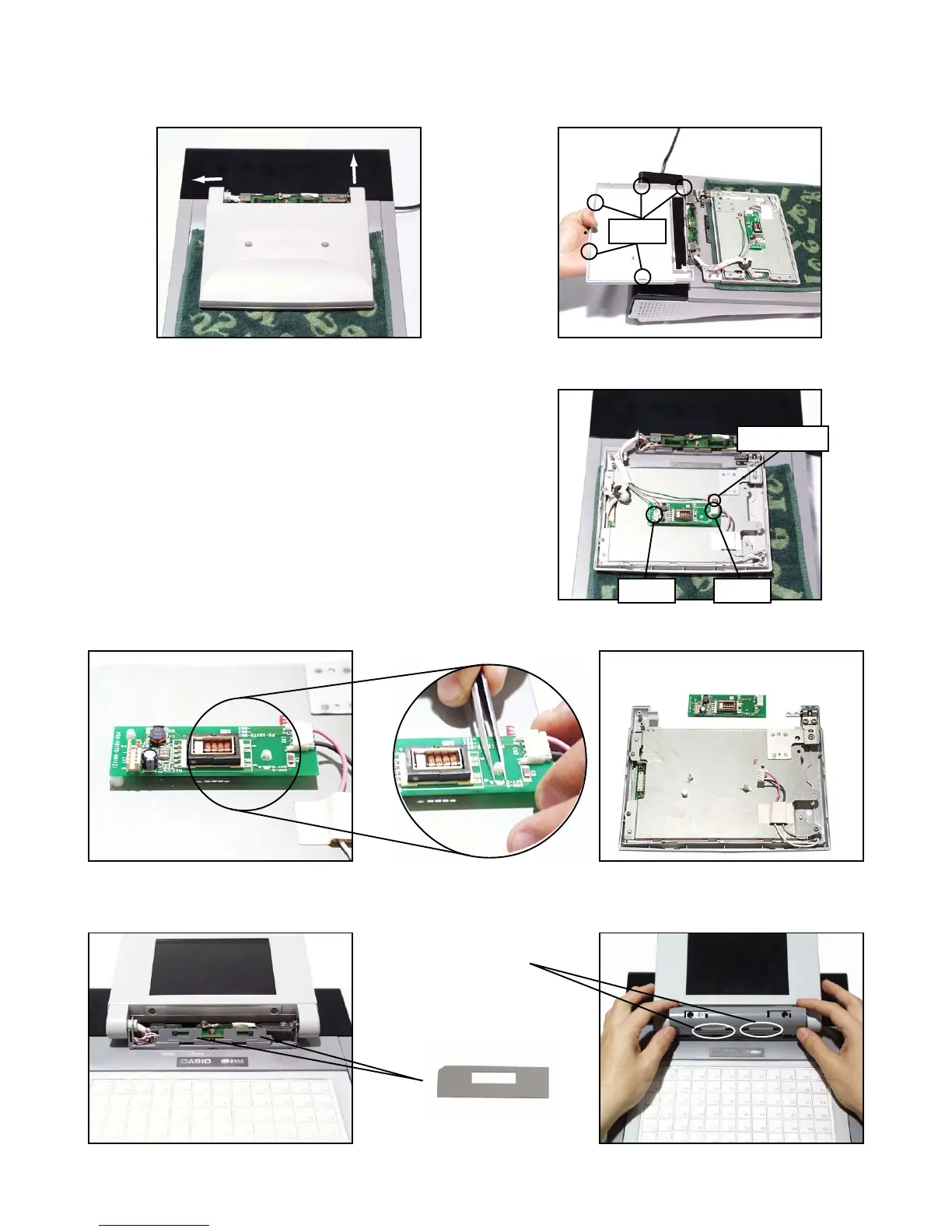
5. Move the LCD unit to the left and remove the LCD cover.
Note: Lift 1 up slightly and move it in the direction of 2.
6 Remove the two connectors (CN1, CN2) as well as the earth cable, and then the LCD unit.
7. Remove the two stoppers and the inverter.
Hook
1
2
CN2CN1
Earth cable
blind sheet x 2
Note: When fixing the Hinge case, put the blind sheets in the direction in the figure below first and fix it by
positioning the slide switch in the center.
slide switch


 To Next Page
 Loading...