— 12 —
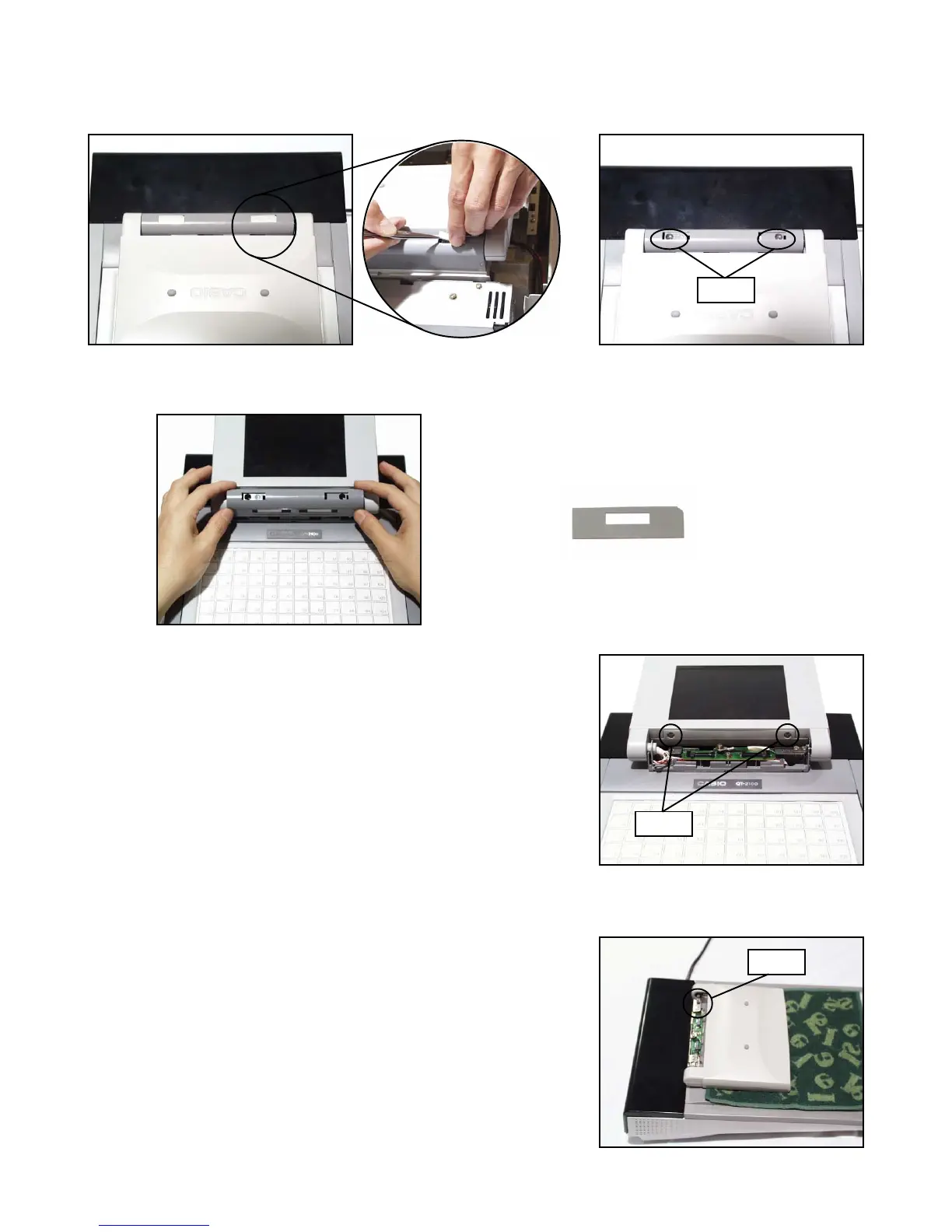
■ LCD MODULE/INVERTER
1. Remove the two blinders (screw covers) and two screws.
2 Remove the LCD cover.
Note: Be careful not to lose the blind sheets at the volume.
3. Remove the two screws (plastic).
Note: Be careful not to break the screws.
4. Remove the two screws on the hinges.
Note: Put a towel etc. under the LCD unit to prevent from defects.
Screws
Screws
Screws
blind sheet x 2


 To Next Page
 Loading...