EasyManua.ls Logo

Casio VZ-10M - Page 21

Casio VZ-10M
113 pages
Print Icon
To Next Page IconTo Next Page
To Previous Page IconTo Previous Page
Loading...
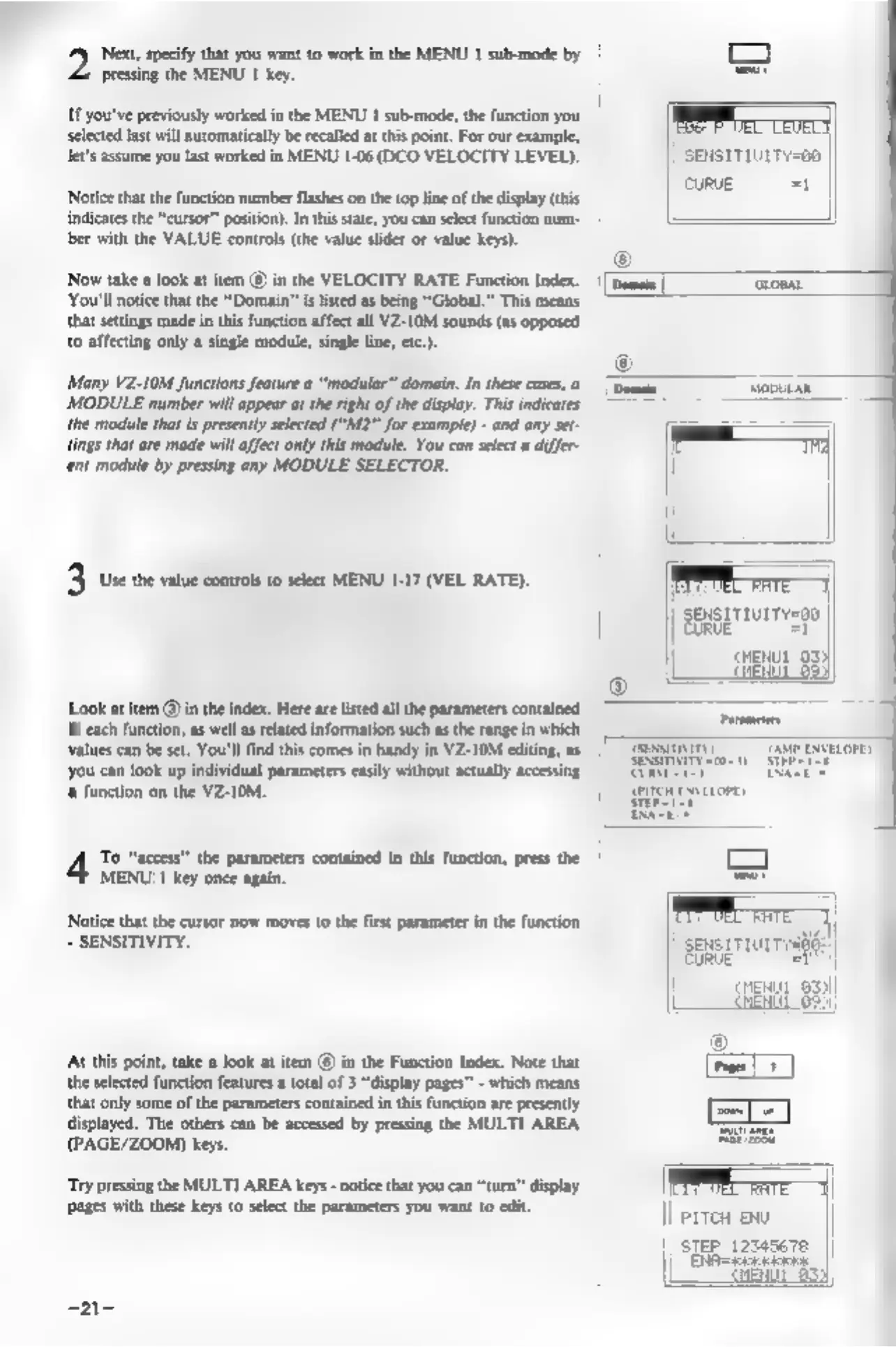
‘Next,
specify
that
you
want
to
work
in
the
MENU
1
sub-mode
by
pressing
the
MENU
1
key.
If
you've
previously
worked
in
the
MENU
1
sub-mode,
the
function
you
selected
last will
automatically
be
recalled
at
this
point.
For
our
example,
let's
assume
you
last
worked
in
MENU
1-06
(DCO
VELOCITY
LEVEL).
Notice
that
the
function
number
flashes
on
the
top
line
of
the
display
(this
indicates
the
“cursor”
postion).
In
this
state,
you
can
select
function
num-
ber
with
the
VALUE
controls
(the
value
slider
or
value
keys).
‘Now
take
a
look
at
item
@
in
the
VELOCITY
RATE
Function
Index.
‘You'll
notice
that
the
“Domain”
is
listed
as
being
“Global.”
This
means
that
settings
made
in
this
function
affect
all
VZ-10M
sounds
(as
opposed
to
affecting
only
a
single
module,
single
line,
etc).
‘Many
VZ-10M
functions
feature
a
“modular”
domain.
In
these
cases,
a
MODULE
number
will
appear
at
the
right
of
the
display.
This
indicates
‘the
module
that
is
presently
selected
(“M2”
for
example)
-
and
any
set-
tings
that
are
made
will
affect
only
this
module.
You
can
select
a
differ-
‘ent
module
by
pressing
any
MODULE
SELECTOR.
3
Use
the
value
controls
to
select
MENU
1-17
(VEL
RATE).
Look
at
item
@
in
the
index.
Here
are
listed
all the
parameters
contained
in
each
function,
as
well
as
related
information
such
as
the
range
in
which
values
can
be
set.
You'll
find
this
comes
in
handy
in
VZ-10M
editing,
as
you
can
look
up
individual
parameters
easly
without
actualy
accesing
‘8
function
on
the
VZ-10M.
‘To
“access”
the
parameters
contained
in
this
function,
press
the
MENU
1
key
once
again.
Notice
that
the
cursor
now
moves
to
the
first
parameter
in
the
function
=
SENSITIVITY.
‘At
this
point,
take
a
look
at
item
@
in
the
Function
Index.
Note that
the
selected
function
features
a
total
of
3
“display
pages”
-
which
means
that
only
some
of
the
parameters
contained
inthis
function
are
presently
displayed.
The
others
can
be
accessed
by
pressing
the
MULTI
AREA
(PAGE/ZOOM)
keys.
‘Try
pressing
the
MULTI
AREA
keys
-
notice
that
you can
“turn”
display
pages
with
these
keys
to
select
the
parameters
you
want
to
edit.
-21-
Serer
ccs
SENSITIUITY=00
|
CURVE
=I
|
j
\
|
|
)
SENSITIUITY=00
|
eaisgae
st
|
pu
03
|__S
§33)
f
||
)
sensrrrurrvsiée
bi
sie
al
i
CHENUL
939)
LEN
||
errea
exe
||
step
12345678
||
|
SEle=teeceers
|
rent
633)
'