EasyManua.ls Logo

Casio VZ-10M - Page 23

Casio VZ-10M
113 pages
Print Icon
To Next Page IconTo Next Page
To Previous Page IconTo Previous Page
Loading...
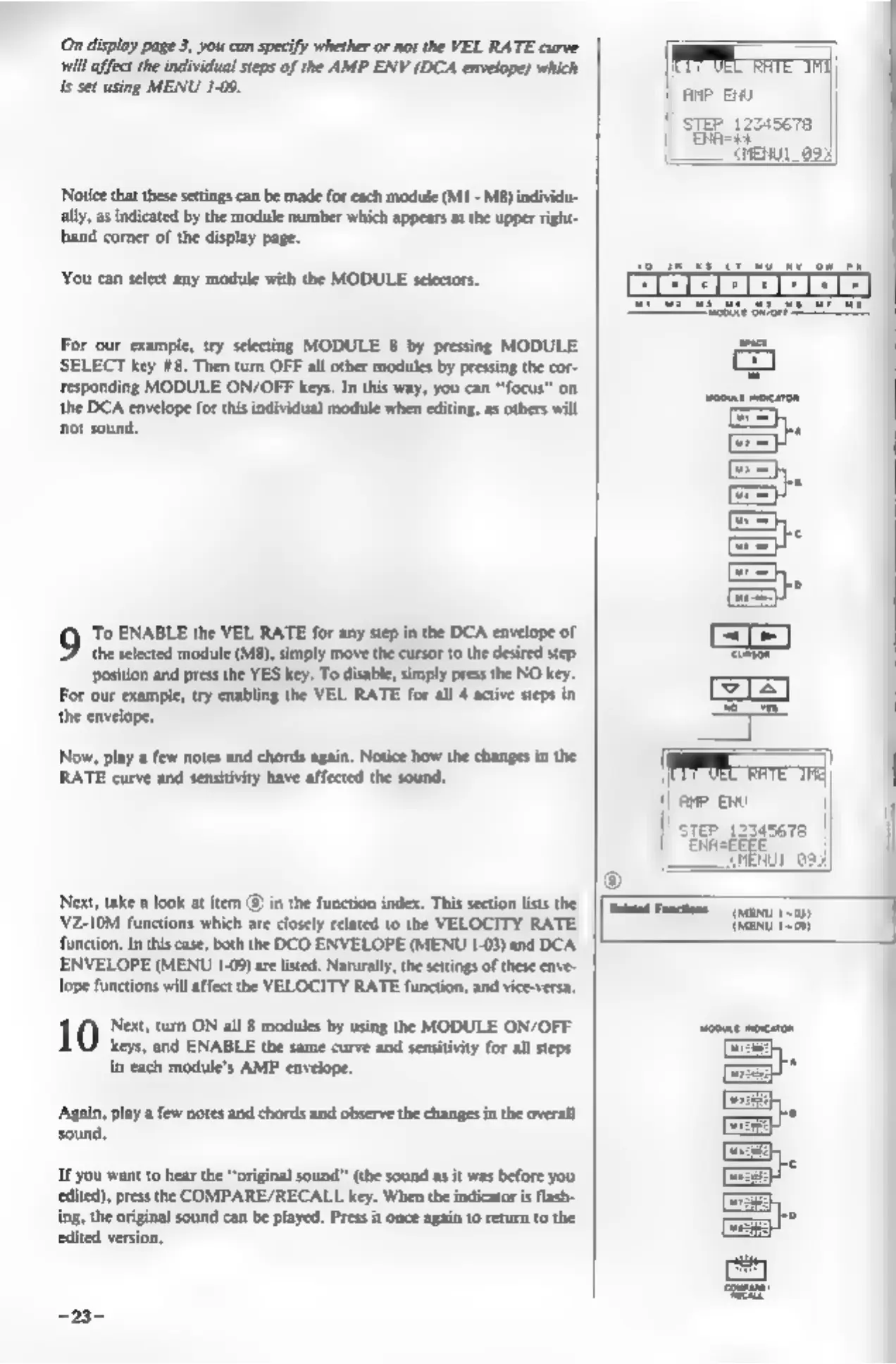
(On
display
page
3,
you can
specify
whether
or
not
the
VEL
RATE
curve
will
affect
the
individual
steps
of
the
AMP
ENV
(DCA
envelope)
which
is
set
using
MENU
1-09.
‘Notice
that
these
settings
can
be
made
for
each
module
(MI
-
M8)
individu
ally,
as
indicated
by
the
module
number
which
appears
at
the
upper
right-
hhand
corner
of
the
display
page.
You
can
select
any
module
with
the
MODULE
selectors.
For
our
example,
try
selecting
MODULE
8
by
pressing
MODULE
SELECT
key
#8.
Then
turn
OFF
all
other
modules
by
pressing
the
cor-
responding
MODULE
ON/OFF
keys.
In
this
way,
you
can
“focus”
on
the
DCA
envelope
for
this
individual
module
when
editing,
as
others
will
not
sound,
‘To
ENABLE
the
VEL
RATE
for
any
step
in
the DCA
envelope
of
the
selected
module
(M8),
simply
move
the
cursor
to
the
desired
step
position
and
press
the
YES
key.
To
disable,
simply
press
the
NO
key.
For
our
example,
try
enabling
the
VEL
RATE
for
all
4
active
steps
in
the
envelope,
Now,
play
a
few
notes
and
chords
again.
Notice
how the
changes
in
the
RATE
curve
and
sensitivity
have
affected
the
sound.
Next,
take
a
look
at
item
@)
in
the
function
index.
This
section
lists
the
‘VZ-10M
functions
which
are
closely
related
to
the
VELOCITY
RATE
function.
In
this
case,
both
the
DCO
ENVELOPE
(MENU
1-03)
and
DCA.
ENVELOPE
(MENU
1-09)
are
listed.
Naturally,
the
settings
of
these
enve-
lope
functions
will
affect
the
VELOCITY
RATE
function,
and
vice-versa.
1.0)
Net
217
ON
all
§
modules
by
wing
the
MODULE
ON/OFF
keys,
and
ENABLE
the
same
curve
and
sensitivity
for
all
steps
in
each
module's
AMP
envelope.
Again,
play
a
few
notes
and
chords
and
observe
the
changes
in
the
overall
sound.
If
you
want
to
hear
the
“original
sound’
(the
sound
as
it
was
before
you
edited),
press
the
COMPARE/RECALL
key.
When
the
indicator
is
flash-
ing,
the
original
sound
can
be
played.
Press
it
once
again
to
return
to
the
edited
version,
ANP
ENU
SIRE
1zs4s678
||
are
eno
|
||
step
szsaseve
|]
|
||
Sinebeee
Reid
Fonction
en
100,
GANG
109)