EasyManua.ls Logo

Casio VZ-10M - Page 26

Casio VZ-10M
113 pages
Print Icon
To Next Page IconTo Next Page
To Previous Page IconTo Previous Page
Loading...
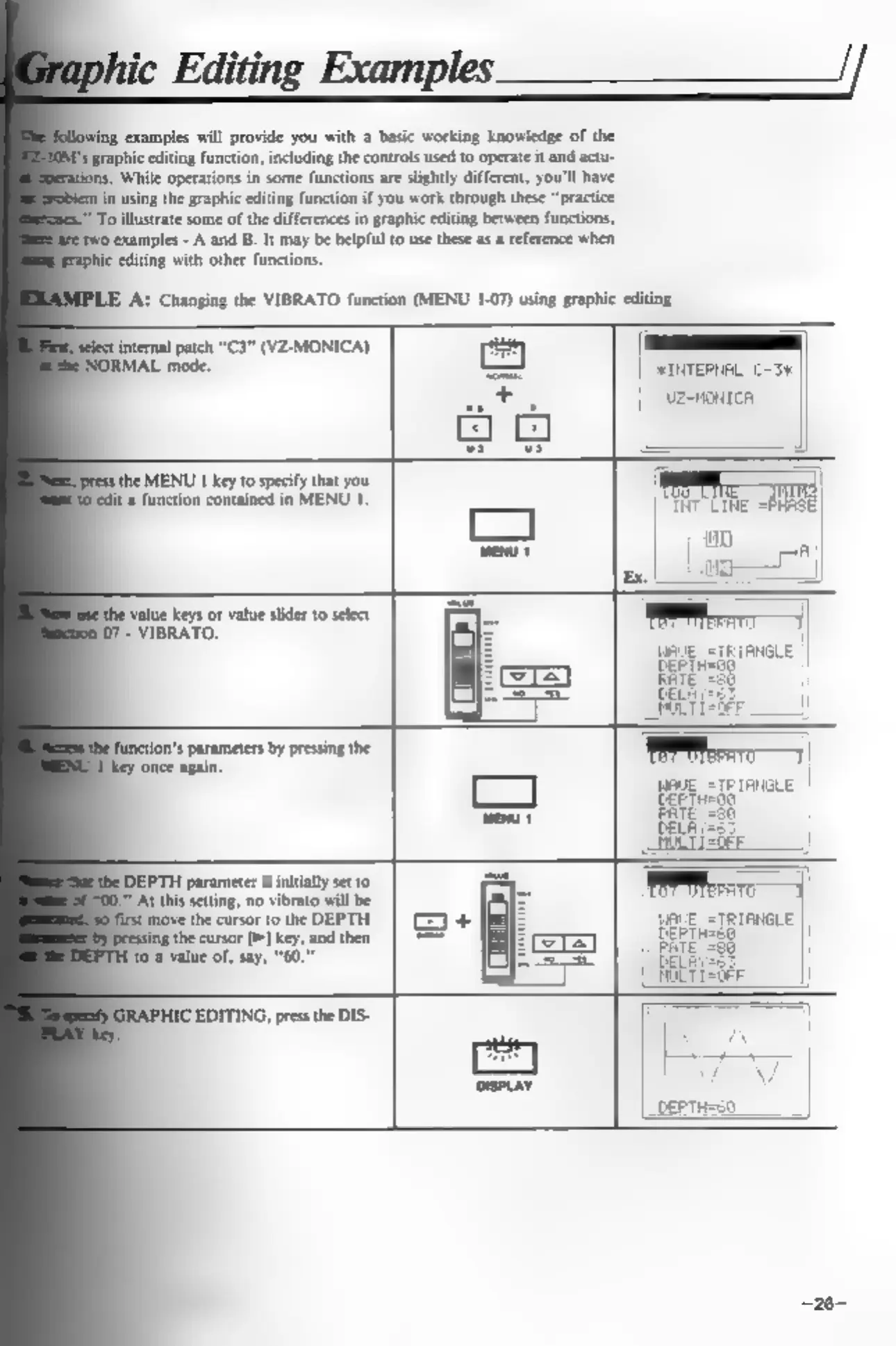
‘examples
will
provide
you
with
a
basic
working
knowledge
of
the
graphic
editing
function,
including
the
controls
used
to
operate
it
and
actu-
.-
While
operations
in
some
functions
are
slightly
different,
you'll
have
in
using
the
graphic
editing
function
if
you
work
through
these
“practice
"To
illustrate
some
of
the
differences
in
graphic
editing
between
functions,
gtwo
examples
-
A
and
B. It
may
be
helpful
to
use
these
as
a
reference
when
ie
editing
with
other
functions.
hanging
the
VIBRATO
function
(MENU
1-07)
using
graphic
editing
internal
patch
“C3”
(VZ-MONICA)
RMAL
mode.
Baal
ve
ag
the
MENU
1
key
to
specify
that
you
jedit
a
function
contained
in
MENU
1
‘value
Keys
or
value
slider
to
select
07
-
VIBRATO.
ns
parameters
by
pressing
the
‘once
again.
—
||
vz-nontca
|
|
“TNT
LINE,
Eg
10
DEPTH
parameter
is
initially
set
to
U*
At
this
setting,
no
vibrato
will
be
‘move
the
cursor
to
the
DEPTH
the
cursor
>]
key,
and
then
0
a
value
of,
say,
“60.”
IC
EDITING,
press
the
DIS-