EasyManua.ls Logo

Casio VZ-10M - Page 30

Casio VZ-10M
113 pages
Print Icon
To Next Page IconTo Next Page
To Previous Page IconTo Previous Page
Loading...
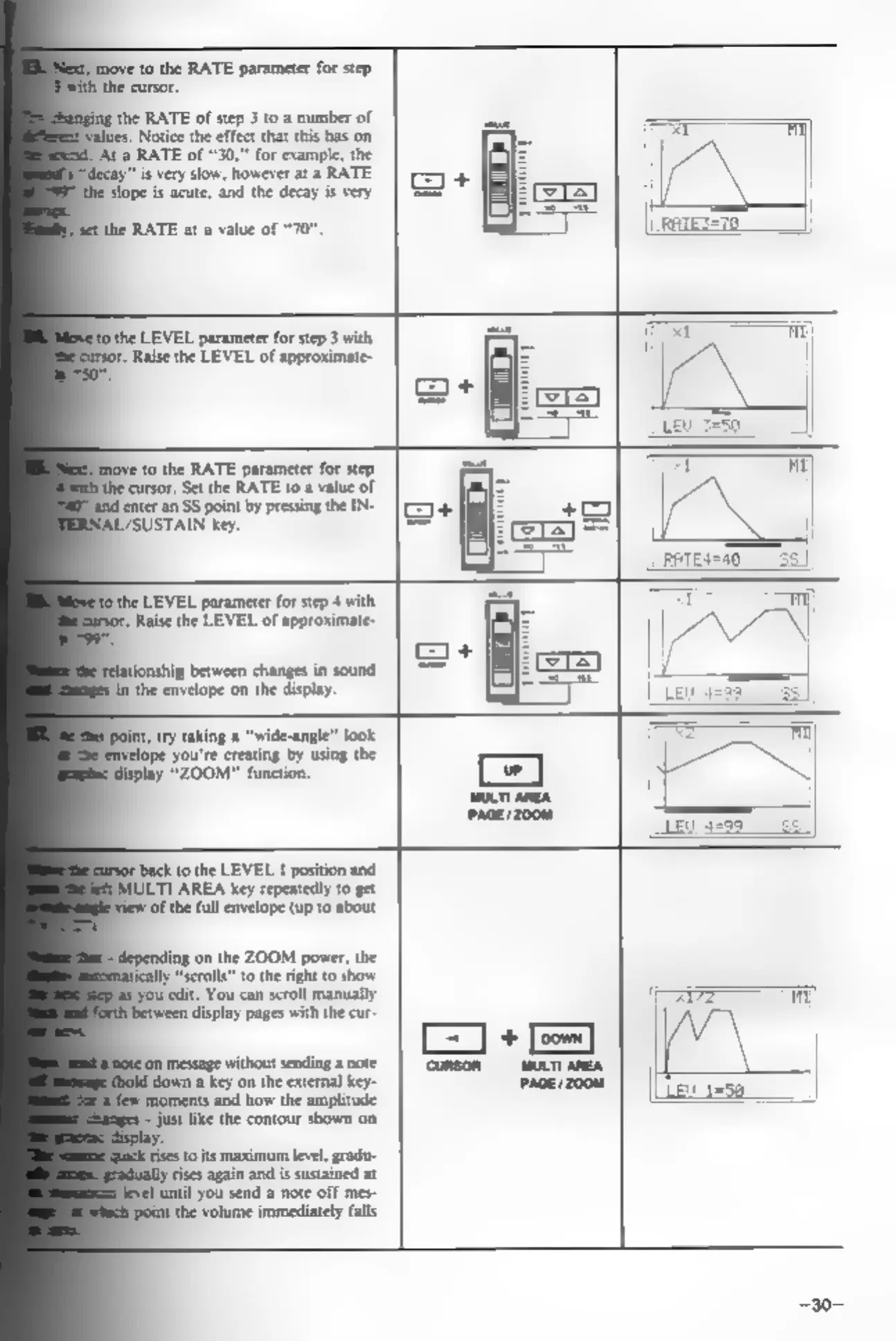
move
to
the
RATE
parameter
for
step
the
cursor.
the
RATE
of
step
3
to
a
number
of
Notice
the
effect
that
this
has
on
‘Ata
RATE
of
“30,”
for
example,
the
"is
very
slow,
however
at
a
RATE
‘slope
is
acute,
and
the
decay
is
very
the
RATE
at
a
value
of
“70”
to
the
LEVEL
parameter
for
step
3
with,
Raise
the
LEVEL
of
approximate-
ove
to
the
RATE
parameter
for
step
ithe
cursor.
Set
the
RATE
to
a
value
of
{enter
an
SS
point
by
pressing
the
IN-
SUSTAIN
key,
the
LEVEL
parameter
for
step
4
with
Raise
the
LEVEL
of
approximate-
ip
between
changes
in
sound.
fn
the
envelope
on
the
display.
display
“ZOOM"
function.
back
to
the
LEVEL
1
position
and
TL
AREA
key
repeatedly
to
get
Of
the
full
envelope
(up
to
about
nding
on
the
ZOOM
power,
the
“scrolls”
to
the
right
to
show
syou
edit.
You
can
scroll
manually
pBetween
display
pages
with
the
cur-
Jon
message
without
sending
a
note
down
a
key
on
the
external
key-
‘moments
and
how
the
amplitude
=
just
like
the
contour
shown
on
ise
t
its
maximum
level,
gradu-
rises again
and
is
sustained
at
until
you
send
a
note
off
mes-
pint
the
volume
immediately
falls
a
Conon
MULT AREA
ace 008