Code
50
50
Latest Event
1 Event 2
Event 3 Event
4 Event 5
Event 6 Event
7
On count 05 10
On count 10
In this case - (1): for "ON count 09", error 50 occurred twice, but the readings did not change. In this case - (2): For "ON count 10", error
50 occurred 4 times, followed by error 80, and the projector turned off.
00
00
<Fatal error log (ERROR)>
Code Counter
On count 09
00
00
6-1. Error Codes Separate
logs store information about fatal errors that caused the projector to turn off (ERROR) and non-fatal errors that did not turn off the projector
(WARNING). Each log stores up to 8 recent events. No matter how many non-fatal errors occur, the fatal error log is not overwritten (and vice
versa). The user can determine the relationship
between errors and events in the "ON count" menu provided in the counter for each section.
50
50
50
50
41
00
XJ-A240/A245
On count 10
ERROR
<Non-fatal error log (WARNING>)
WARNING 50
On count 10
On count 10
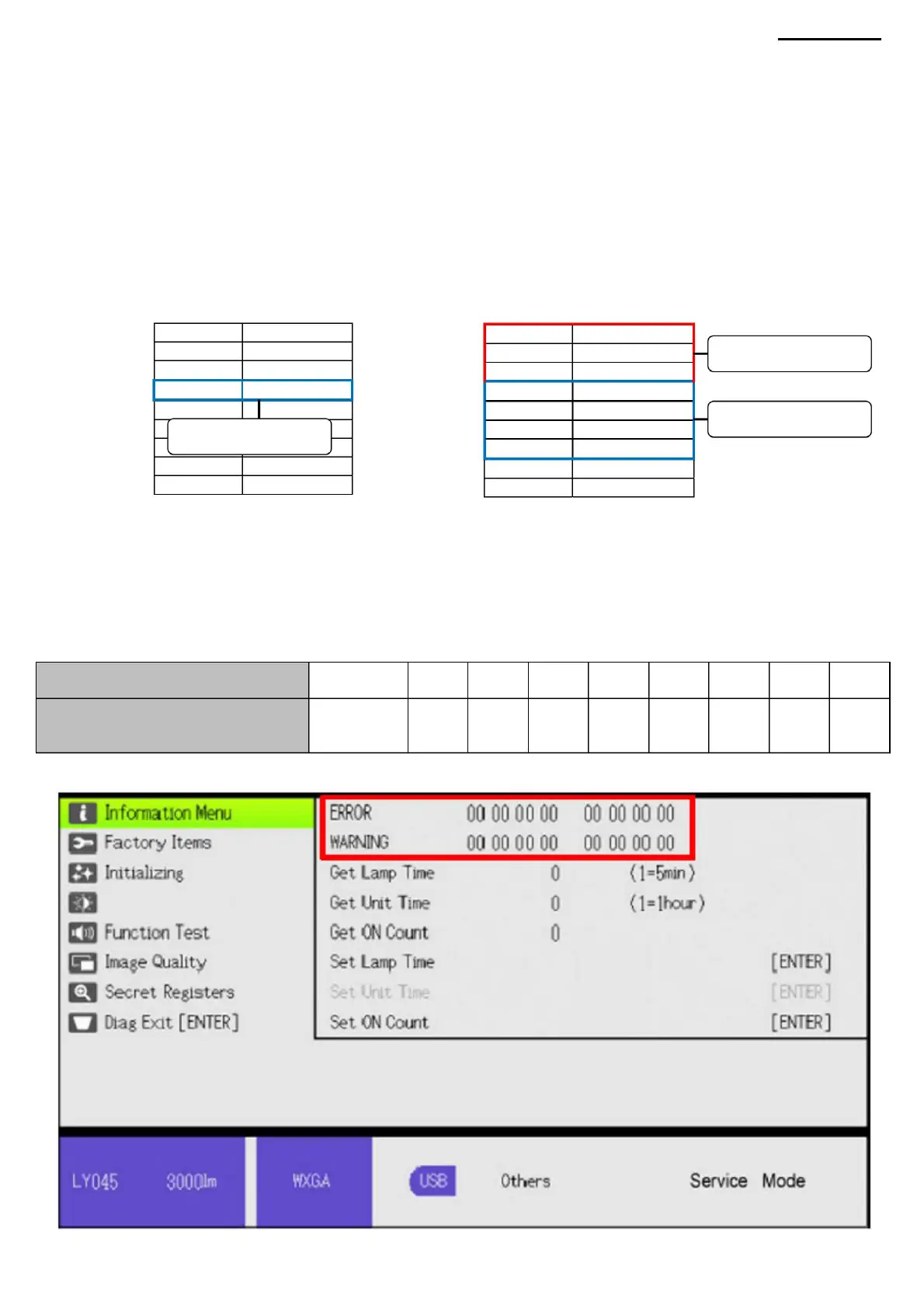
6-2. Viewing Error Codes To run the
diagnostic program, see “4-7. Using the Diagnostic Utility to View Lamp/Device Hours and Error Codes.
00
00
On count 09
On count 02 10
00 86
00 00
Example:
Counter
Latest Event
1 Event 2
Event 3 Event
4 Event 5
Event 6 Event
7
On count 10
Fatal error (Projector turns off) Non-
fatal error
(Projector continues to
operate)
80
00 00
00
6. ERROR CODES
-12-
ÿ Latest
In this case– (2)
In this case - (1)
ÿ 7 events earlierÿ 1 event earlier
In this case– (2)
Machine Translated by Google



 To Next Page