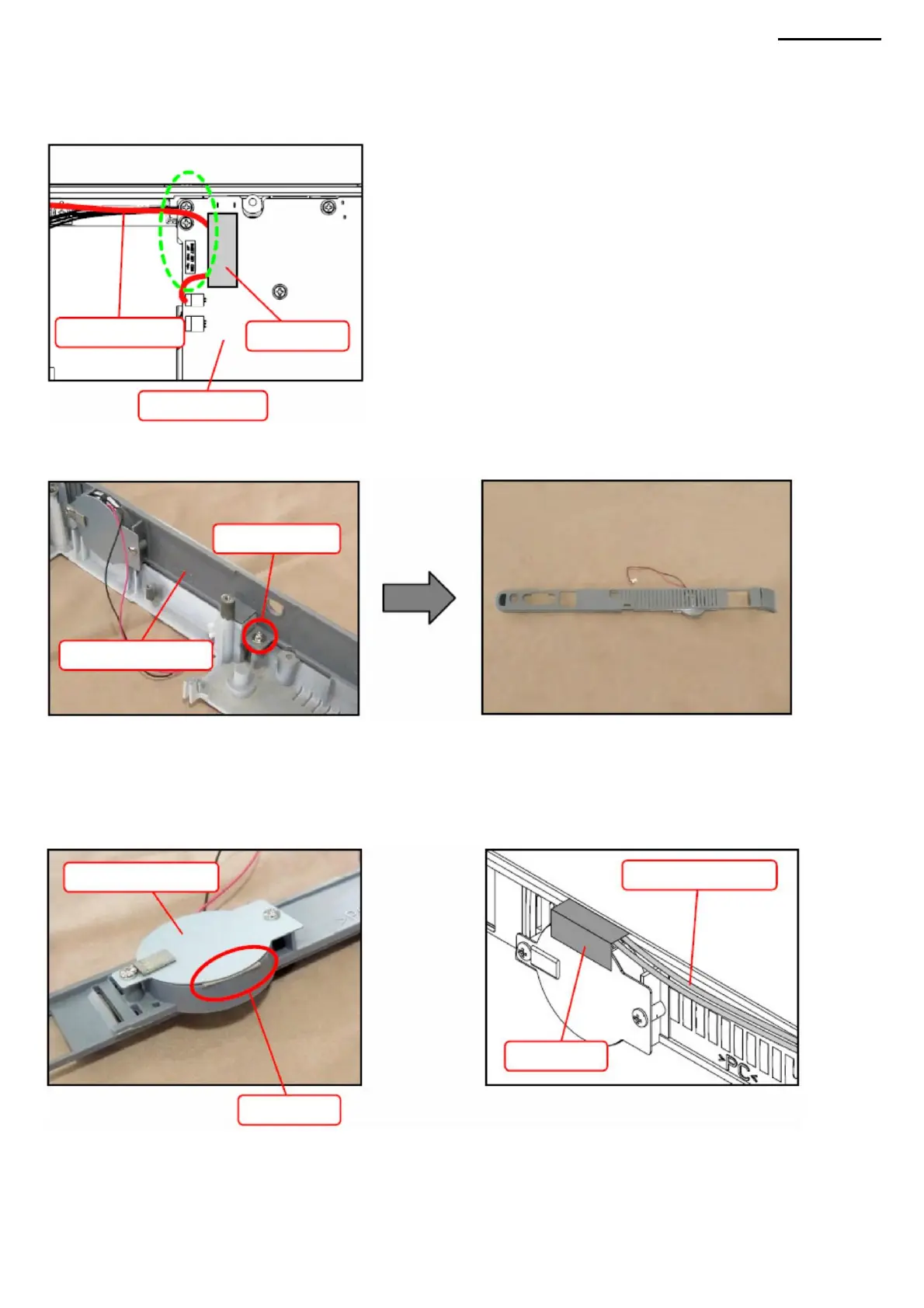
M. COVER IN M-1.
Remove the tape securing the speaker wires to the PWB-1 board. M-2. Disconnect the speaker
wire connector.
<CAUTIONS WHEN REPLACING WITH A NEW PART: COVER B> When replacing the components of cover
B with new ones, please note the following:
XJ-A240/A245
• When assembling the speaker mount, be sure to install a speaker between the mount and the rear panel.
M-3. Loosen screw (S9) and remove cover B.
pad.
• Secure the speaker wires with tape so that the tape does not touch the speaker.
Pad
Screw (S9)
speaker wires
COVER B
-33-
Tape
Salary PWB-1
speaker mount speaker wires
Tape
Machine Translated by Google



 To Next Page