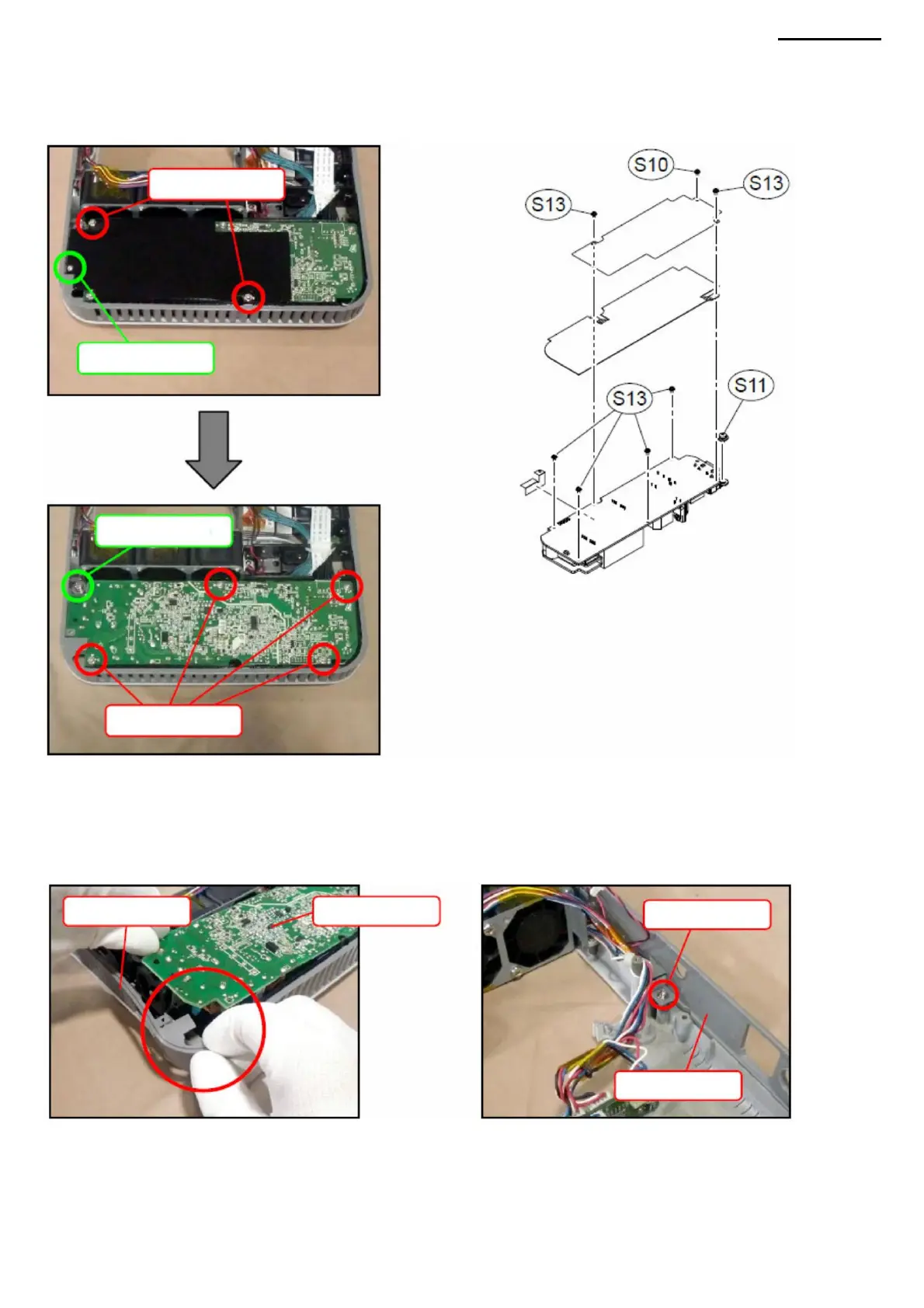
N-3. With the rear panel open, lift the ACDC module.
NOTE: If the module is difficult to remove, loosen the screw securing the rear panel or remove the cover B. For more details,
see M. COVER B". To loosen the screw or remove cover B, you
must first remove the PWB-1 board. For a more detailed description, see "D. PWB-1 BOARD".
N-1. Unscrew the three screws (S10, S13) and remove the two insulating plates.
XJ-A240/A245
N-2. Unscrew five screws (S11, S13).
N. ACDC MODULE (POWER SUPPLY)
Screw (S11)
Screw (S9)
Screws (S13)
Back panel
Screws (S13)
Back panel
-35-
Screw (S10)
ACDC MODULE
Machine Translated by Google



 To Next Page