XJ-A240/A245
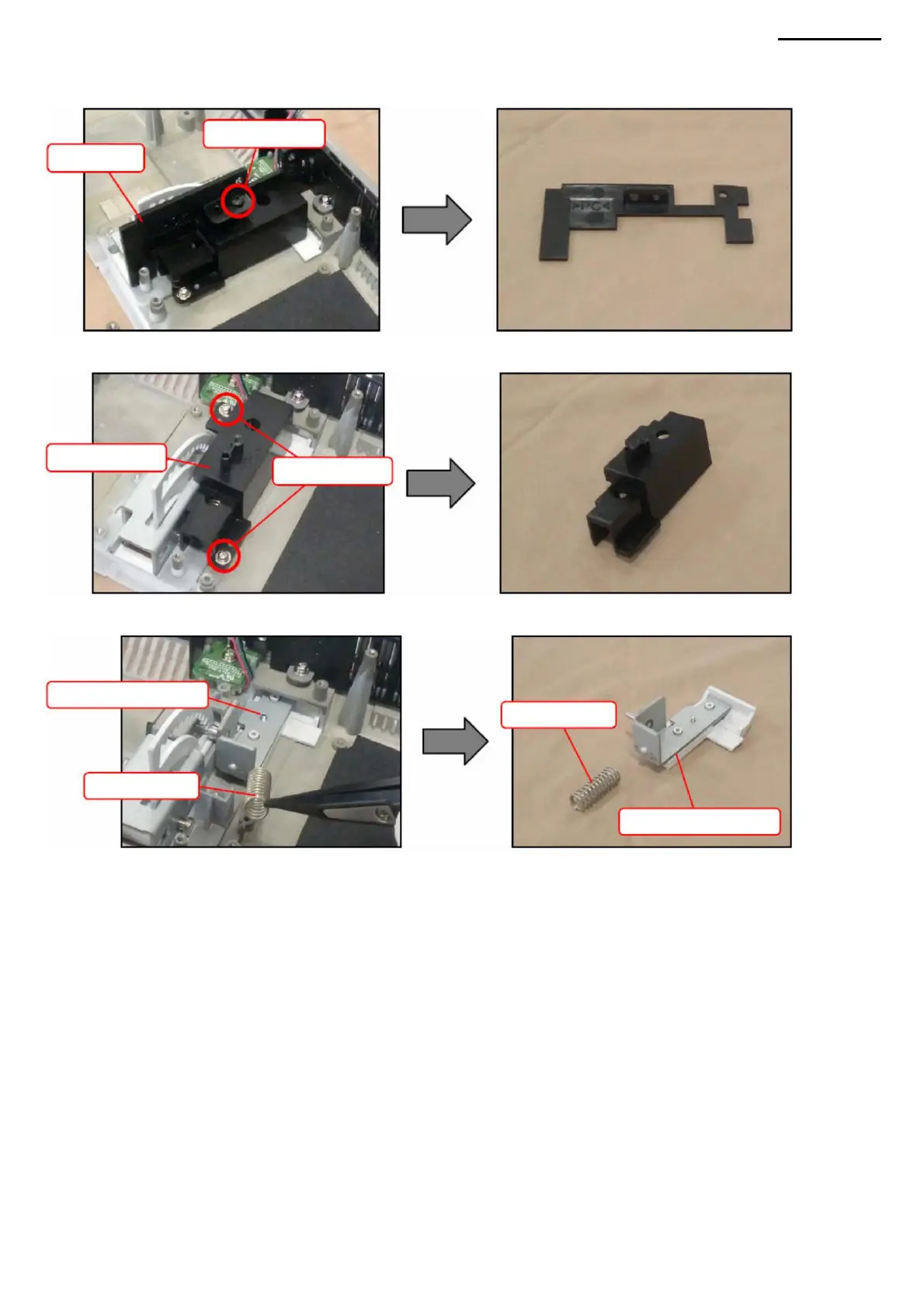
R-3. Remove the TF spring and TF button.
P-2. Unscrew two screws (S9) and remove the TF mount.
• Before assembling the TF button, assemble the TF
cover. • After assembling the TF cover, make sure that the angle can be continuously adjusted.
P. TF BUTTON
P-1. Loosen screw (S15) and remove cover B.
<ASSEMBLY NOTES: TF BUTTON>
Screws (S9)
Screw (S15)
TF button
Cover B
TF button
Spring TF
TF mount
-38-
Spring TF
Machine Translated by Google



 To Next Page