9-7. Uploading backup data
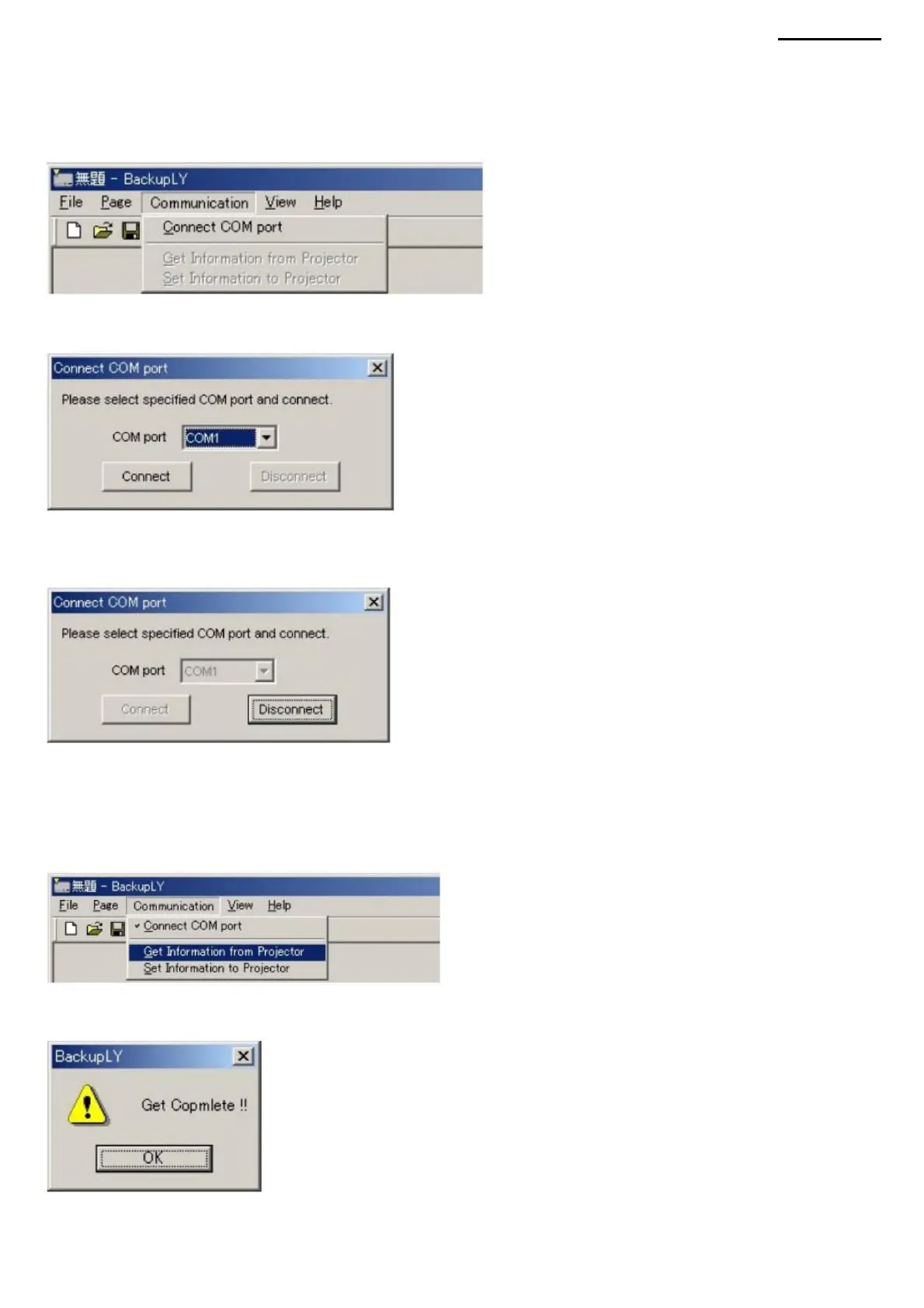
(4) To connect another COM port, click the "Disconnect" button. The list of COM ports and the "Connect" button will become
active, and it will be possible to change the setting.
<Before uploading backup data, connect the COM port in use> (1) Select "Connect COM
Port" from the "Communication" menu. The connection dialog box will open.
<To download backup data, follow the steps below> (1) You can download all
the data at once by selecting "Get Information from Projector" in the "Communication" menu.
(2) Select the COM port you want to connect from the list and click the "Connect" button.
(2) After uploading data successfully, the following dialog box will appear, the uploaded data will be updated.
(3) After the connection is established, the dialog box will automatically close. When you reopen the dialog box, the list of COM
ports and the "Connect" button will not be available, so the configuration
XJ-A240/A245
change is impossible.
-56-
Machine Translated by Google



 To Next Page