-57-
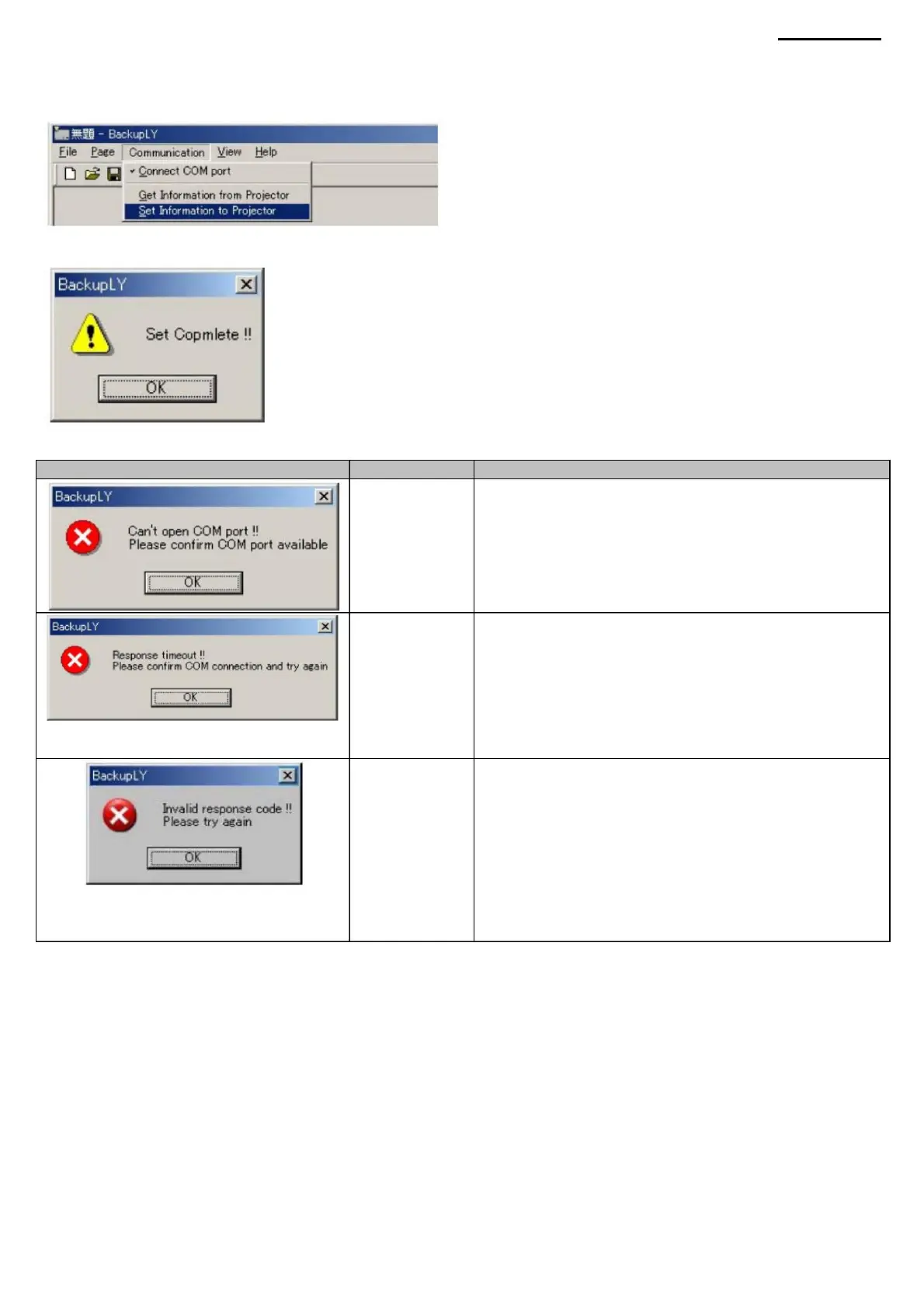
<To upload backup data, follow the steps below> (1) You can upload all the data at once by
selecting "Set Information to Projector" in the "Communication" menu.
waiting time
Error
XJ-A240/A245
• Make sure the connection between the PC and the projector is correct.
Connect the projector and host computer as described in “9-4.
Connecting a Projector".
<The table below lists possible connection error messages> Meaning Possible cause and remedy Error when • Make sure your
PC supports
COM to open the COM port.
• Make sure that the vice-rector's status allows you to establish a
connection with the PC. Turn on the projector as described in “9-5.
Launching the program and installation screen. • Make sure your
projector has a supported firmware version.
• Make sure the connection between the PC and the projector is correct.
Connect the projector and host computer as described
in “9-4. Connecting a Projector". • Make sure that the vice-rector's status
allows you to establish a connection with the PC. Turn on the
projector as described in “9-5. Launching the program and installation
screen. If one
of the above messages appears, try downloading/uploading the data
again.
(2) After successfully uploading the data, the following dialog box will appear.
connections.
port.
response.
Message
Error
is being used by another application.
• Make sure the selected COM port is not
Machine Translated by Google



 To Next Page