EasyManua.ls Logo

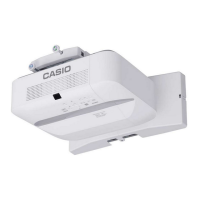
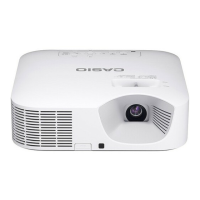
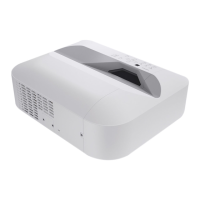
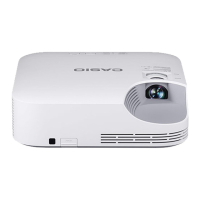
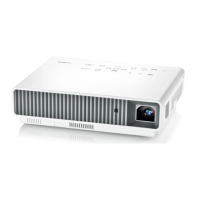
Casio XJ-UT Series - User Manual

Casio XJ-UT Series
96 pages
Print Icon
To Next Page IconTo Next Page
Loading...
1
DATA PROJECTOR
XJ-UT Series
XJ-UT312WN*/
XJ-UT352W/XJ-UT352WN*
XJ-F Series
XJ-F11X/XJ-F21XN*/
XJ-F101W/XJ-F211WN*
XJ-S Series
XJ-S400U/XJ-S400UN*/
XJ-S400W/XJ-S400WN*
User’s Guide
In this manual, “XJ-UT Series”, “XJ-F Series” and “XJ-S Series” refer only to the specific models
listed above.
Be sure to read the “Safety Precautions” and “Operating Precautions” and make sure you use this
product correctly.
Keep this manual in a safe place for future reference.
Visit the site below for the latest version of this manual.
https://world.casio.com/manual/projector/
*Network Models

EN

Table of Contents

Questions and Answers

  • M
    Melanie WalkerAug 12, 2025
    What to do if Casio XJ-UT Projector has just been plugged in?
    • K
      Kimberly ContrerasAug 12, 2025
      If the Casio Projector has just been plugged into a power outlet, wait until it enters the standby state before attempting to turn it on.
  • D
    Daniel BrownAug 22, 2025
    What to do if Casio XJ-UT Projector turns off due to overheating?
    • J
      Jessica OlsonAug 22, 2025
      If your Casio Projector turns off due to internal overheating, it could be because the power has turned off automatically. First, check the projector’s intake and exhaust vents to ensure they aren't blocked and that there is enough space around the projector. If you find dust, remove it. If the vents are clear, check if the POWER/STANDBY indicator is lit red (without flashing), and then turn the power back on. If the issue repeats, contact your retailer or an authorized CASIO Service Center.
  • P
    Philip WardAug 31, 2025
    What to do if Casio XJ-UT Projector has just been plugged into a power outlet?
    • C
      carlossmithAug 31, 2025
      If your Casio Projector has just been plugged into a power outlet, wait until it enters the standby state before attempting to turn it on.

Casio XJ-UT Series Specifications

General IconGeneral
BrandCasio
ModelXJ-UT Series
CategoryProjector
LanguageEnglish

Related product manuals