EasyManua.ls Logo

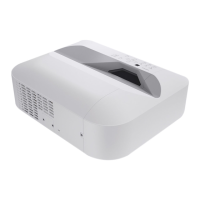
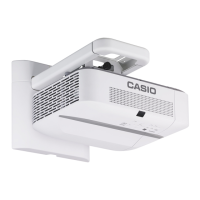
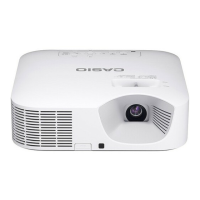
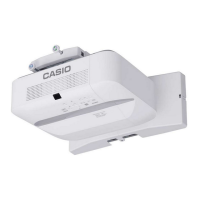
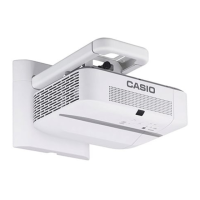
Casio XJ-UT351W - User Manual

Casio XJ-UT351W
65 pages
Print Icon
To Next Page IconTo Next Page
Loading...
1
DATA PROJECTOR
XJ-UT331X/XJ-UT311WN*/
XJ-UT351W/XJ-UT351WN*
User’s Guide
Be sure to read the “Safety Precautions” and “Operating Precautions” in the “Read this first”
document, and make sure you use this product correctly.
Keep this manual in a safe place for future reference.
Visit the site below for the latest version of this manual.
http://world.casio.com/manual/projector/
*Network Models
EN

Table of Contents

Questions and Answers

Casio XJ-UT351W Specifications

General IconGeneral
Brightness3500 ANSI lumens
Contrast Ratio20, 000:1
Light SourceLaser
ConnectivityHDMI, VGA, USB, LAN
Lamp Life20, 000 hours
Output TerminalsAudio out
Projection SystemDLP
Resolution1280 x 800 (WXGA)
Input TerminalsHDMI x 1, VGA x 1, USB x 1, LAN x 1
Noise Level28 dB

Summary

Safety Precautions

Precautions During Use

Important safety guidelines to follow during projector operation.

Power Cord Safety

Precautions for safe use and handling of the projector's power cord.

Water and Foreign Matter Precautions

Warnings about water and foreign objects getting into the projector.

Disassembly and Modification

Prohibits disassembly and modification of the projector.

Dropping and Impact

Risks and actions related to dropping or impacting the projector.

Ventilation and Location

Guidelines for proper projector ventilation and placement.

Handling and Environment Precautions

Covers heavy objects, water, unstable locations, and remote controller care.

Battery Precautions

Guidelines for safe handling and disposal of batteries.

Operating Precautions

Projector Light Emission

Safety warnings about looking directly into the light source.

Laser and High Temperature Precautions

Safety information regarding laser components and high temperatures.

Getting Ready

Operation Flow to Projection

Step-by-step guide to start projecting.

Setting Up the Projector

Instructions for physically placing and positioning the projector.

Setup Precautions

Important safety and placement guidelines before setup.

Connecting with an External Device

Connecting to an Image Output Device

How to connect computers, video devices, etc. for image output.

Remote Controller

Operating the Projector

Basic Operation List

Core operations for image and audio during projection.

Configuring Projector Settings

Using the Setup Menu

Navigating and using the projector's setup menu.

Password Protection

How to set up and manage projector password protection.

Projecting from USB Input

Projecting Files and Configuring Viewer

Steps to project files and customize File Viewer settings.

Troubleshooting

Error Indicators and Warning Messages

How to interpret error messages and indicators.

Troubleshooting Error Conditions

Detailed descriptions and required actions for various error states.

General Troubleshooting Guide

Solutions for common projector problems like no image or sound.

Advanced Troubleshooting

Addresses issues like blurry text, password prompts, and remote control problems.

Related product manuals