EasyManua.ls Logo

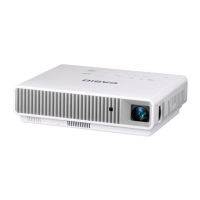
Casio XJ-M141 - User Manual

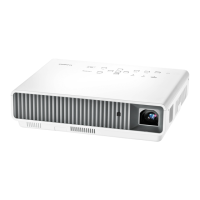
Casio XJ-M141
103 pages
Print Icon
To Next Page IconTo Next Page
Loading...
1
DATA PROJECTOR
XJ-A Series
XJ-A142/XJ-A147*
XJ-A242/XJ-A247*
XJ-A252/XJ-A257*
XJ-M Series
XJ-M141/XJ-M146*
XJ-M151/XJ-M156*
XJ-M241/XJ-M246*
XJ-M251/XJ-M256*
User’s Guide
In this manual, “XJ-A Series” and “XJ-M Series” refer only to the specific models listed above.
Be sure to read the “Safety Precautions” and “Operating Precautions” in the “Setup Guide”
document that comes with the Data Projector, and make sure you use this product correctly.
Keep this manual in a safe place for future reference.
Visit the site below for the latest version of this manual.
https://world.casio.com/manual/projector/
*USB Models
EN
D

Table of Contents

Other manuals for Casio XJ-M141

Questions and Answers

  • H
    Heather SimsAug 6, 2025
    What to do if File Viewer does not appear when connecting USB to Casio Projector?
    • J
      jose69Aug 6, 2025
      If the File Viewer doesn't appear when you connect a USB flash drive to your Casio Projector's USB-A port, it might be due to the USB flash drive's format not being recognized. Use your computer to check if the file system is FAT or FAT32. If it isn’t, reformat the USB flash drive to FAT or FAT32. Another possible cause is if “Off” is selected for the “Option Settings 2 3 Plug and Play” setting. In this case, change the “Plug and Play” setting to “On”.

Summary

Projector Features

Features Common to All Models

Details features applicable to all projector models, like light source and input options.

USB Model Features

Outlines specific functionalities for projectors with USB connectivity.

Other Model-specific Features

Describes unique characteristics of XJ-A and XJ-M series projectors.

Setup and Connections

Setting Up the Projector

Instructions for projector placement and orientation for optimal projection.

Connecting Cables and Remote

Guidance on connecting power, video sources, and operating the remote controller.

Projecting Content

Selecting Input Sources

How to choose and switch between various video input signals.

File Viewer and USB Display

Using File Viewer for media playback and USB Display for computer screen projection.

Operation and Settings

Image and Audio Controls

Adjusting brightness, color, volume, aspect ratio, and using the presentation timer.

Eco Mode and Setup Menu

Power saving modes and accessing projector configuration settings.

Password and Control Panel Security

Setting up passwords and locking the projector's physical control panel.

Maintenance and Troubleshooting

Cleaning Procedures

Guidelines for cleaning the projector exterior, lens, and vents.

Indicator Status and Error Resolution

Understanding indicator lights and resolving common error messages.

General Problem Solving

Addressing common issues like no image, no sound, or strange colors.

Appendix

Connection and Specification Details

Information on video connections, projection distances, and supported signals.

Software and Control Interface

Firmware updates, user logo transfer, and RS-232C control.

Casio XJ-M141 Specifications

General IconGeneral
BrandCasio
ModelXJ-M141
CategoryProjector
LanguageEnglish

Related product manuals