Section C. ACS Operations Overview
Switches between auto and manual
Indicates when pre-purge is open
Indicates when valves are open
Normal stop of the filler operation in auto mode
(seamer continues to run)
Clean in Place Indicator
Switch (CIP)
Lights up when clean-in-place running; Turn the
clean-in-place function on or off
Lights up when top up is running; Turn top up on or
off, depending on position
Sets the amount of time the top up will last for
Foam Valves Indicator
Switch
Lights up when foam valves running; Turn foam on
or off, depending on position
Sets the amount of time the foam valves will be on
for
Start the equipment in auto mode; Lights up when
running
Turn on the shaker or depal table vibrator
Table 2 HMI Panel – Main Page – Button Functions
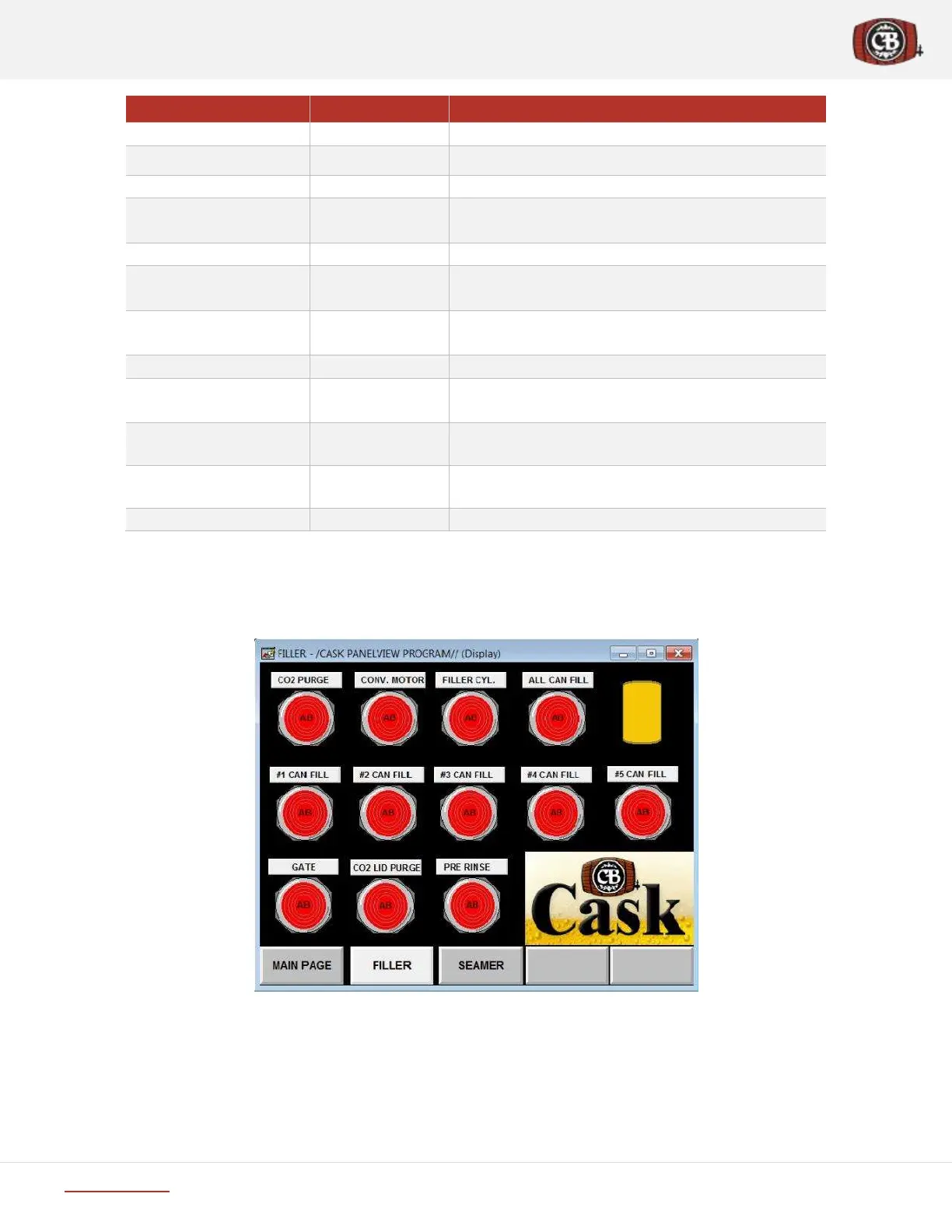
C.2.2 HMI Panel – Filler Page
Manually Control Can Fill, CO2 Purge, Gate, Lid Purge.
Figure 8 HMI Panel – Filler Page screenshot


 To Next Page