CassidaPRO Zeus: Service Manual
2018 Cassida Corporation. All rights reserved.
Rev: 09/05/2018
cassidapro.com/partner/
CURRENCY AND FUNCTION CHECKS
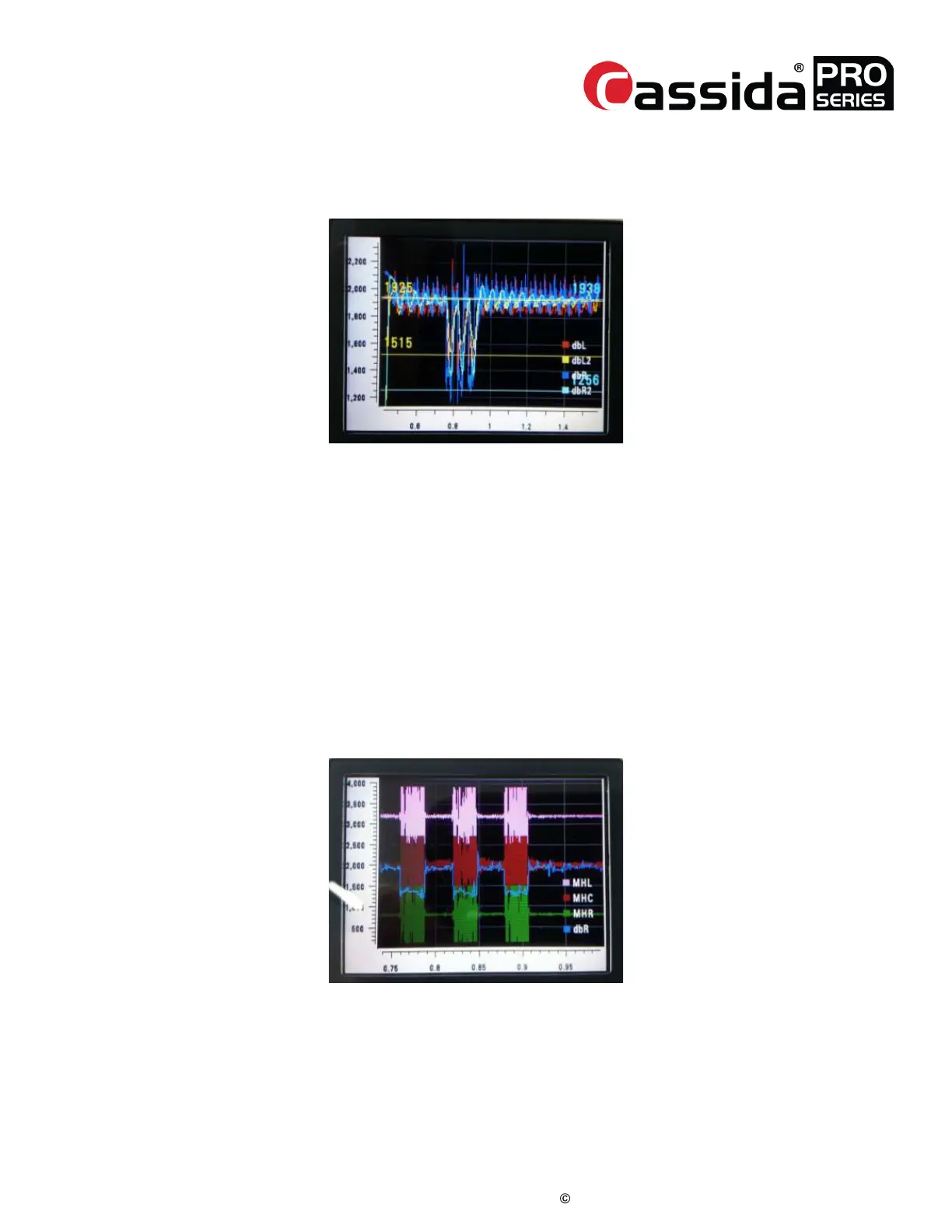
Scanning Quality -> [1] DBL. An example of passing double sensors is
displayed below:
2.3.
Normal - The waveform above was acquired after counting three $1 bills.
• In this waveform, you should check ‘DbL’ (Red) and ‘DbR’ (Blue) signals to
ensure there are three swings with similar depth resulting from counting the
3 notes.
Abnormal - If there is no signal check related parts
· Double Sensor,
· Harnesses
· Mecha board
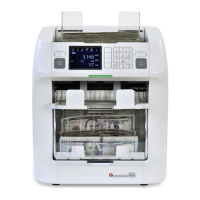
2) Check Magnetic Sensors
• Select this display by pressing in Service Menu -> [1] Diagnosis -> [5]
Scanning Quality -> [2] MG. An example of passing sensors for three $1
notes is displayed below:
In this menu, you may check the magnetic head signals for scanned notes. ‘dbR’(Blue)
shows the note is passing the magnetic sensors. There are three channels of magnetic
sensors, MHL(Left), MHC(Center), and MHR(Right).



 To Next Page